Triforcia.github.io

TRIFORCIA CRUISE TRAVEL AGENCY APP PROJECT
1. General:
-
Triforcia is a Cruise Travel Agency company. Triforcia agency currently maintaining business processes in classical way and mostly by running business by assigning manual tasks to employees. Company has a website for customers to interact and check deals. The website is also used for advertisement purpose. All customer communications and processes handled by emails, phone calls and excel sheets.
-
Company can’t keep up with increased customer volume and agile response requirements. Old manual business processes are not enough to keep growth rate in a maximum level.
-
Triforcia leadership decided to use a CRM system to improve separate current business process efficiency and offer better service to current or potential customers.
-
Salesforce is a well-known CRM system and leadership wants to see a proof-of-concept Salesforce application that can cover all the emerging requirements.
2. Company Information:
-
Triforcia Cruise Agency is providing booking and entertaining services on Cruise Ships. Customers can book a room on a ship and select pre-defined entertainment packages during sail duration.
-
They can attend standard events on the ship. Also, they can attend specific events as well with extra costs. Based on the route of the ships, some specific events can be sold to customers in addition to ship room or cabin allocation.
-
Triforcia Cruise Agency is not the owner of the ships. Cruise ship rooms are being sold by Triforcia according to mutual contracts and booked to customers with some added commissions. In addition to ship owners, customers also need to sign contract in every purchase.
3. Requirements:
-
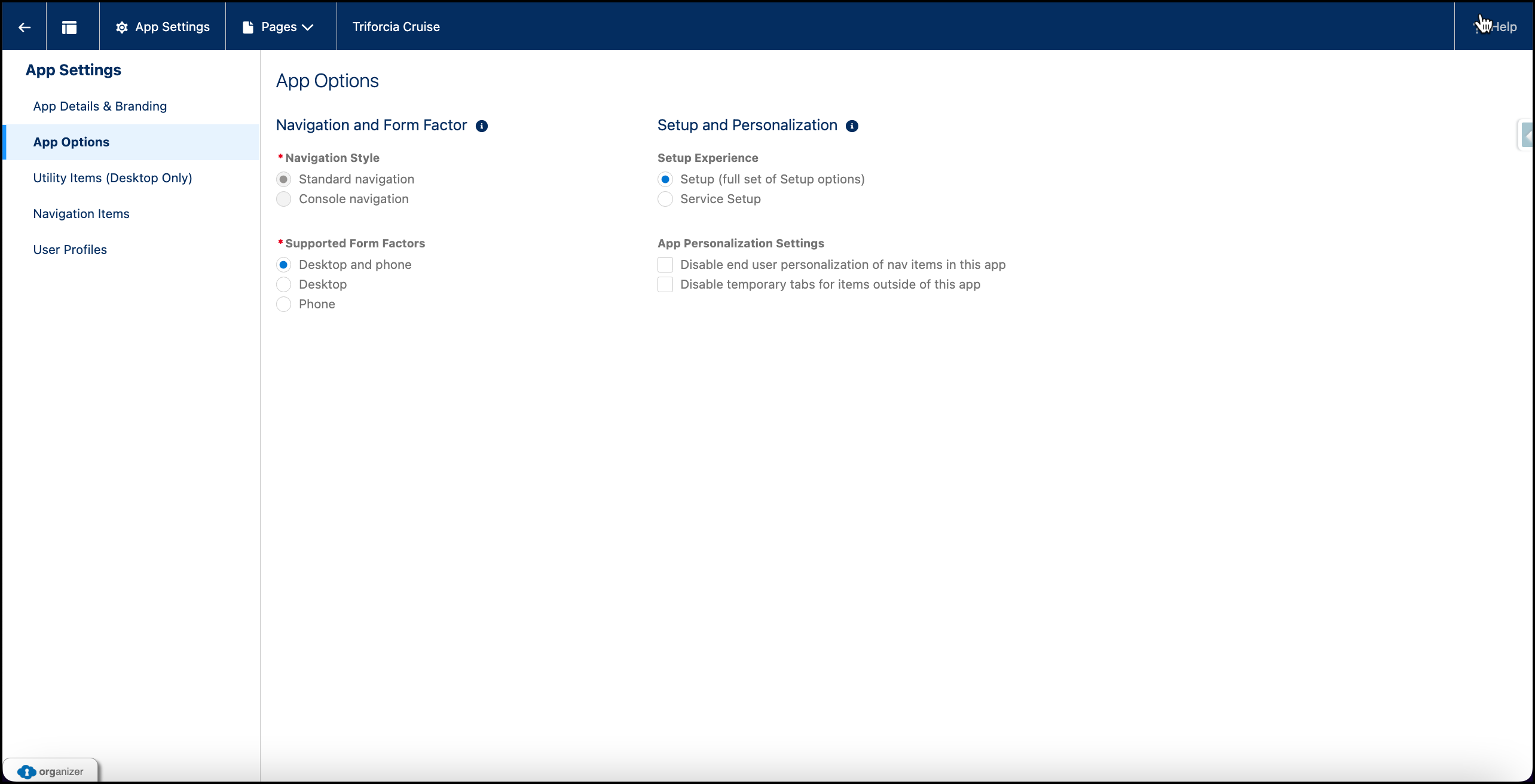
A Salesforce App needs to be created on Salesforce platform so that all stakeholders can reach any provided services from any device (desktop, laptop, mobile) or any place.
-
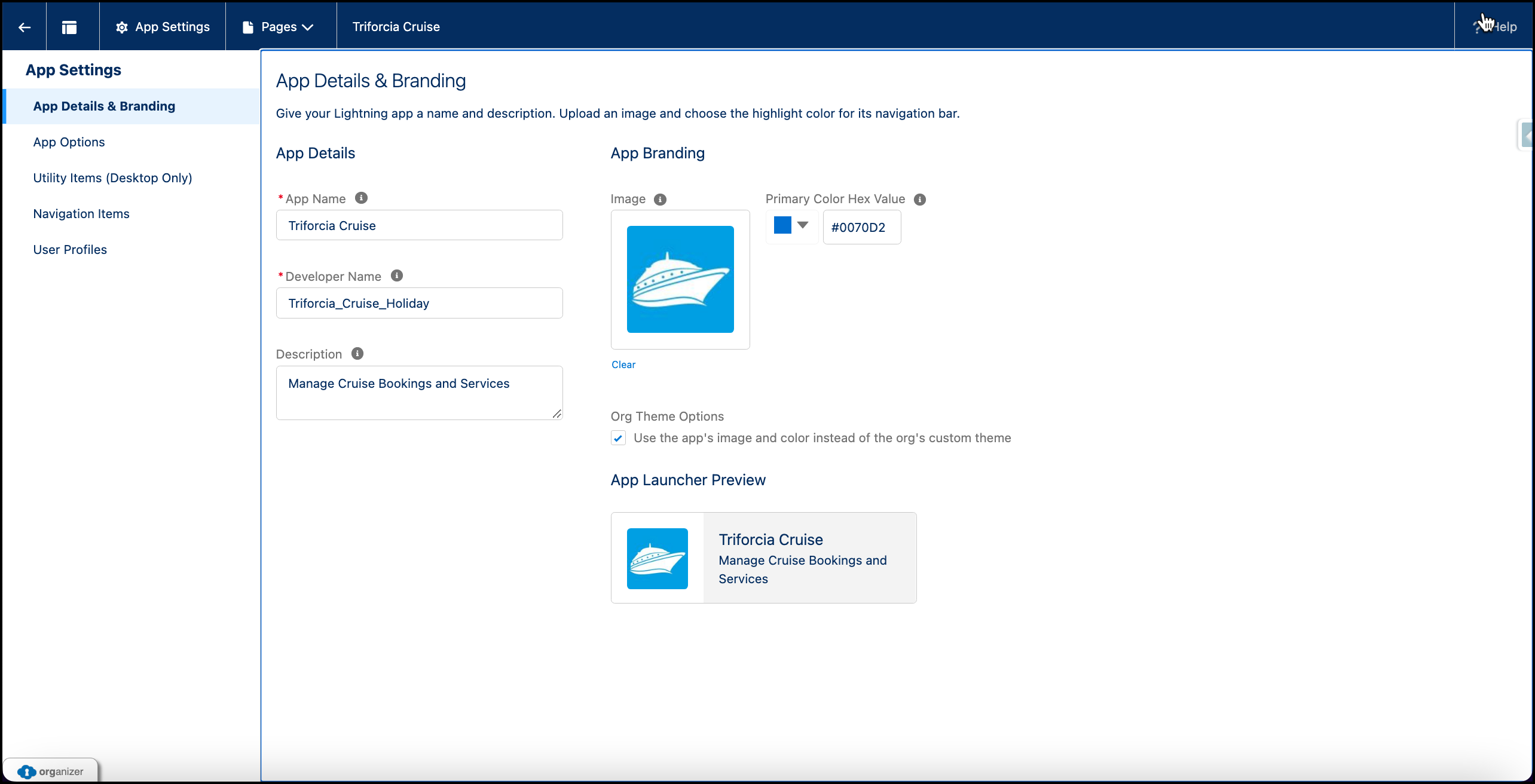
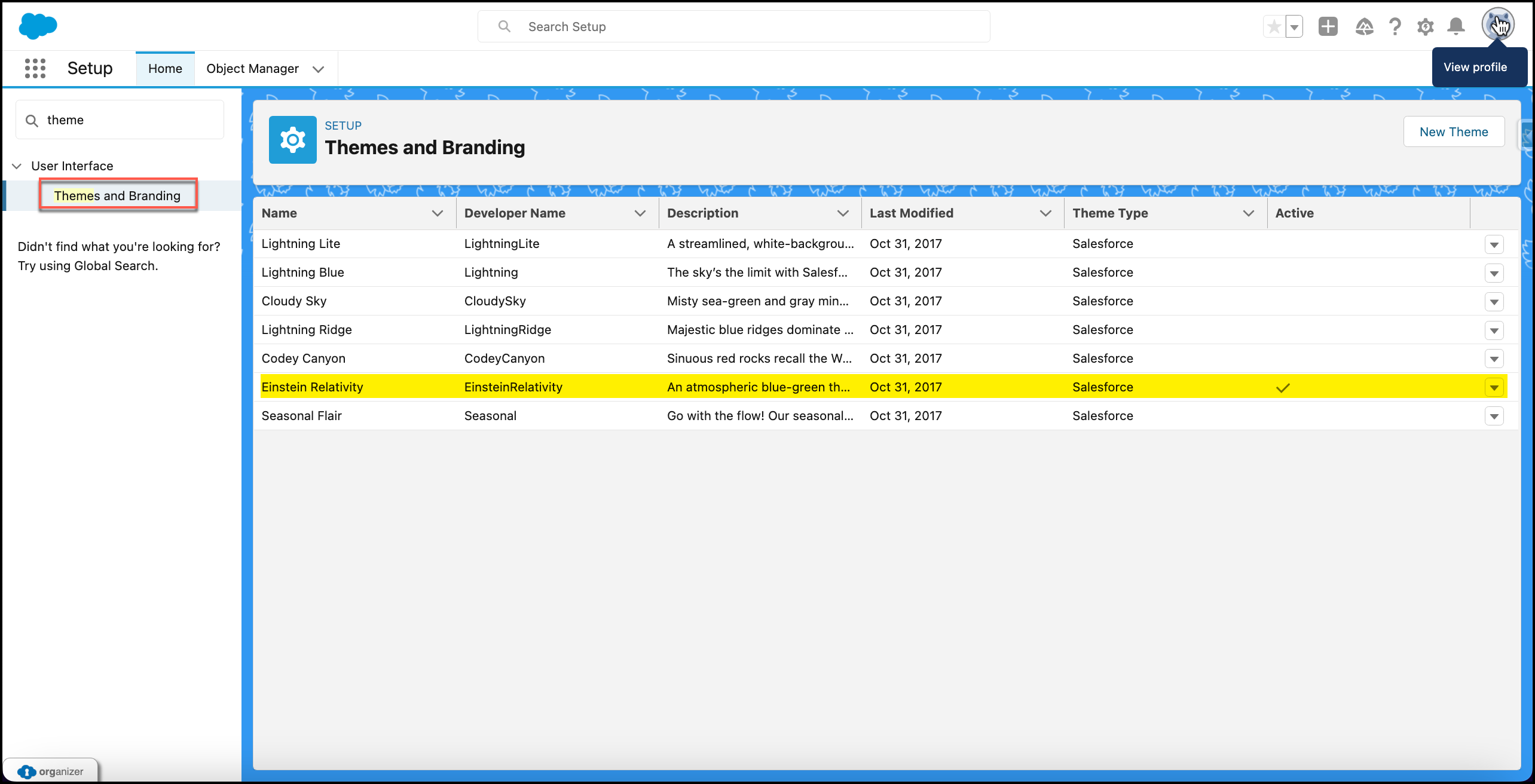
App theme needs to align with company’s current branding. Branding logo and color palette should be same as website logo and branding style.
-
Basic sale process should start with a Campaign (Advertisement, Email, Phone etc). Then potential customers need to be put into lead category. Once Leads shows interest about buying offered products or services, they need to be converted to Guests, Members and Deals records.
-
Dynamic data like ship, cabin, product and contract needs to be stored separately to make data more manageable in case of future updates. Also, relation between these objects needs to be defined correctly, so that, for example, if a ship has been deleted related cabins also needs to be deleted from the database.
-
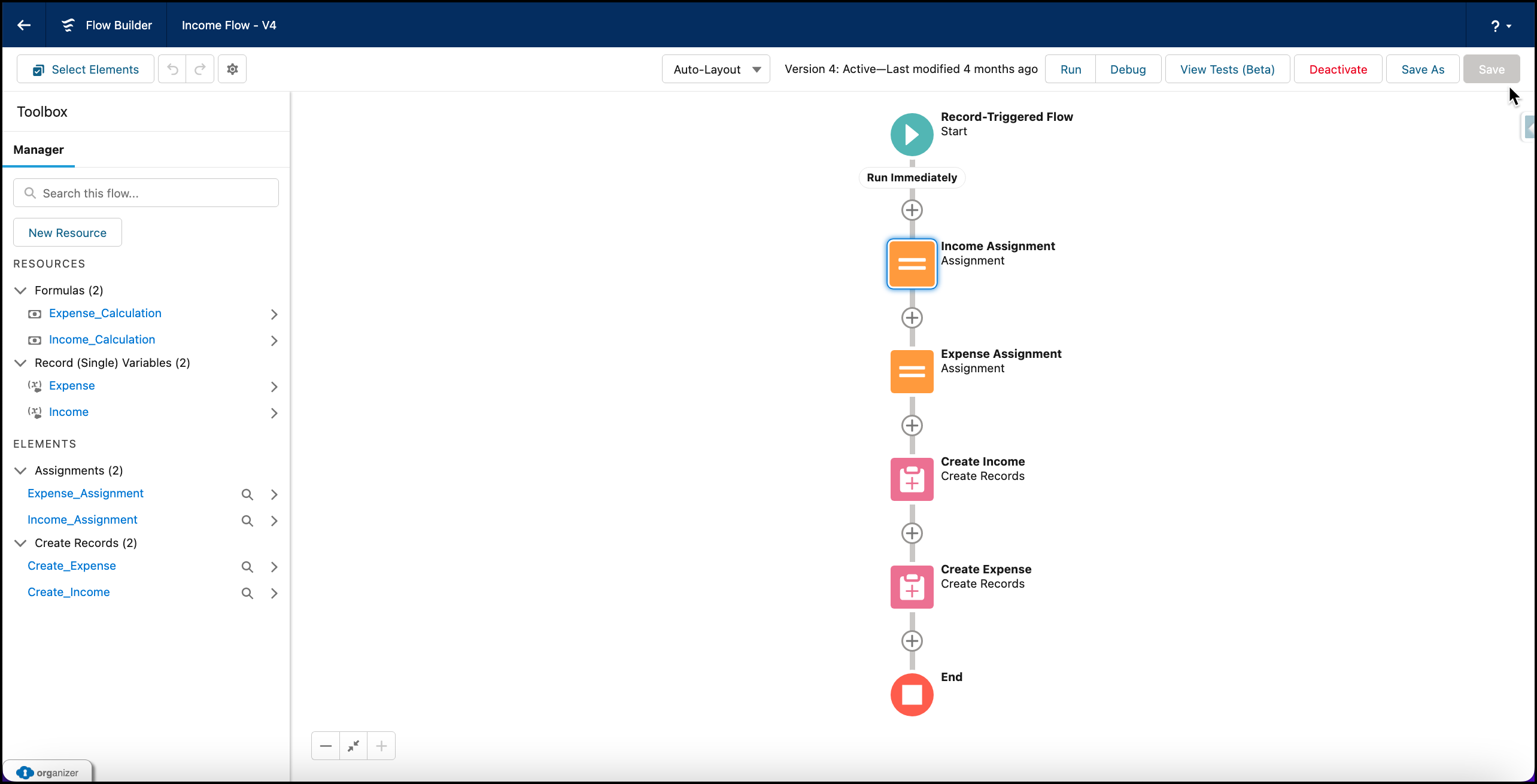
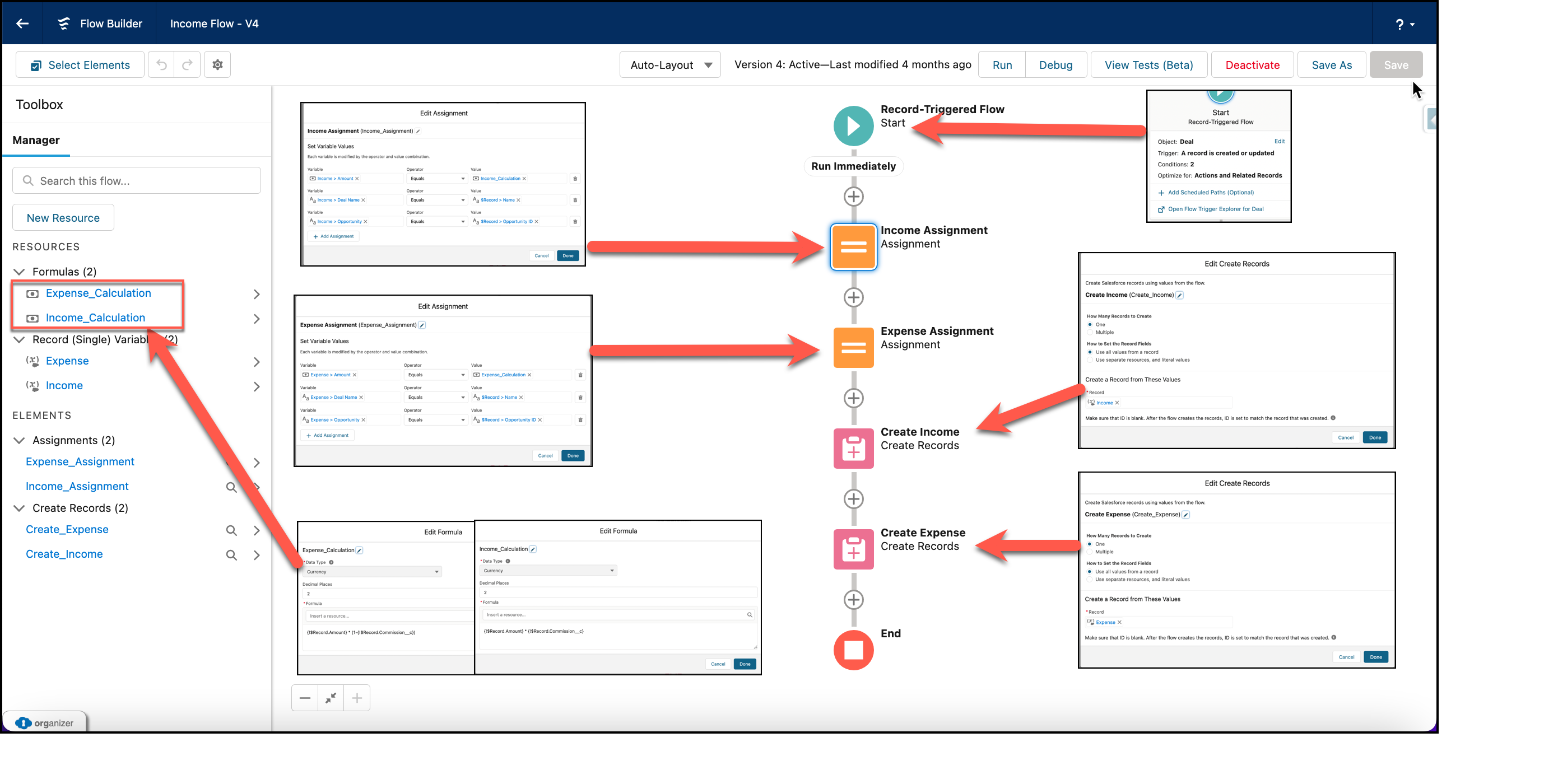
For strategic planning, also expanse and income records need to be created from every completed sale.
-
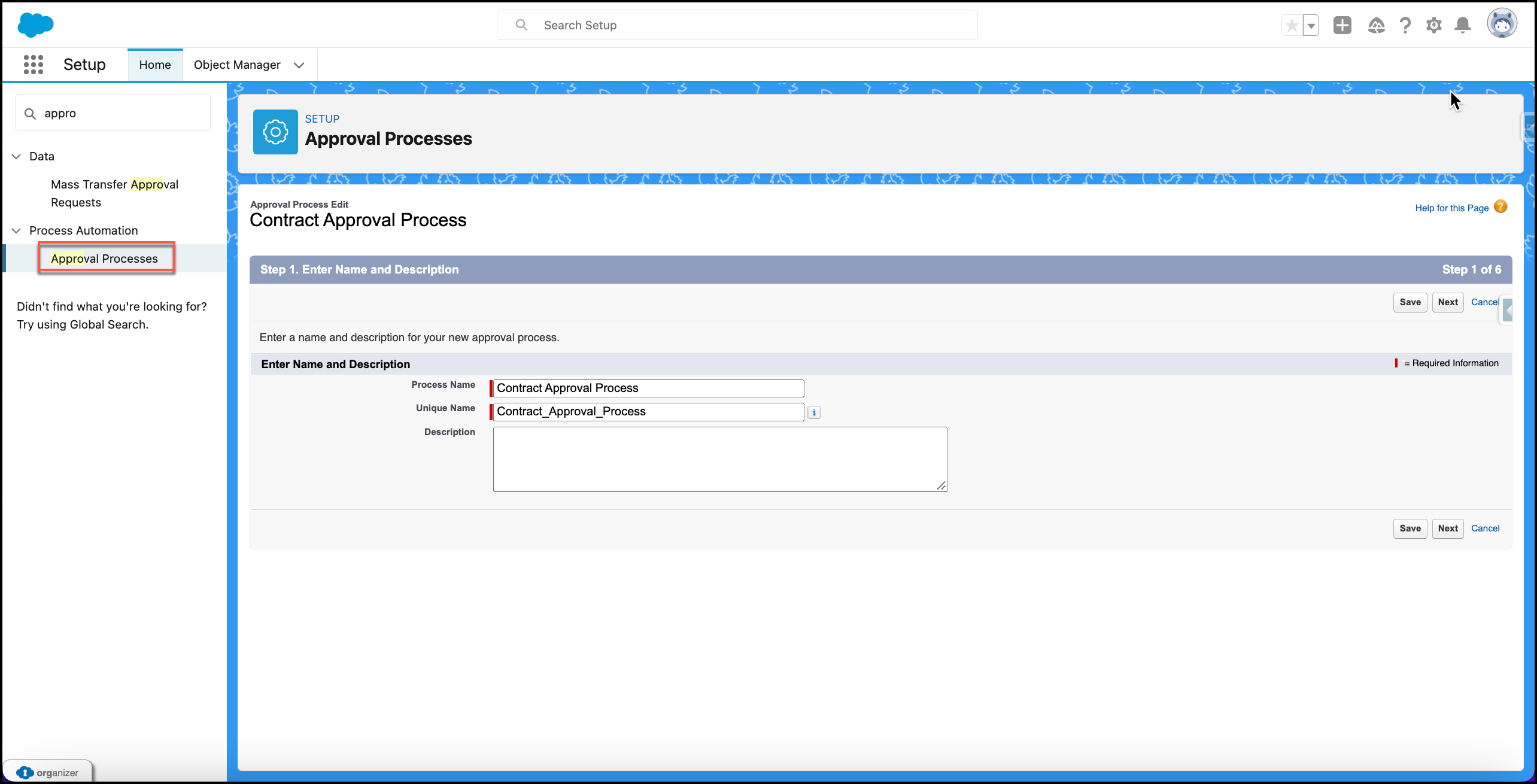
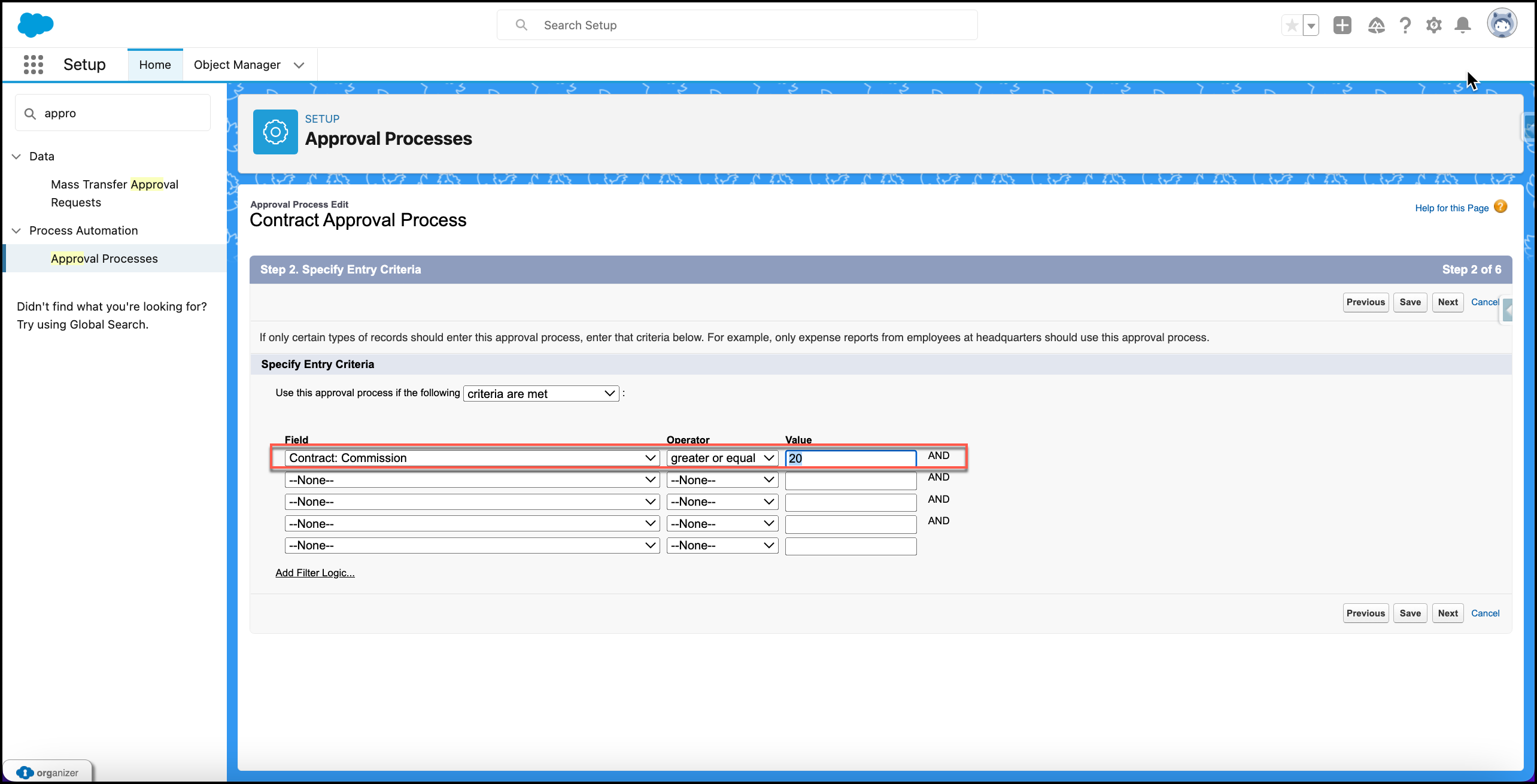
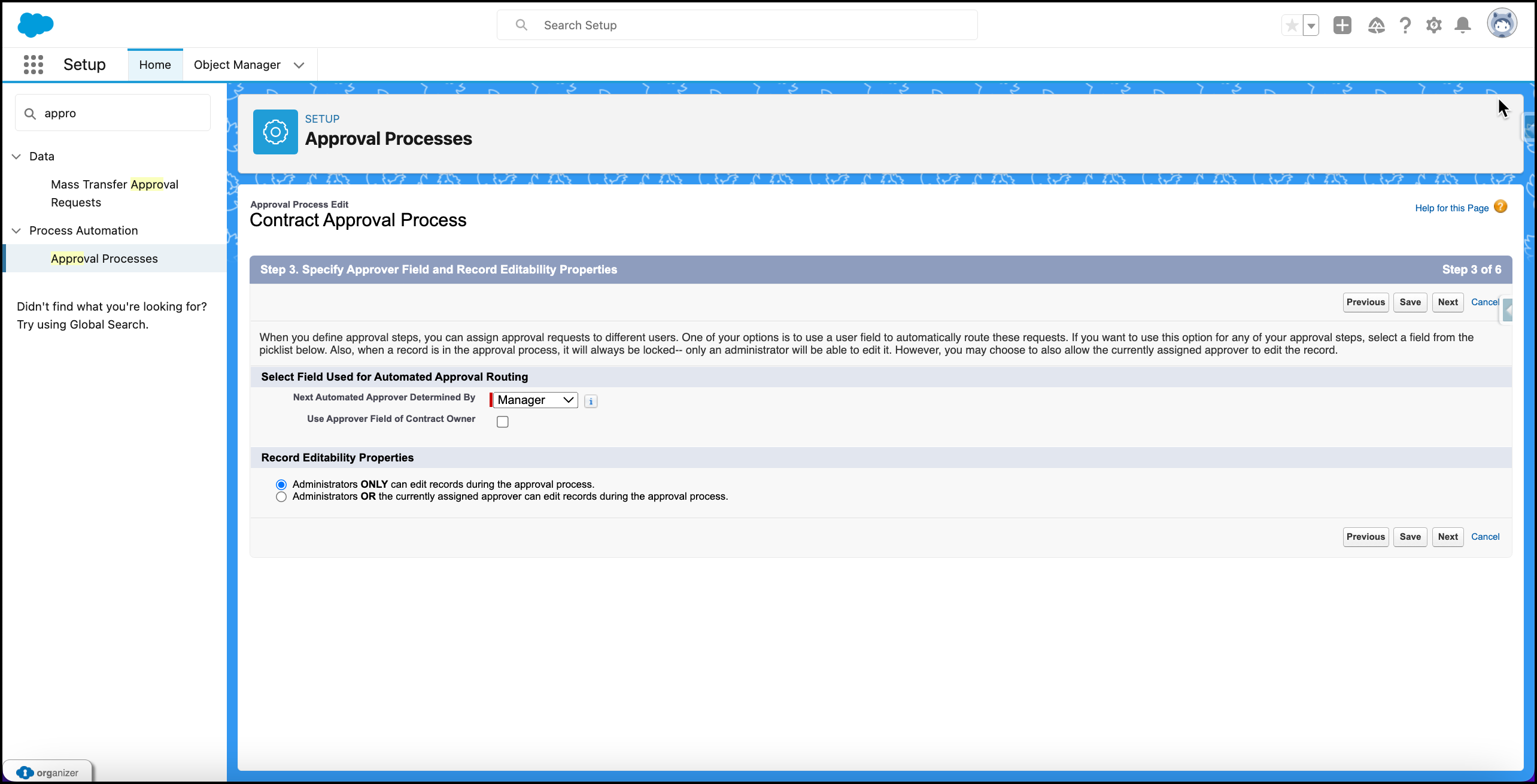
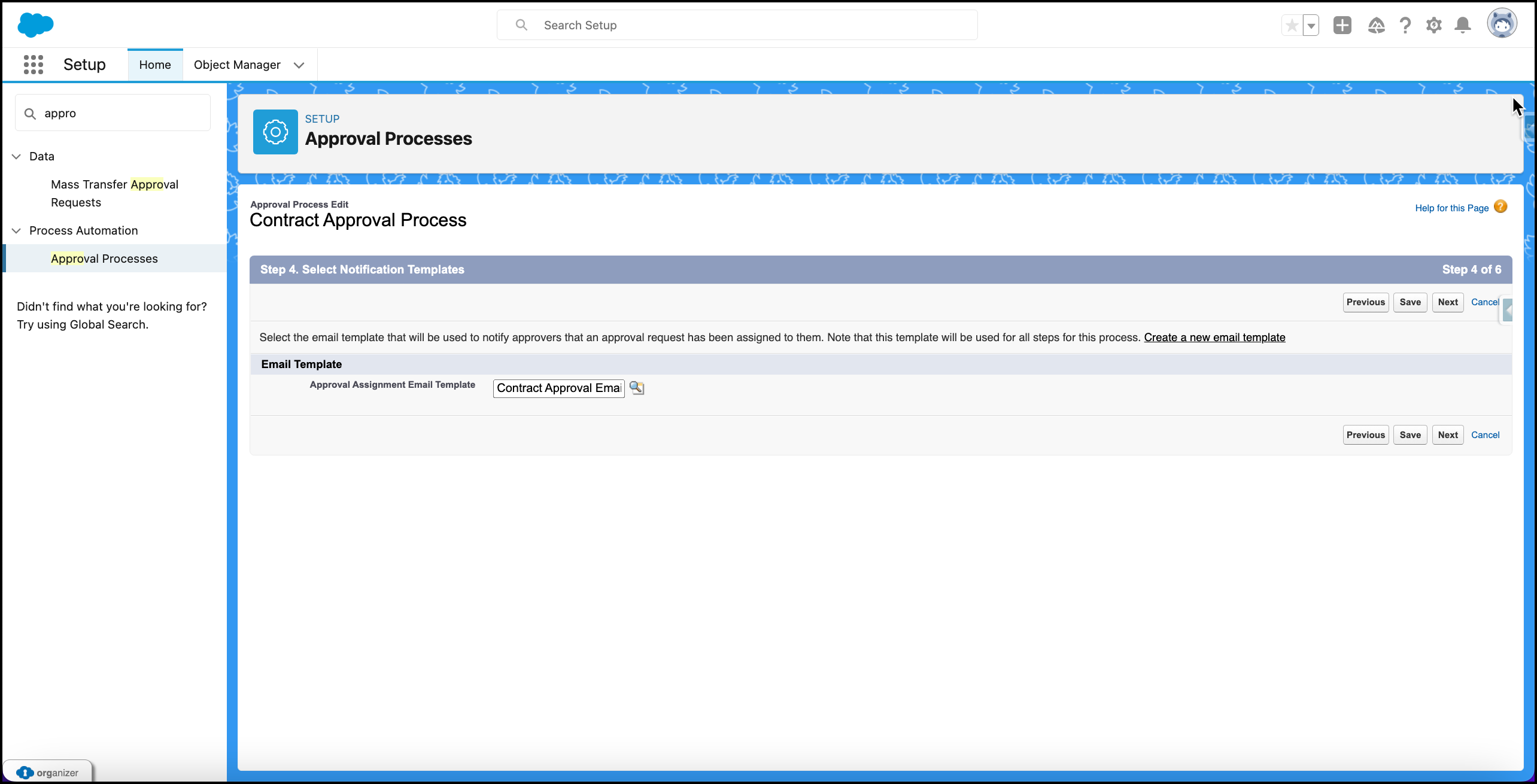
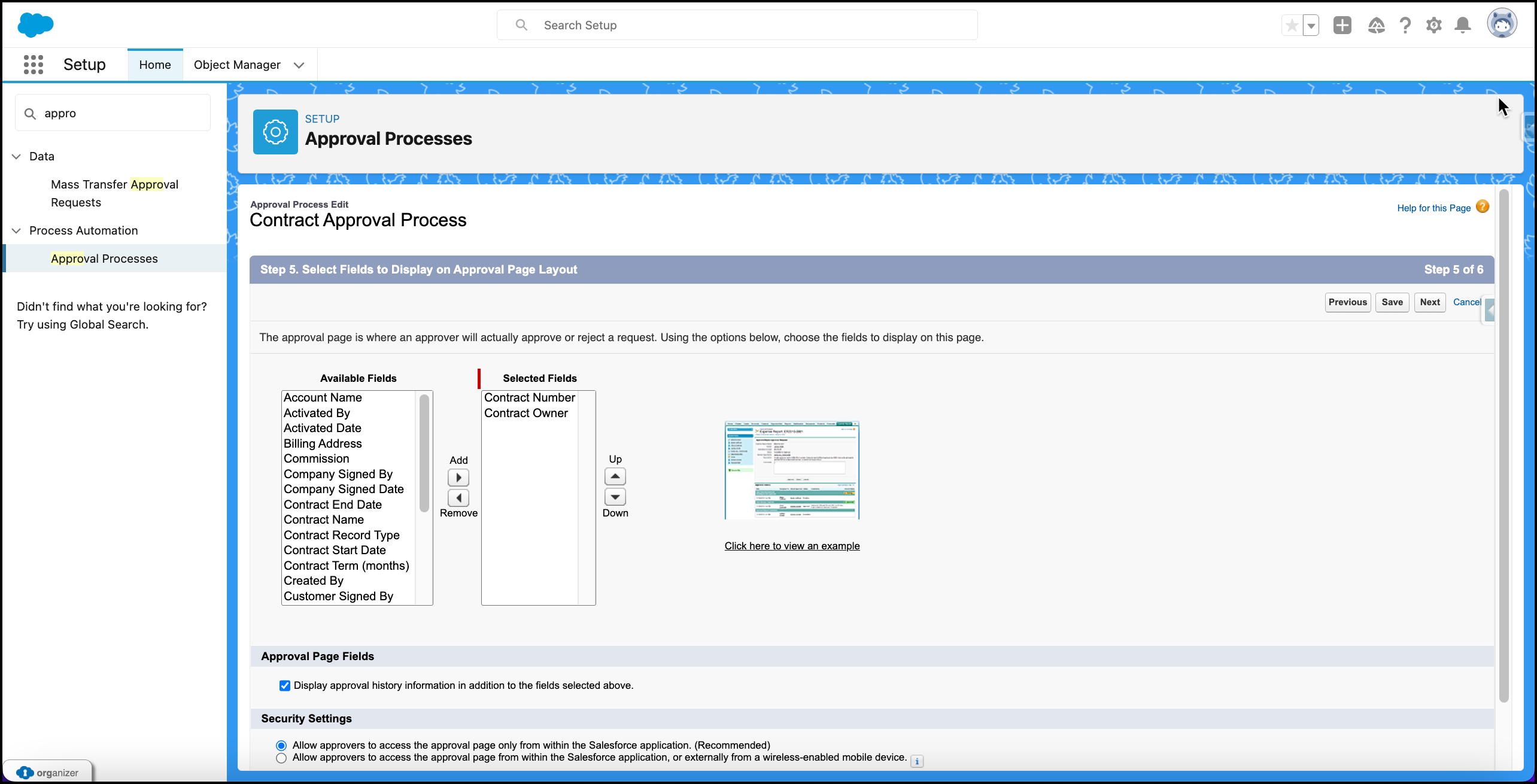
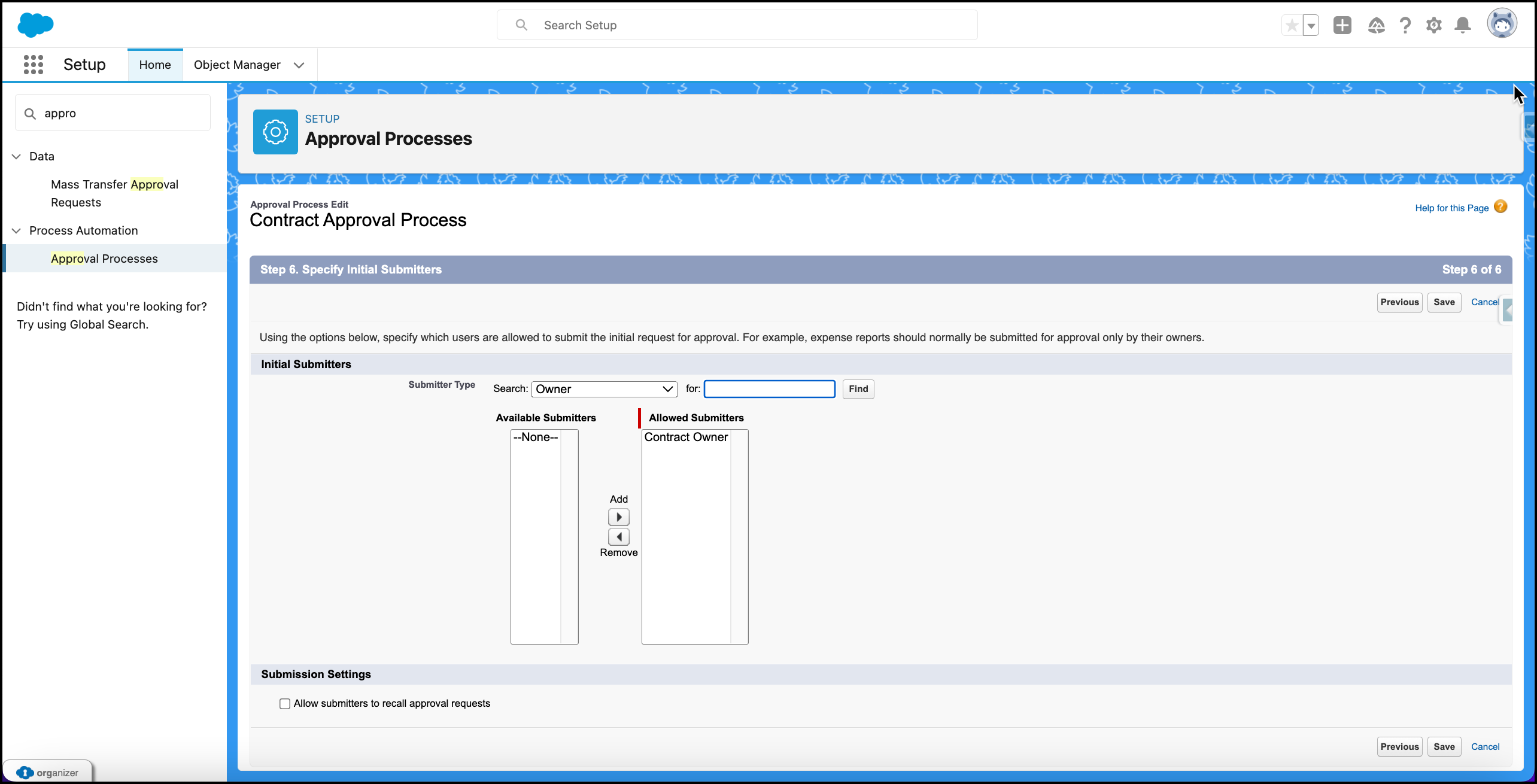
An internal approval process needs to be set for contract sign off. For initial phase, contracts that have commission rate less than %20 will be allowed to be signed off by deal owner. If it is more than %20, direct manager of deal owner needs to approve signing off of the related contract. The approval process needs to be created in optimum way, so that future approval steps or conditions can be added or removed easily and quickly.
-
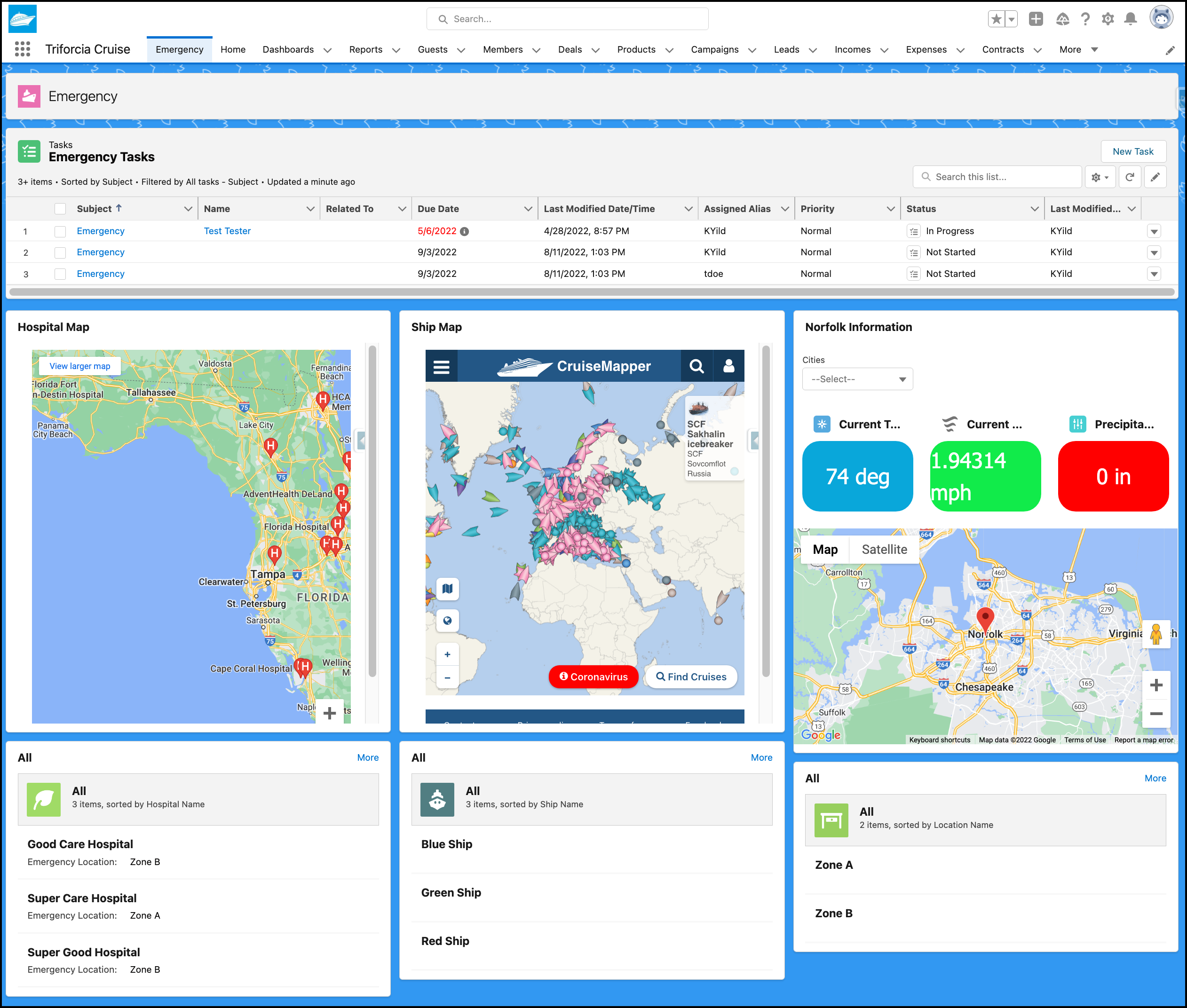
In addition to business process, an additional emergency process needs to be defined for urgent health evacuation or broken ship evacuation. In this process, nearby hospitals and helicopter agencies will be our additional stakeholders. Since the process requires special attention and mostly human interactions, this process will be handled on a separate page as tasks and responsible users will handle tasks urgently under supervision of their managers. The process should include necessary assignments, notifications, emails, dashboards for available nearby hospitals, helicopter agencies, instant real-time weather conditions, ship, hospital, helicopter details etc.
-
As best practices, use standard objects and business processes as much as possible. Instead of creating new custom objects try to use record types to keep integrity of the data.
-
Every object data including standard objects and custom objects needs to be reportable. Leadership and ends users should have necessary dashboards and reports available for all app data based on their permission allowance.
-
Triforcia Cruise Travel Agency have some historic data available from previous processes or applications that can be incorporated to this Salesforce app. These data also need to be imported to Salesforce environment.
-
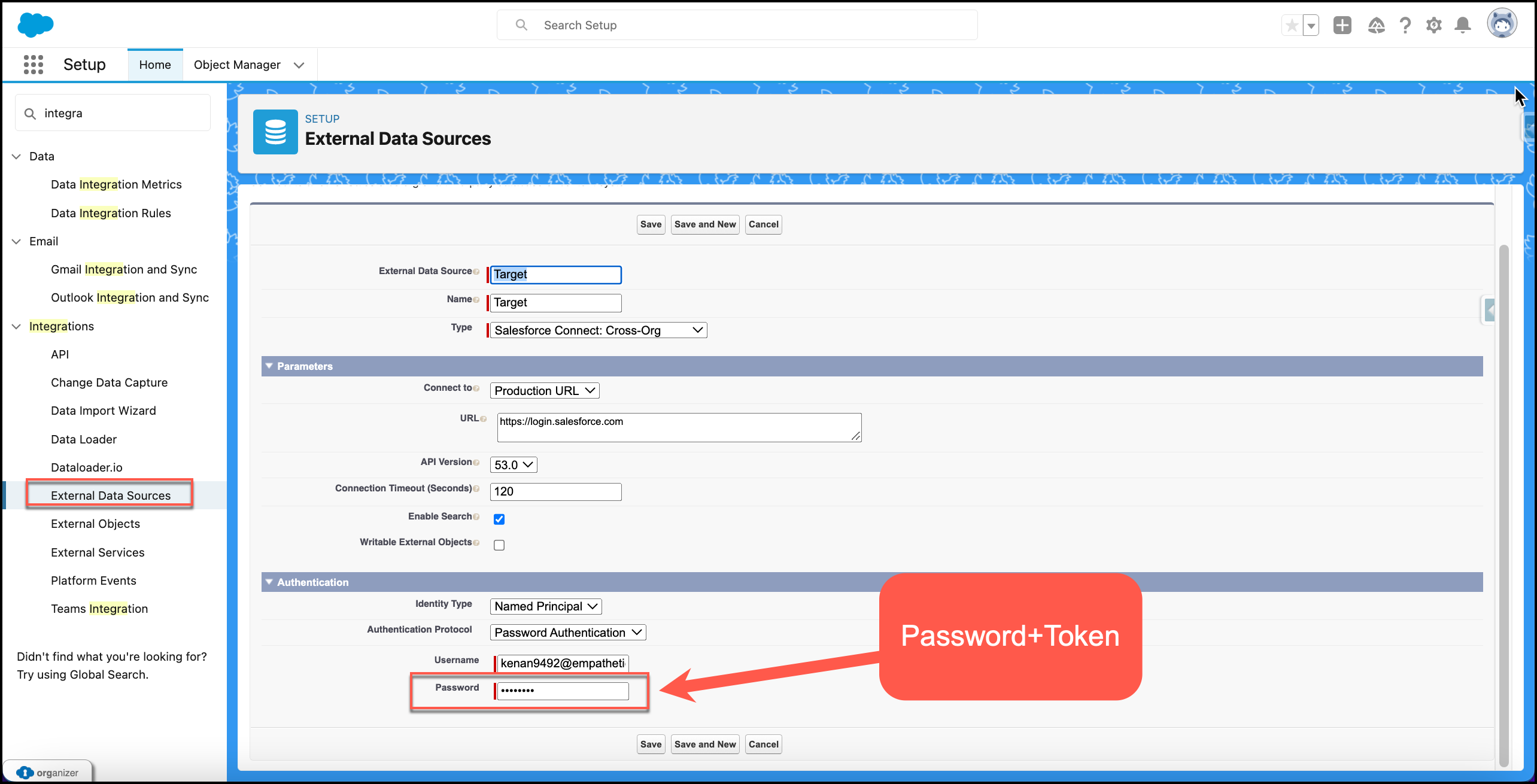
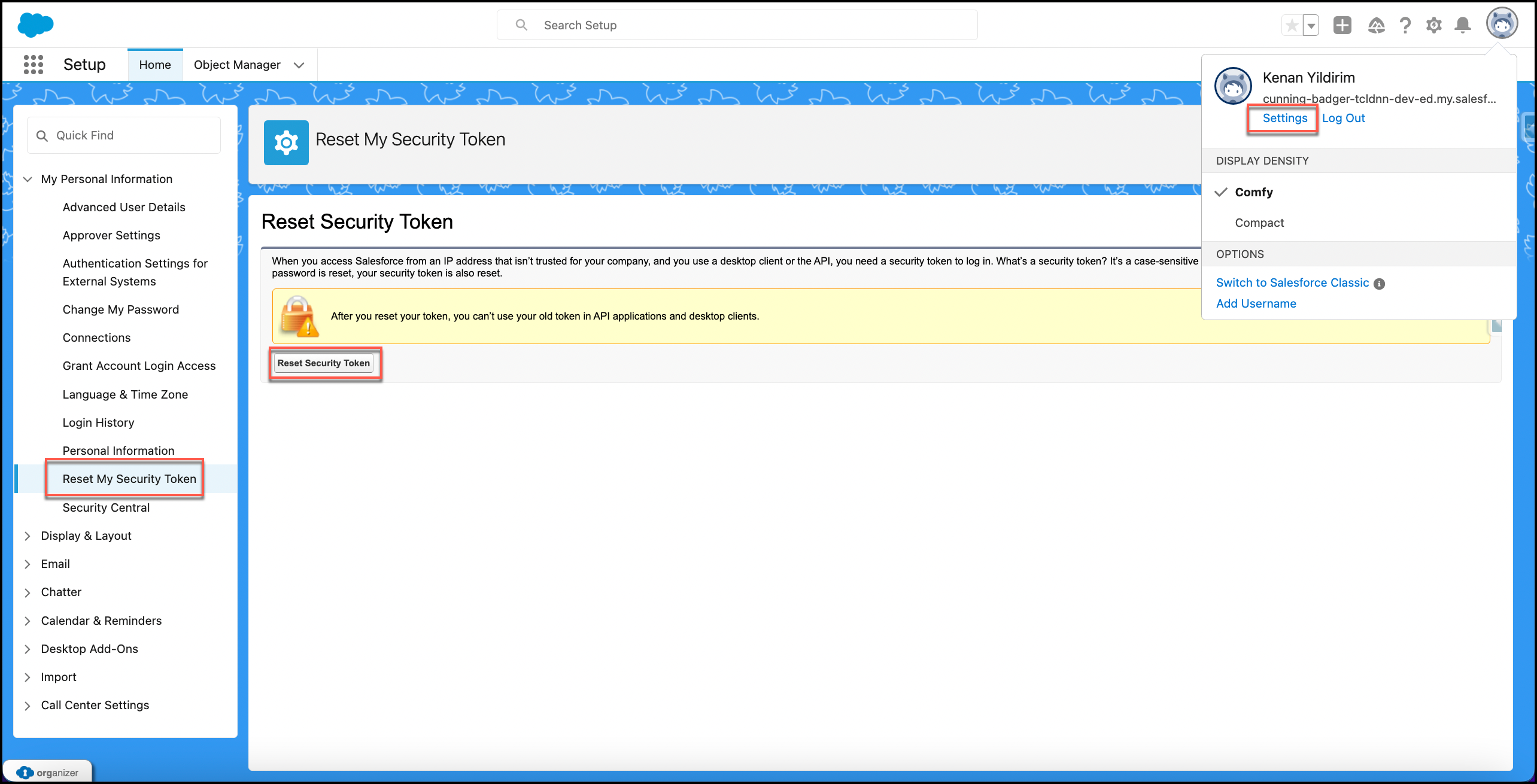
In addition to above historic data, there are also some historic data on a separate Salesforce org that needs to be shown as separate tab on current Salesforce org. In order to fulfill this requirement, a cross org connection needs to be established and related data needs to be present on a separate custom tab in same app.
-
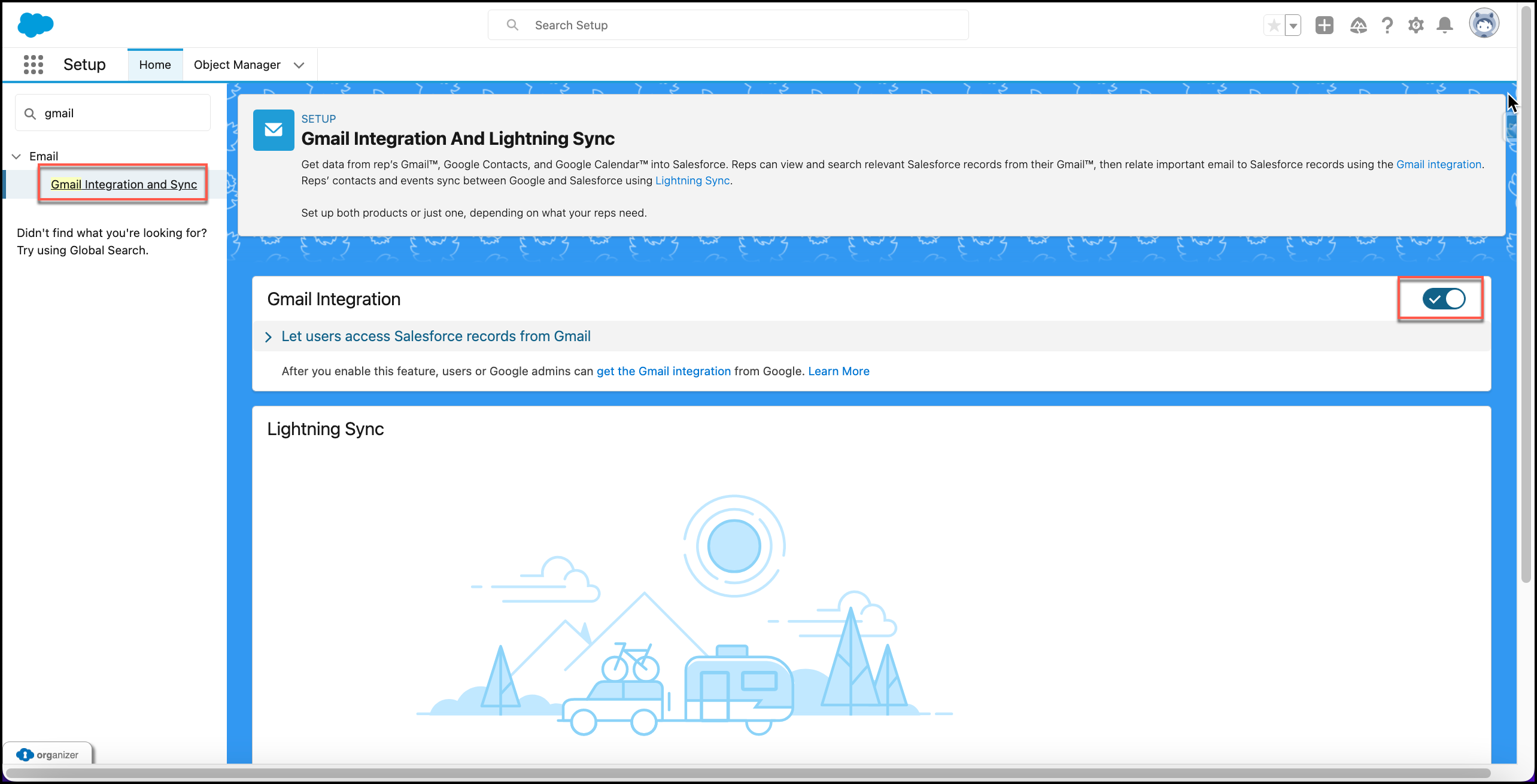
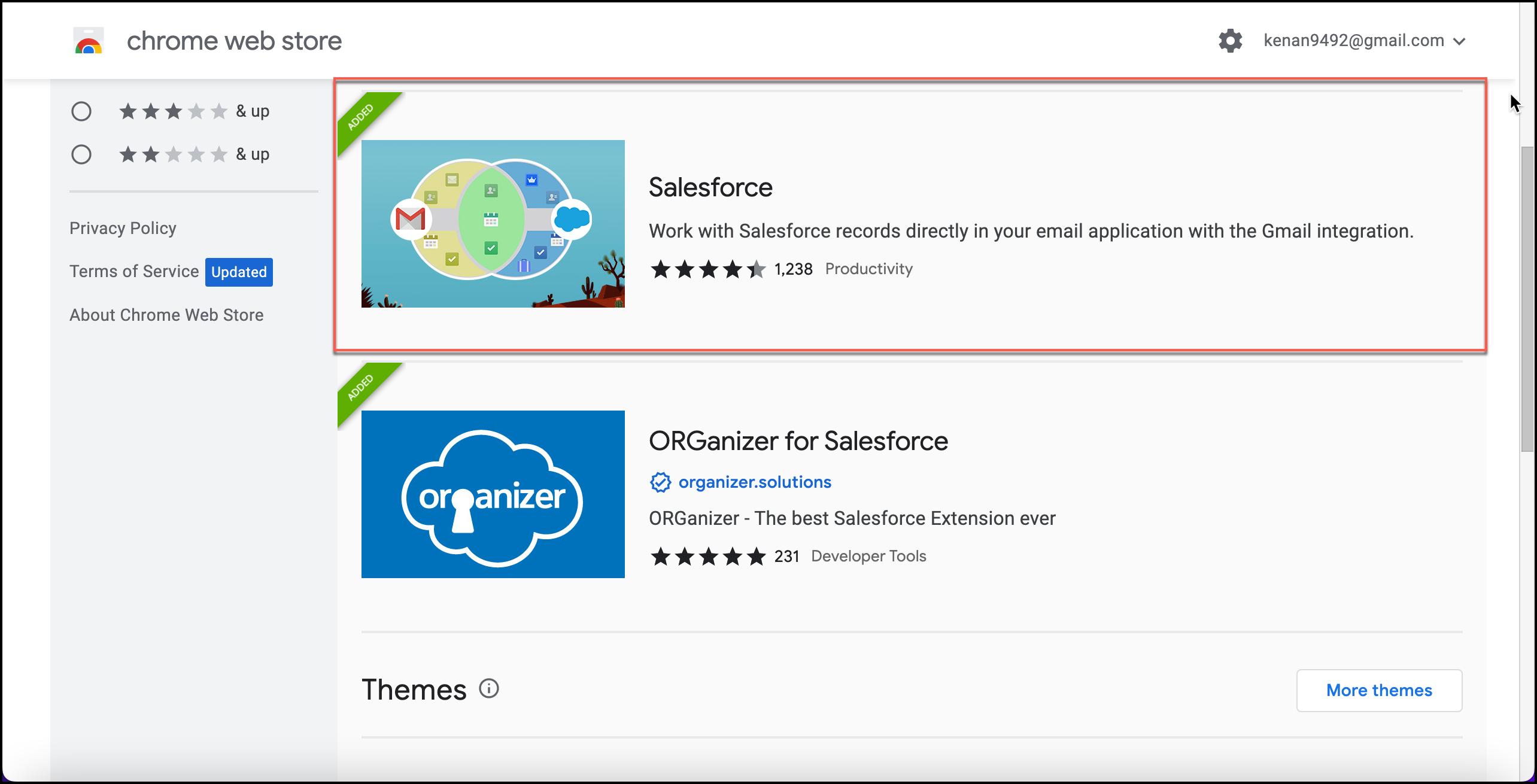
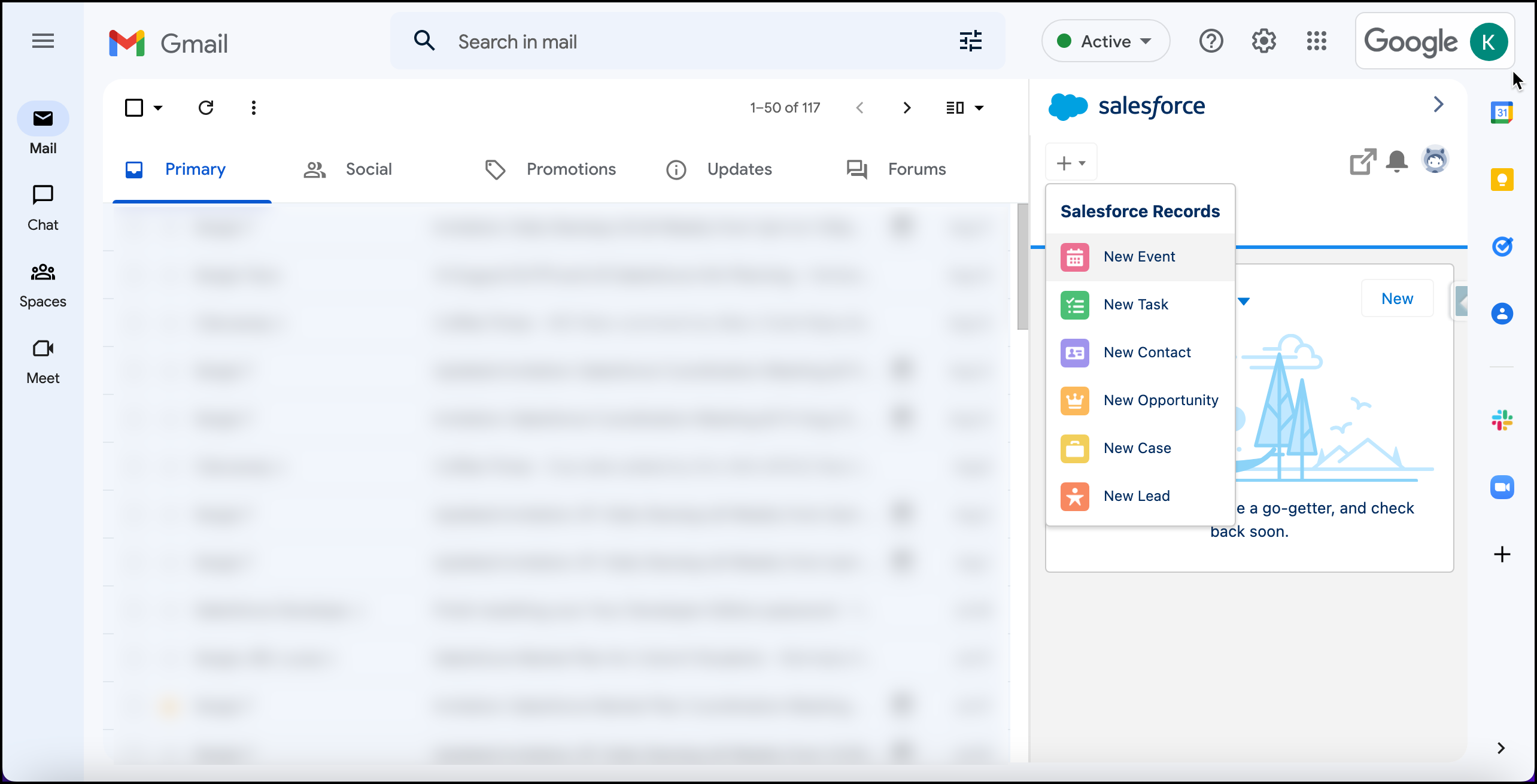
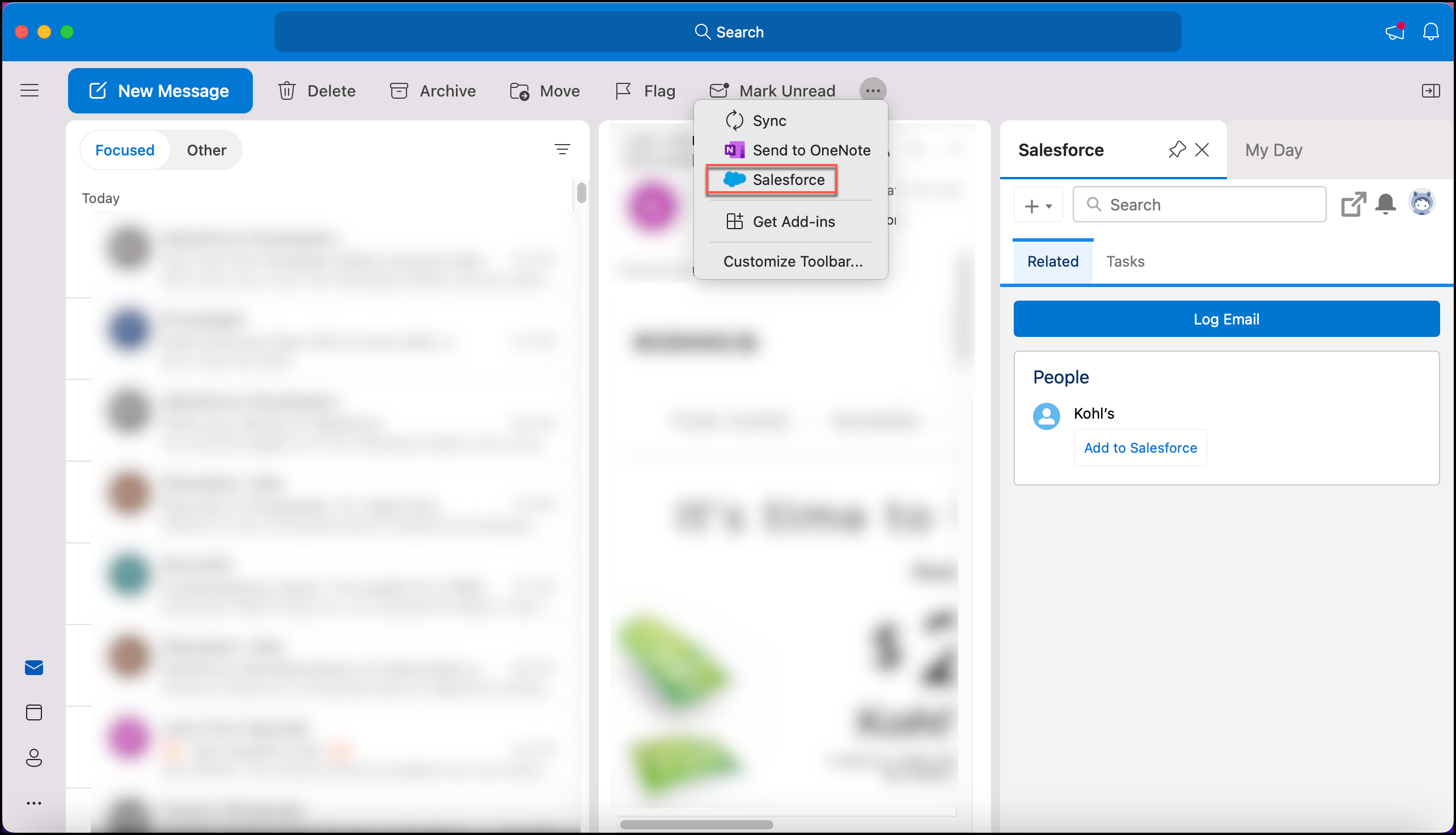
Previously used systems like gmail, outlook, telephony etc. needs to be integrated applications, so that end users can use them during marketing and sale process.
-
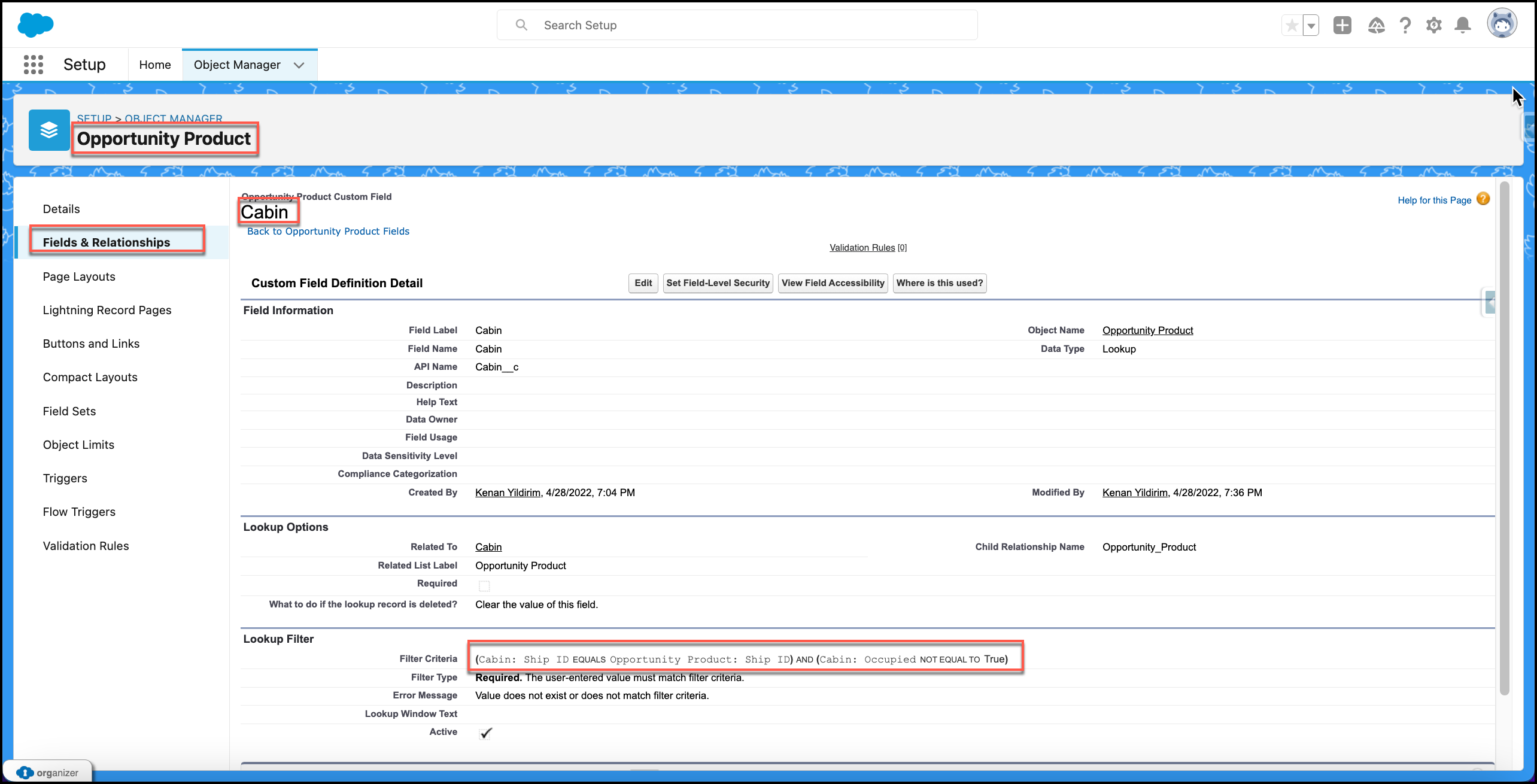
Validations or filters needs to be placed for any kind of required fields or any kind of processes. Issues like avoiding double booking same room to different customers or not being able to close a deal without a contract selection needs to be resolved by using validation rules, lookup filters, formula fields etc.
4. Solutions:
-
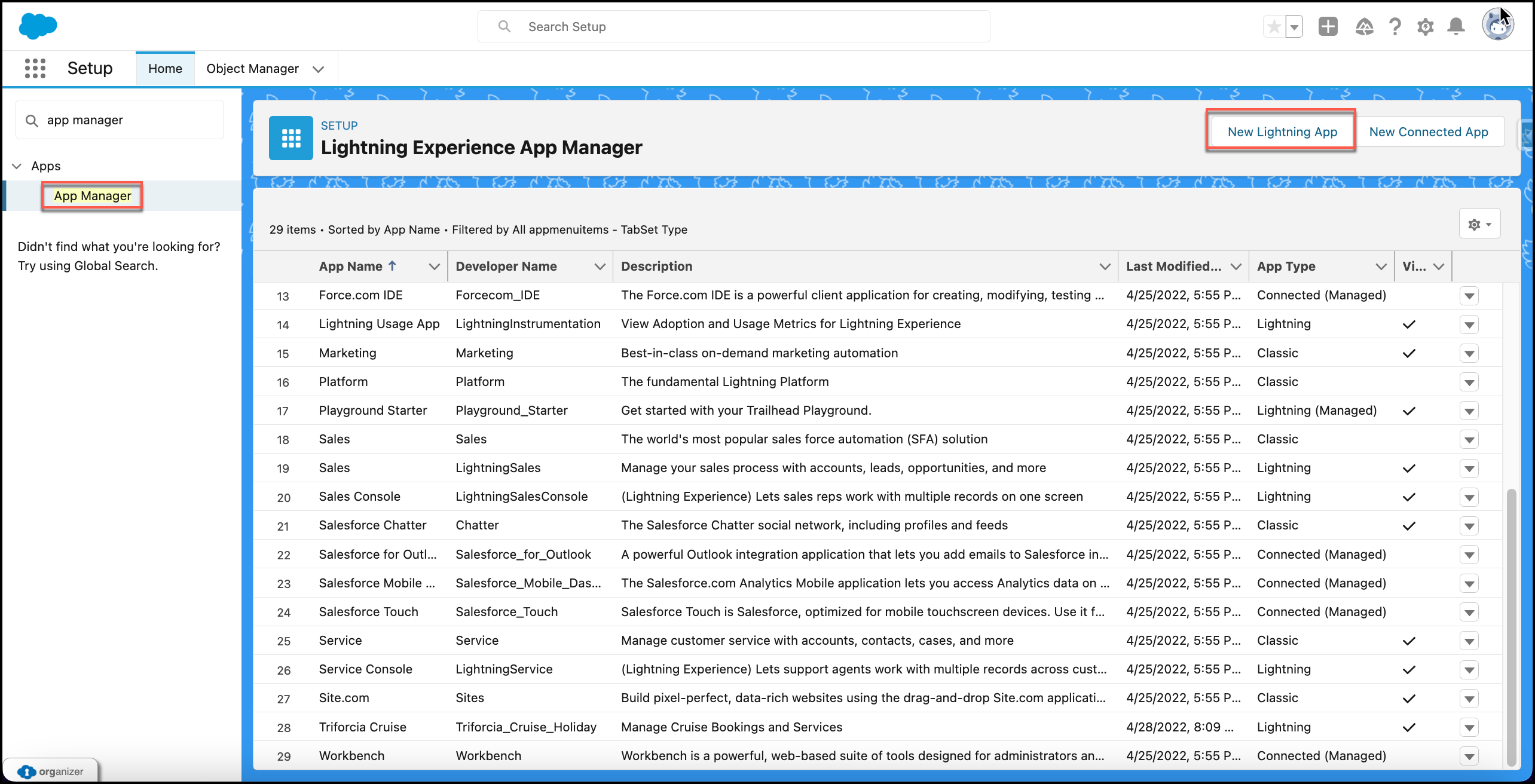
Lightning App (Attachment 1):
- Theme Customization
- Branding
- Tab Order
-
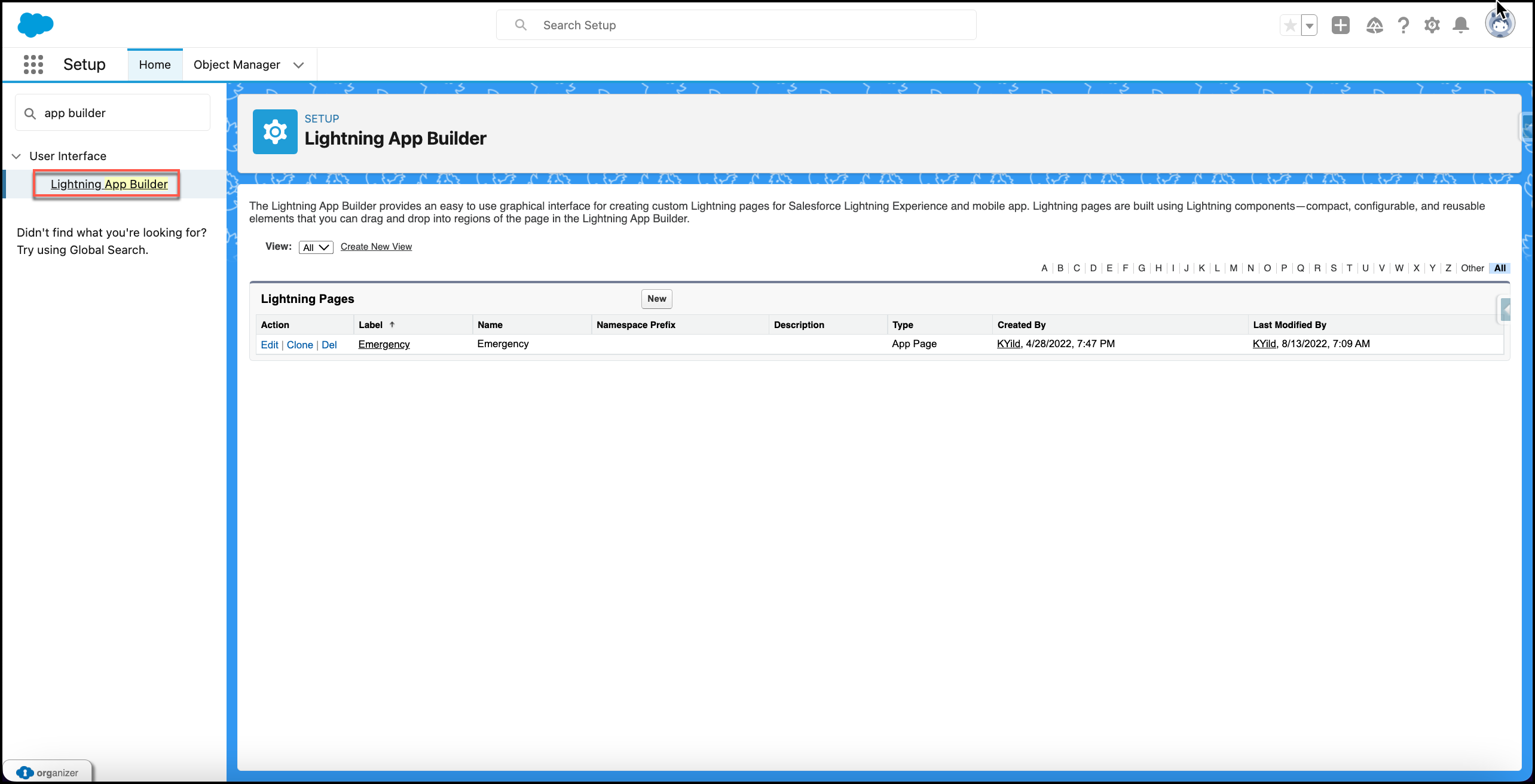
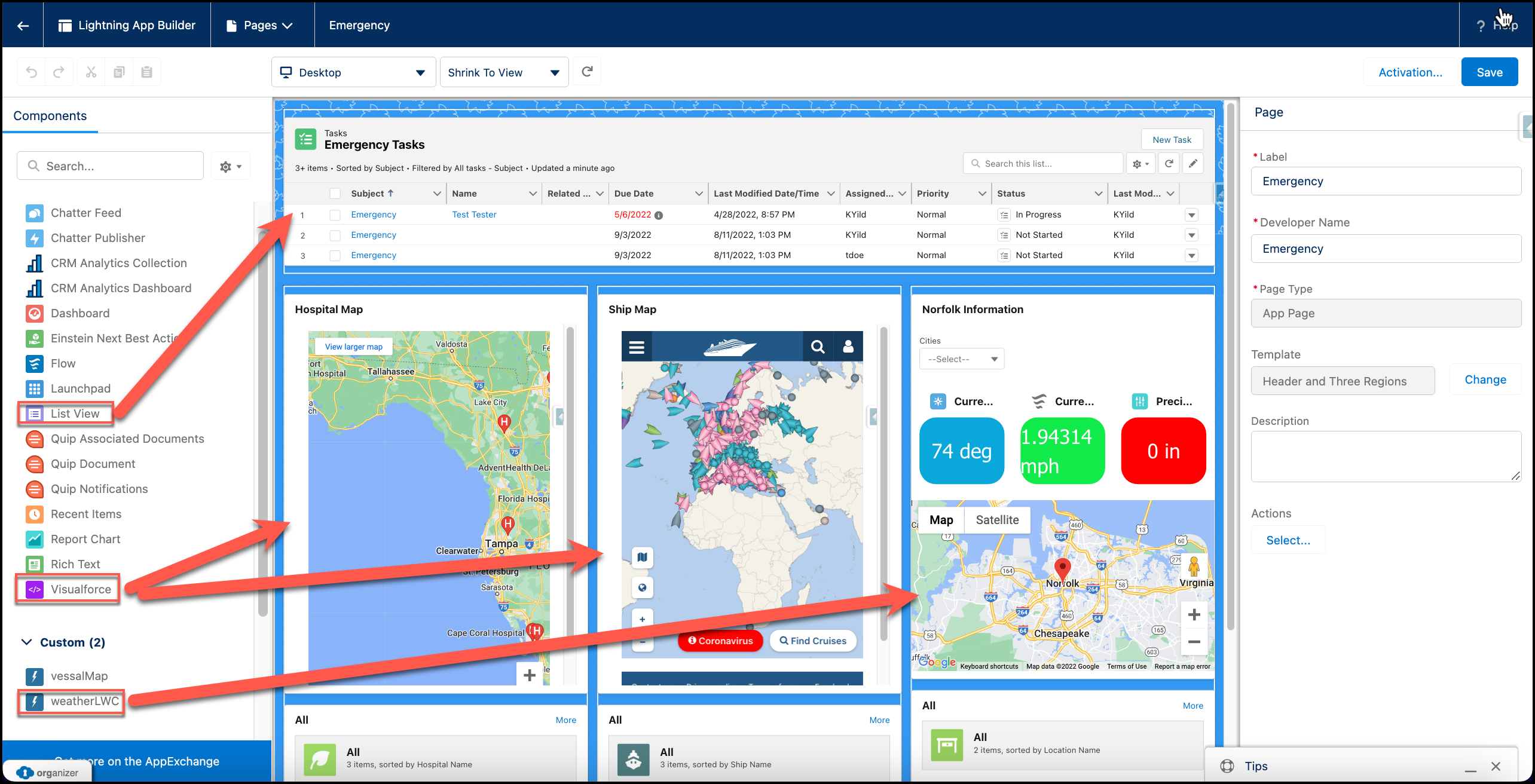
Lightning App Page (Emergency page) (Attachment 2):
- Visualforce pages
- Embeded iFrames
- LWC Weather Component
-
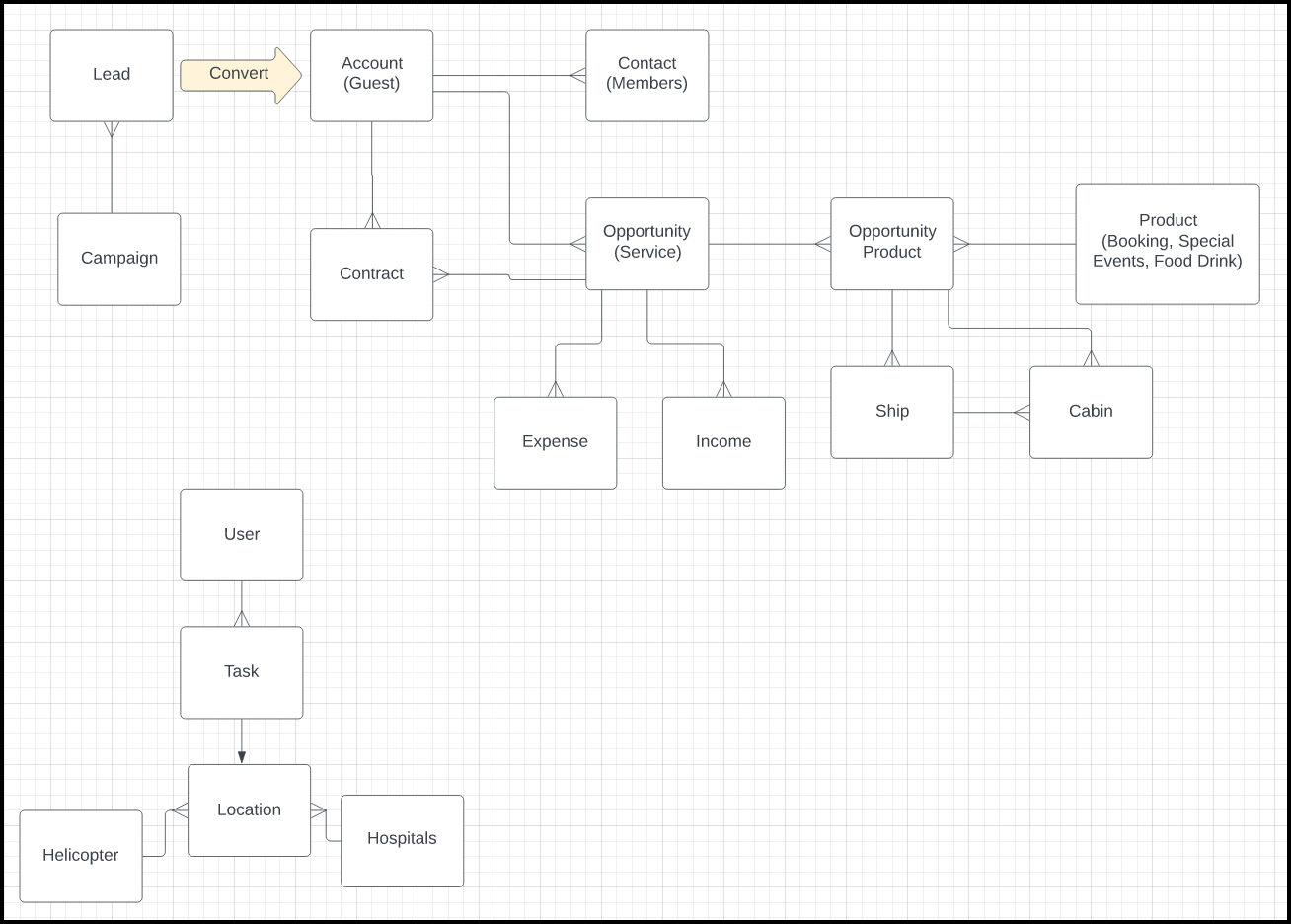
Standard / Custom Objects (Attachment 3):
-
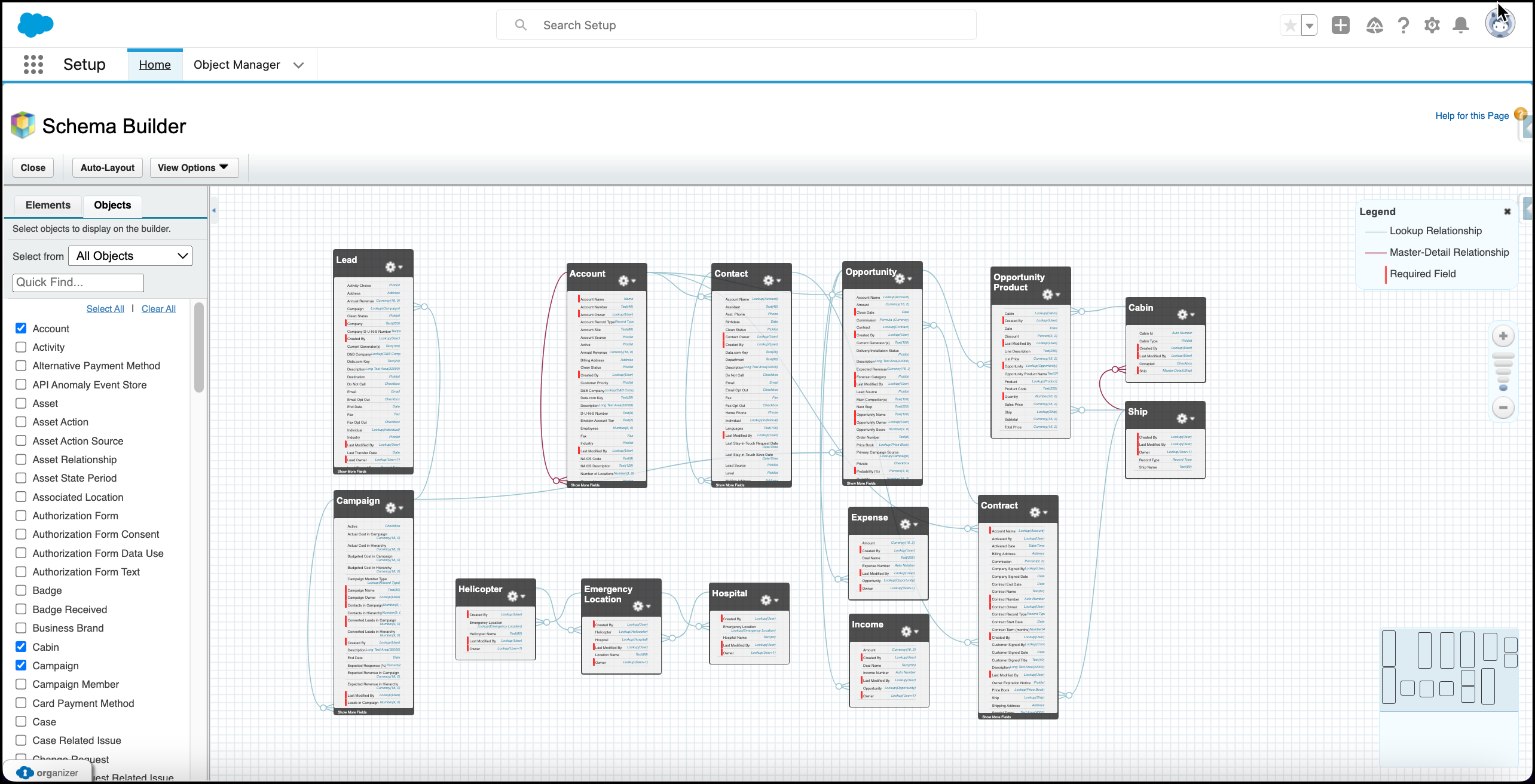
Master Detail and Lookup relations (Attachment 4):
-
Record Types for Different Processes (Attachment 5):
-
Custom Record Layouts for the Object Record Type Pages (Attachment 6):
-
Formula fields (Attachment 7):
-
Custom picklists (Attachment 8):
-
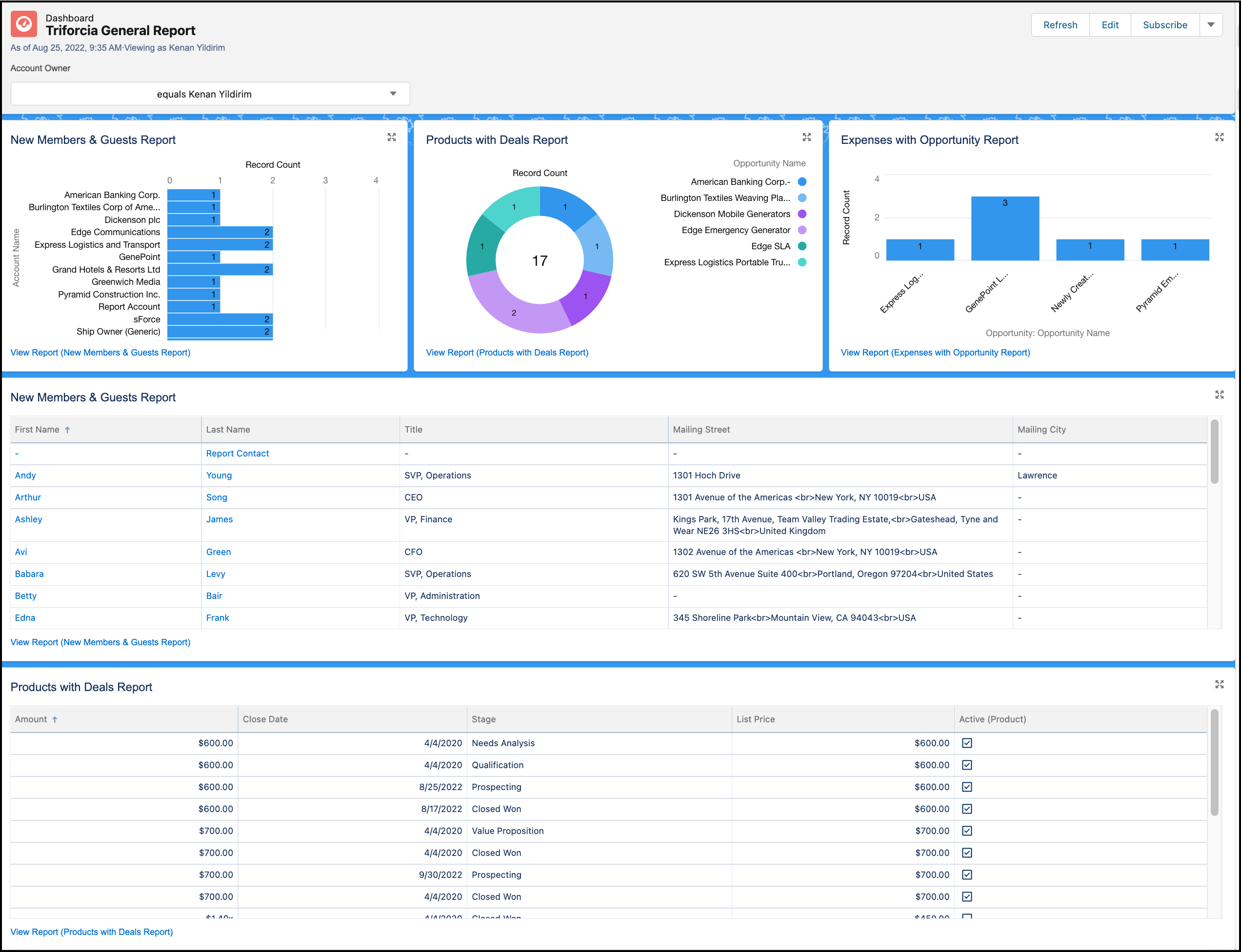
Dashboards (Attachment 9):
- Charts
- Reports
-
Reports (Attachment 10):
- Standard
- Custom
- Joined Reports
-
Approval Process (Contract object) (Attachment 11):
-
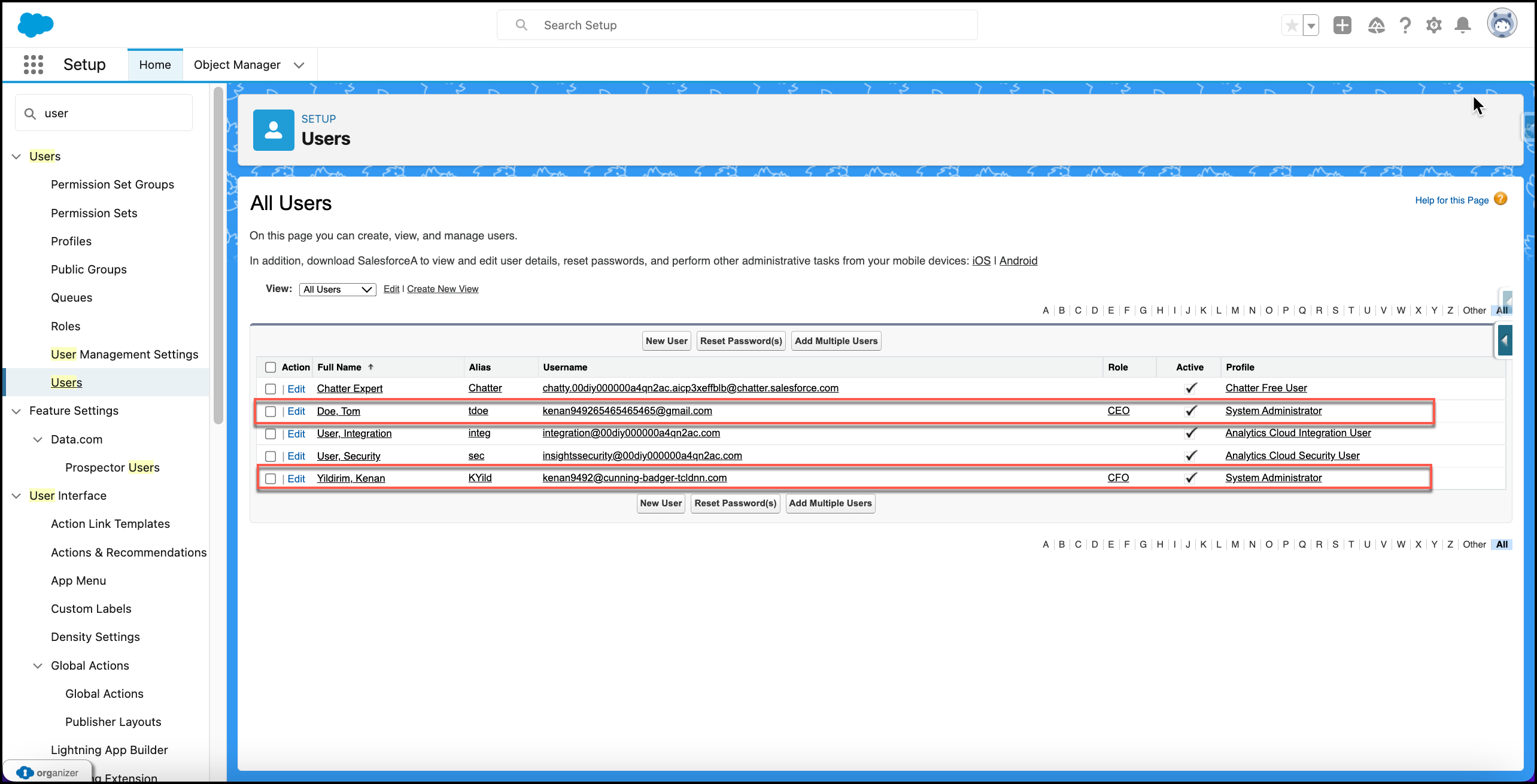
Users and Permissions (Attachment 12):
-
Flow for Expense and Income Calculations (Attachment 13):
-
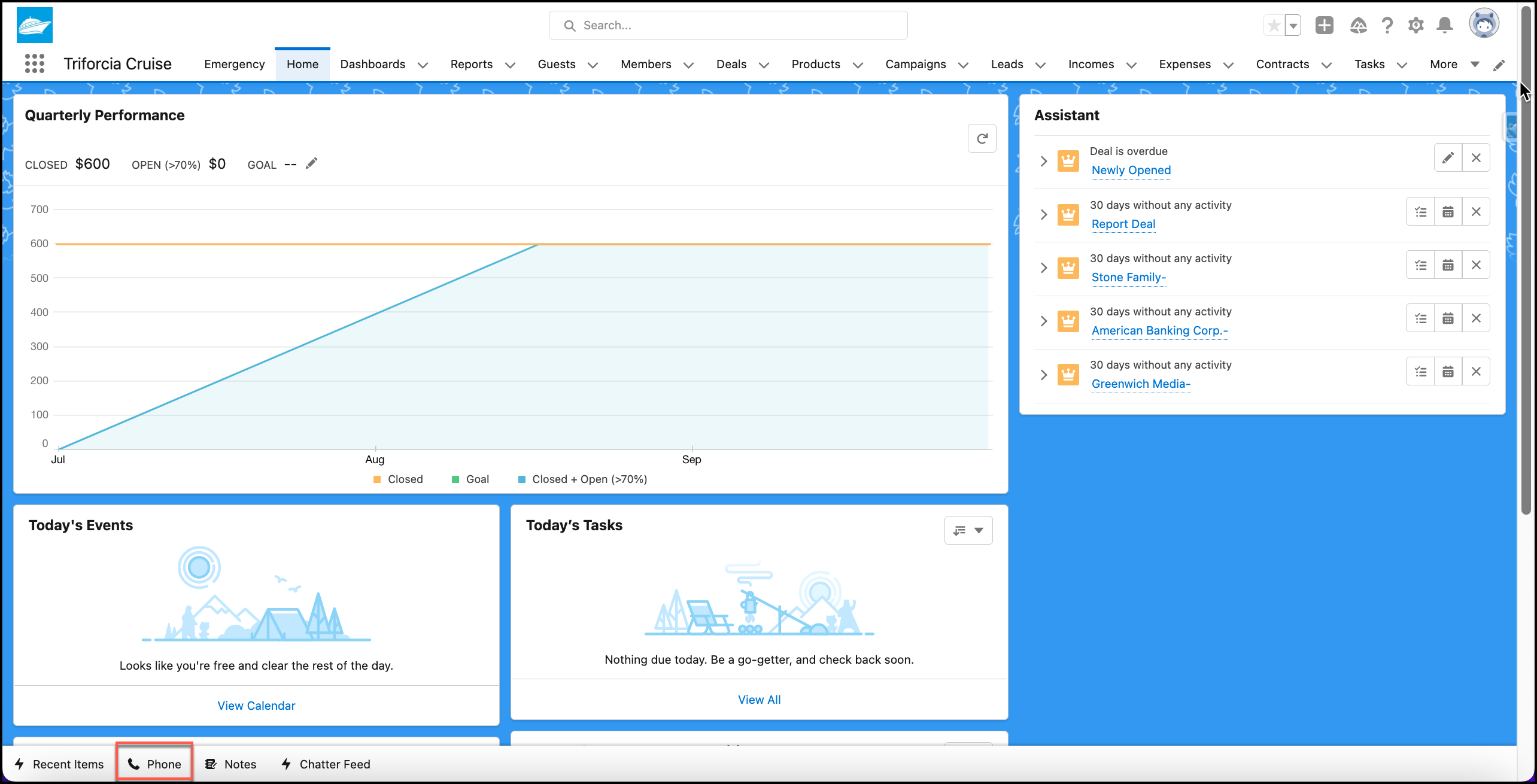
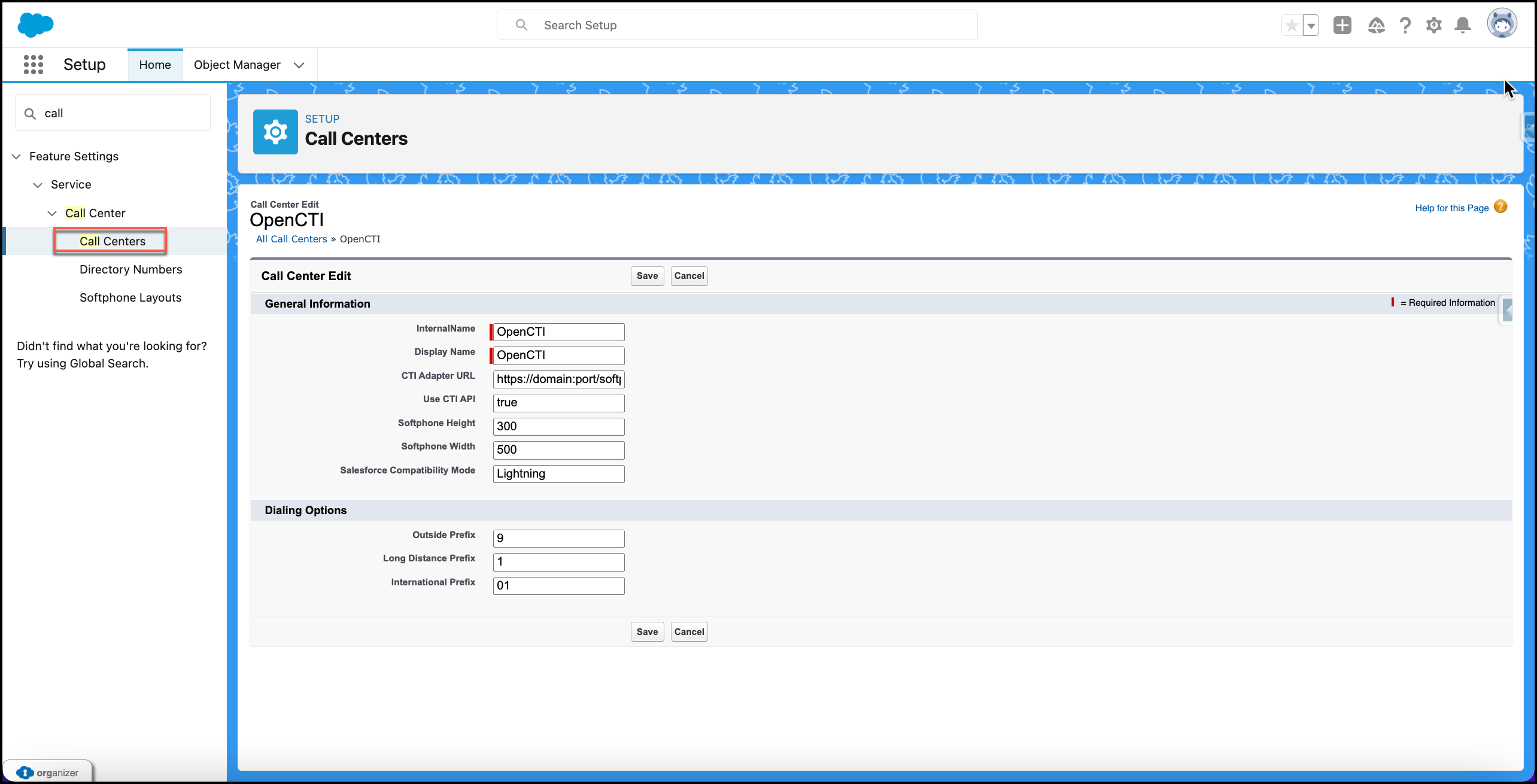
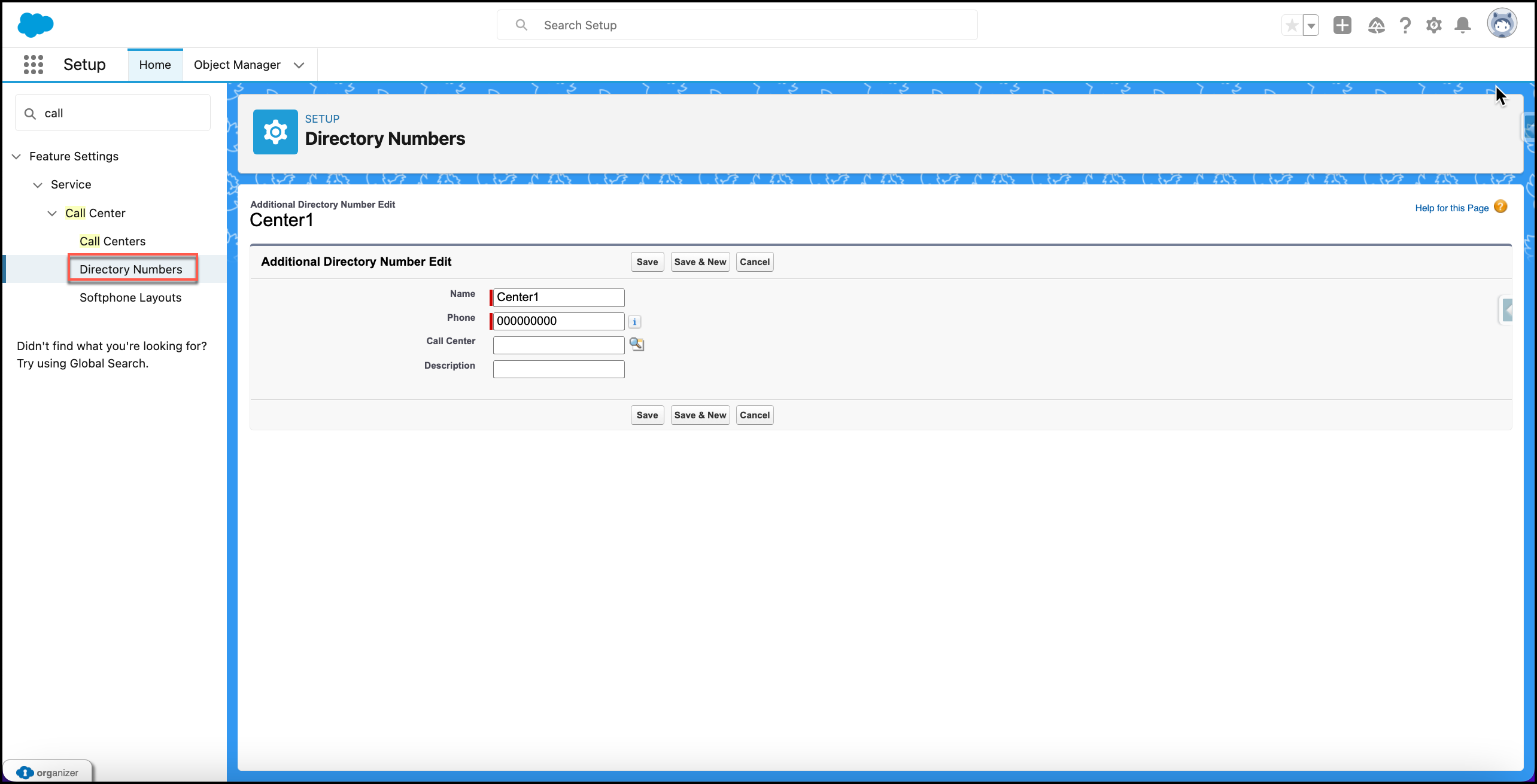
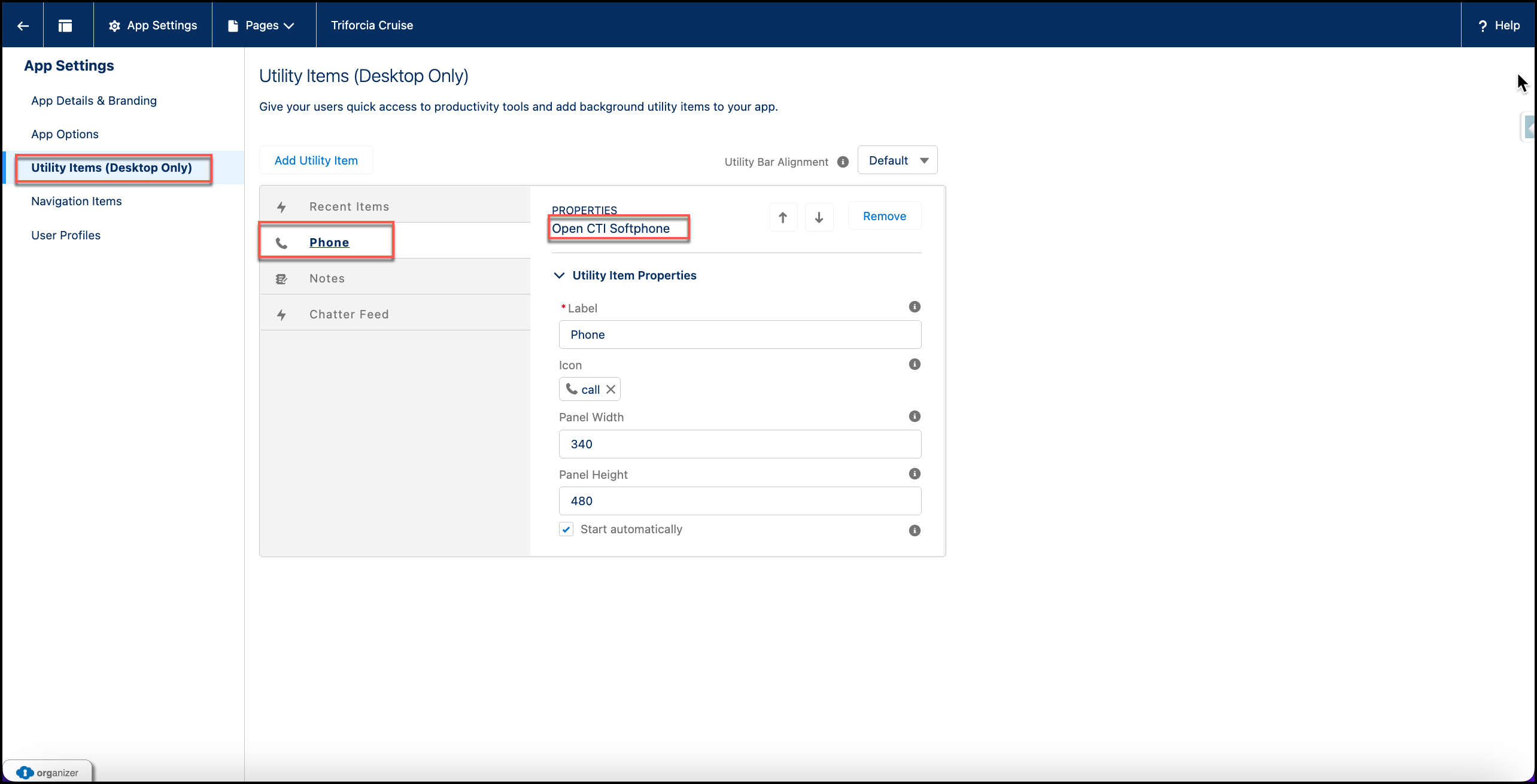
Telephony Integration (Attachment 14):
-
Gmail Integration (Attachment 15):
-
Outlook Integration (Attachment 16):
-
Creating API Connection (Attachment 17):
-
Using Apex Trigger for Emergency Task logic (Attachment 18):
-
Creating Apex Class and Helper Class (Attachment 19):
-
Apex Trigger for Cabin Occupied (Attachment 20):
-
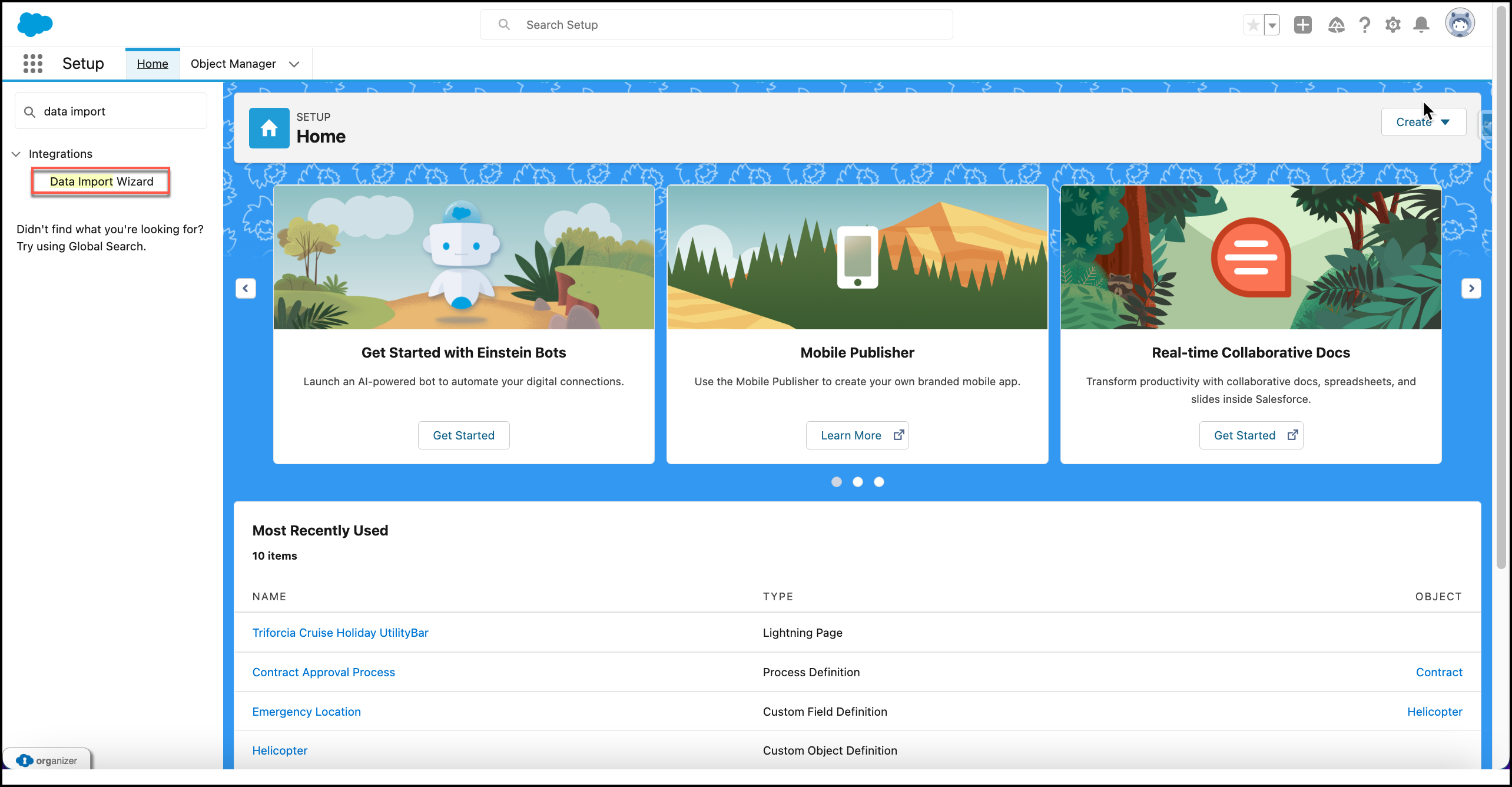
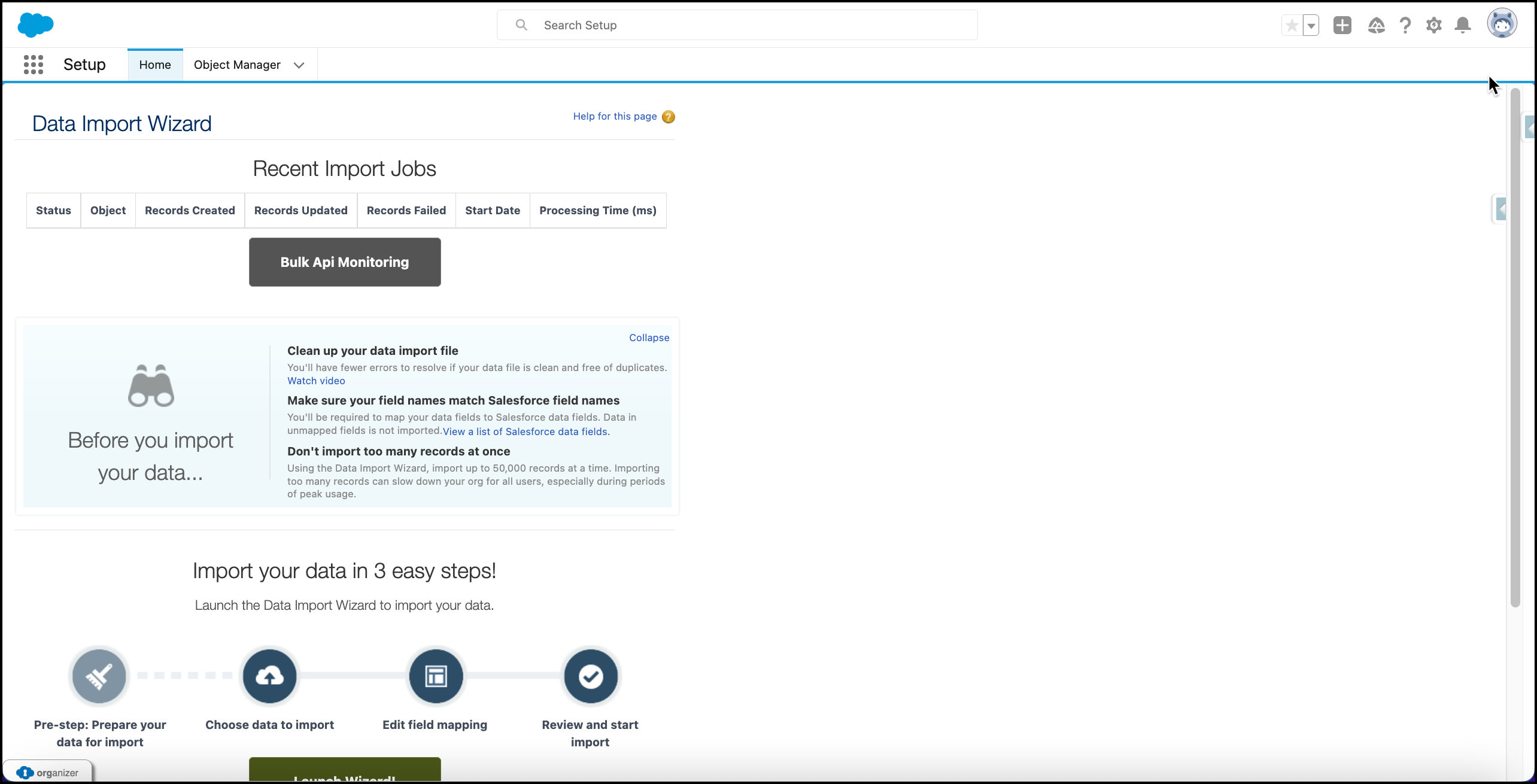
Data Import to Import Sample Data (Attachment 21):
-
Cross Org Integration for Historic Data (Attachment 22):
-
Lookup Filters (Attachment 23):
5. Attachments:
Attachment 1:
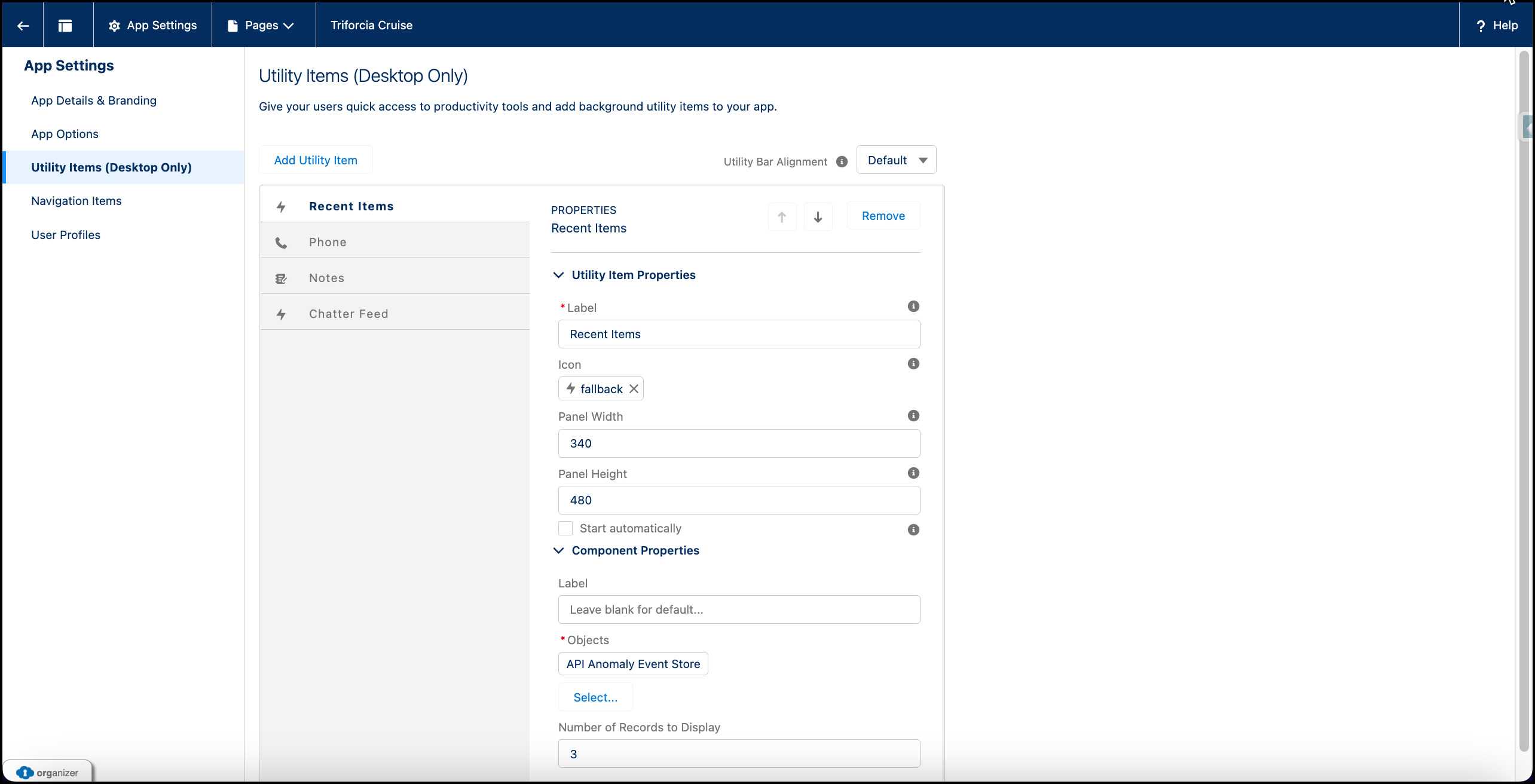
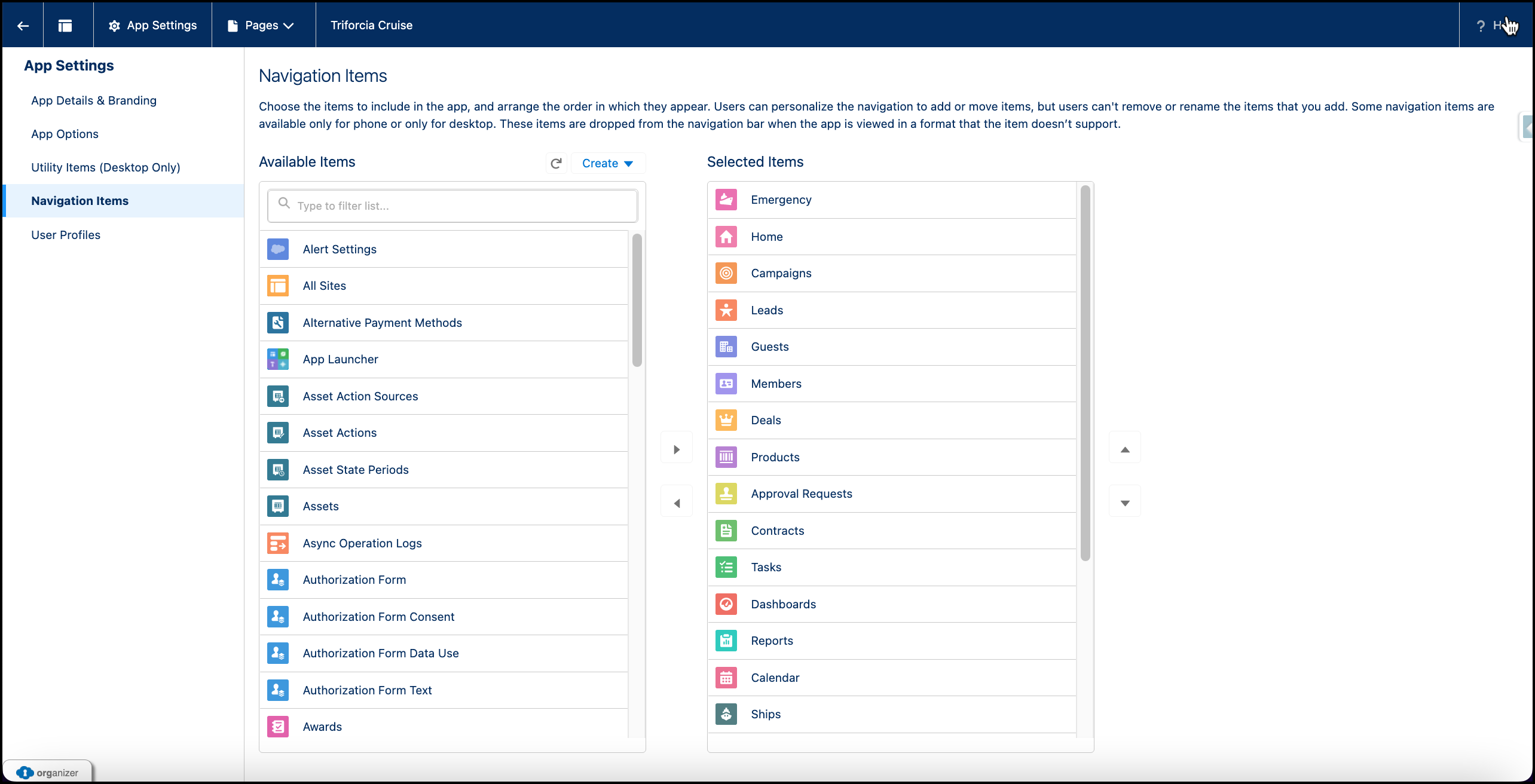
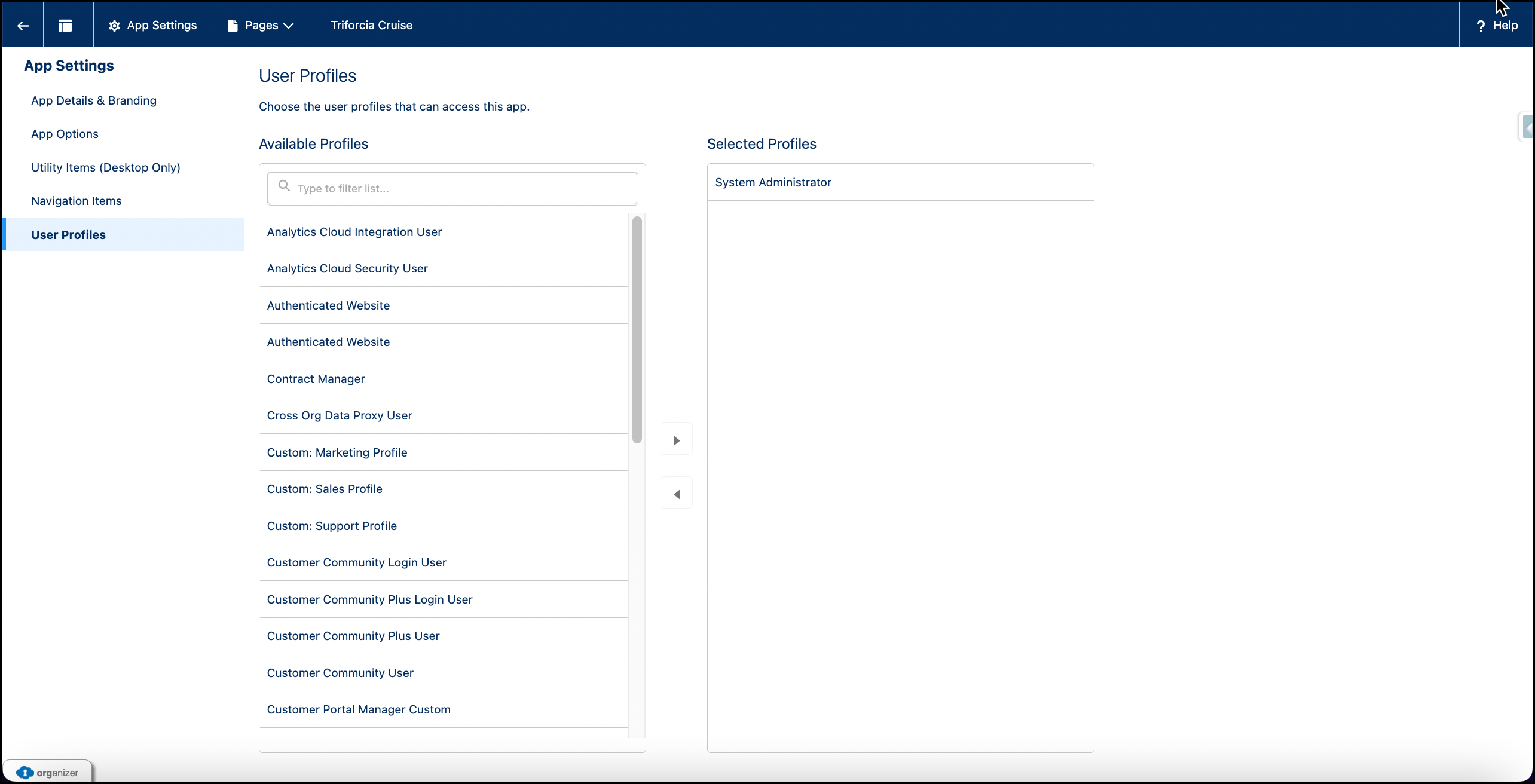
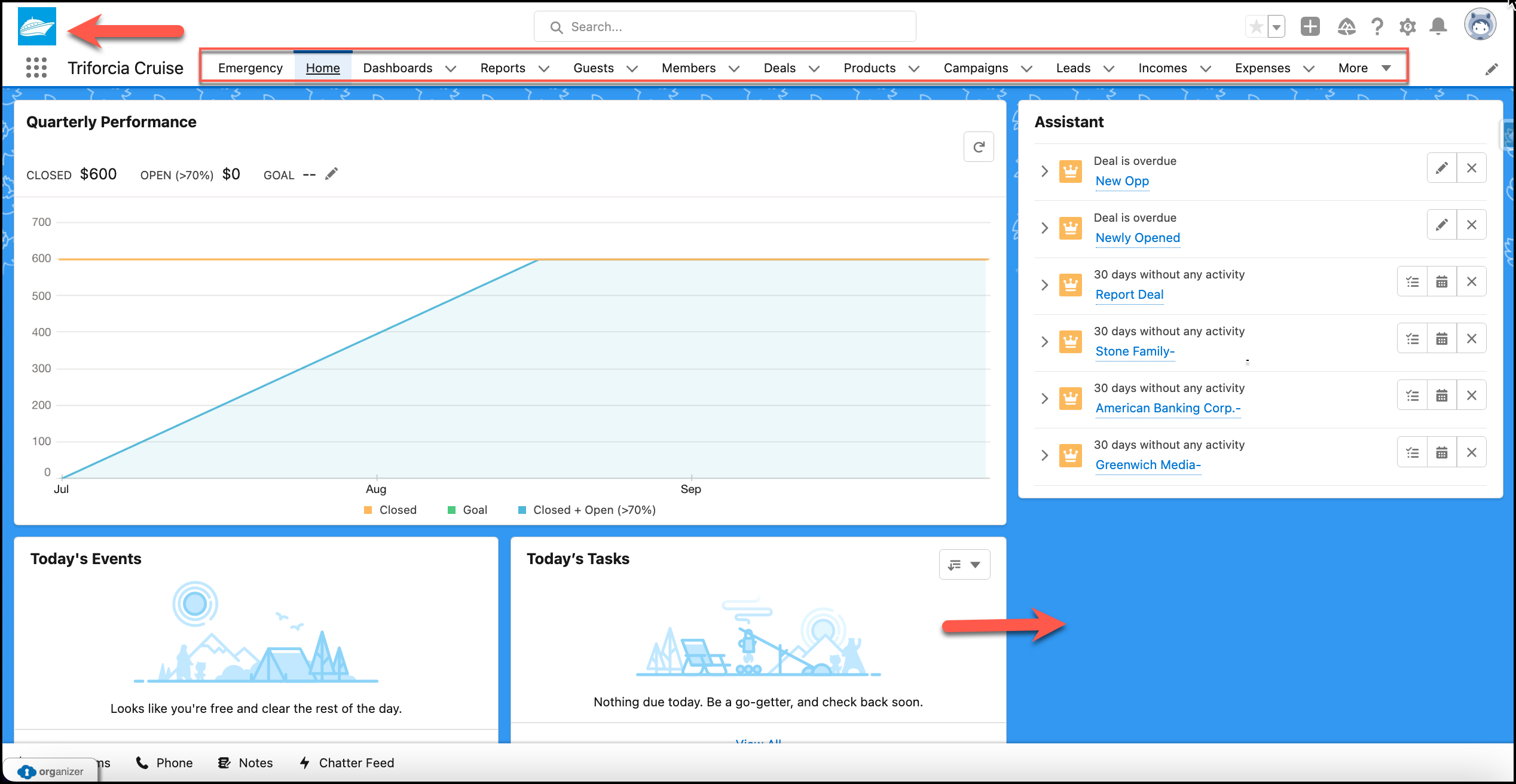
Attachment 2:
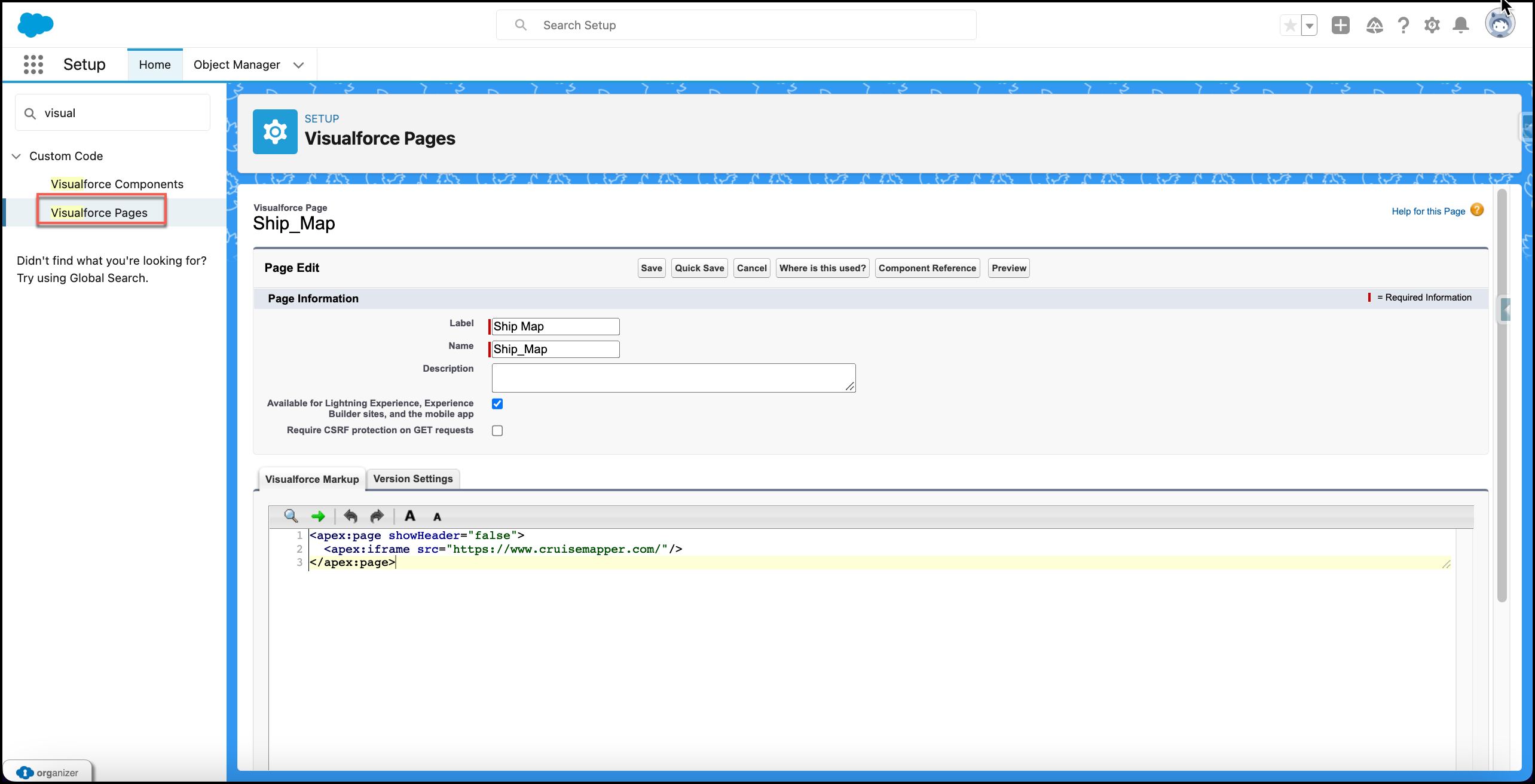
Ship Map
<apex:page showHeader="false">
  <apex:iframe src="https://www.cruisemapper.com/"/>
</apex:page>
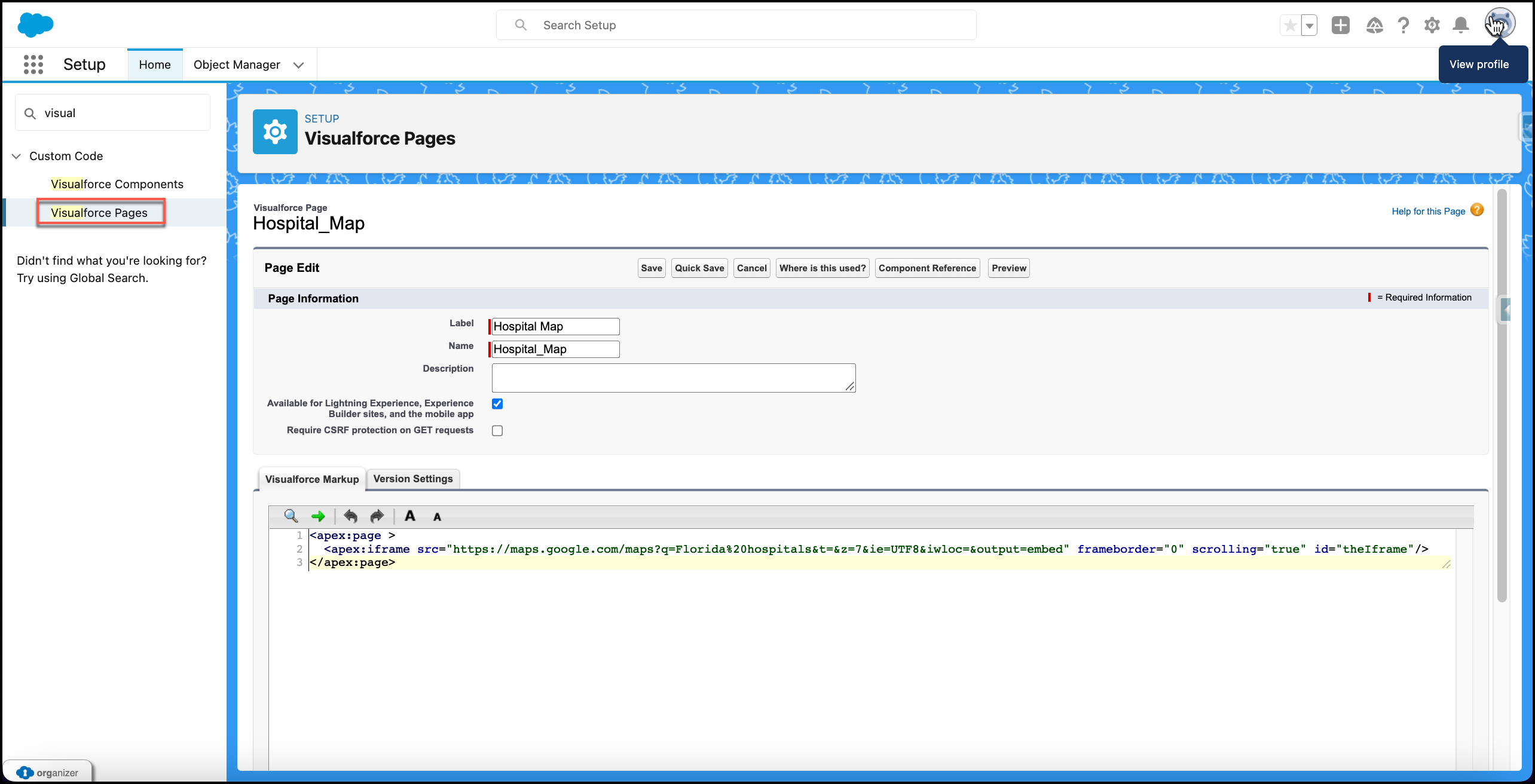
Hospital Map
<apex:page >
  <apex:iframe src="https://maps.google.com/maps?q=Florida%20hospitals&t=&z=7&ie=UTF8&iwloc=&output=embed" frameborder="0" scrolling="true" id="theIframe"/>
</apex:page>
Weather Map
HTML
<template>
  <lightning-card title={getCityName}>
      <lightning-layout>
          <lightning-layout-item size="6" medium-device-size="4" padding="around-small">
              <lightning-combobox name="cities"
                  label="Cities"
                  value={value}
                  placeholder="--Select--"
                  options={options}
                  onchange={handleChange} >
              </lightning-combobox>
          </lightning-layout-item>
      </lightning-layout>
      <lightning-layout>
              <lightning-layout-item size="3" medium-device-size="4" padding="around-small">
                  <lightning-card icon-name="standard:topic" title="Current Temperature">
                      <div class="slds-align_absolute-center color-blue">
                          <template if:true={result}>
                              {getConvertedTemp}
                          </template>
                      </div>
                  </lightning-card>
              </lightning-layout-item>
              <lightning-layout-item size="3" medium-device-size="4" padding="around-small">
                  <lightning-card icon-name="utility:flow" title="Current Wind Speed">
                      <div class="slds-align_absolute-center color-grey">
                          <template if:true={result}>
                              {getCurrentWindSpeed}
                          </template>
                      </div>
                  </lightning-card>
              </lightning-layout-item>
              <lightning-layout-item size="3" medium-device-size="4" padding="around-small">
                  <lightning-card icon-name="standard:calibration" title="Precipitation">
                      <div class="slds-align_absolute-center color-green">
                          <template if:true={result}>
                              {getCurrentPrecip}
                          </template>
                      </div>
                  </lightning-card>
              </lightning-layout-item>
          </lightning-layout>
      <lightning-map
          map-markers={mapMarkers}
          zoom-level={zoomLevel}>
      </lightning-map>
  </lightning-card>
</template>
CSS
.color-blue {
  background-color: #08a7da;
  height: 100px;
  color: white;
  font-family: Tahoma;
  font-size: 30px;
  font-weight: 500;
  border-radius: 25px;
}

.color-grey {
  background-color: rgb(11, 236, 74);
  height: 100px;
  color: white;
  font-family: Tahoma;
  font-size: 30px;
  font-weight: 500;
  border-radius: 25px;
}

.color-green {
  background-color:red;
  height: 100px;
  color: white;
  font-family: Tahoma;
  font-size: 30px;
  font-weight: 500;
  border-radius: 25px;
}
JS
import { LightningElement } from 'lwc';
import performCallout from '@salesforce/apex/WebServiceLWC.performCallout';

export default class WeatherLWC extends LightningElement {

lat;
long;

mapMarkers = [];
zoomLevel = 10;
result;
value;

connectedCallback() {
    performCallout({location: 'Norfolk,VA'}).then(data => {
        this.mapMarkers = [{
            location: {
                Latitude: data['cityLat'],
                Longitude: data['cityLong']
            },
            title: data['cityName'] + ', ' + data['state'],
        }];
        this.result = data;
    }).catch(err => console.log(err));

}

get getCityName() {
    if (this.result) {
        return this.result.cityName + ' Information';
    } else {
        return '---'
    }
}

get getConvertedTemp() {
    if (this.result) {
        return Math.round((this.result.cityTemp * (9/5)) + 32) + ' deg';
    } else {
        return '--'
    }
}

get getCurrentWindSpeed() {
    if (this.result) {
        return this.result.cityWindSpeed + ' mph';
    } else {
        return '--'
    }
}

get getCurrentPrecip() {
    if (this.result) {
        return this.result.cityPrecip + " in"
    } else {
        return '--'
    }
}

get options() {
    return [
        { label: 'Arvada, CO', value: 'Arvada,CO' },
        { label: 'Austin, TX', value: 'Austin,TX' },
        { label: 'Sacramento, CA', value: 'Sacramento,CA' },
        { label: 'Raleigh, NC', value: 'Raleigh,NC' },
        { label: 'Chesapeake, VA', value: 'Chesapeake,VA' }
    ];
}

handleChange(event) {
    this.value = event.detail.value;
    performCallout({location: this.value}).then(data => {
        this.mapMarkers = [{
            location: {
                Latitude: data['cityLat'],
                Longitude: data['cityLong']
            },
            title: data['cityName'] + ', ' + data['state'],
        }];
        this.result = data;
    }).catch(err => console.log(err));
}   }
META XML
<?xml version="1.0" encoding="UTF-8"?>
<LightningComponentBundle xmlns="http://soap.sforce.com/2006/04/metadata">
    <apiVersion>55.0</apiVersion>
    <isExposed>true</isExposed>
    <targets>
        <target>lightning__AppPage</target>
        <target>lightning__HomePage</target>
        <target>lightning__RecordPage</target>
    </targets>
</LightningComponentBundle>
Attachment 3:
Attachment 4:
Attachment 5:
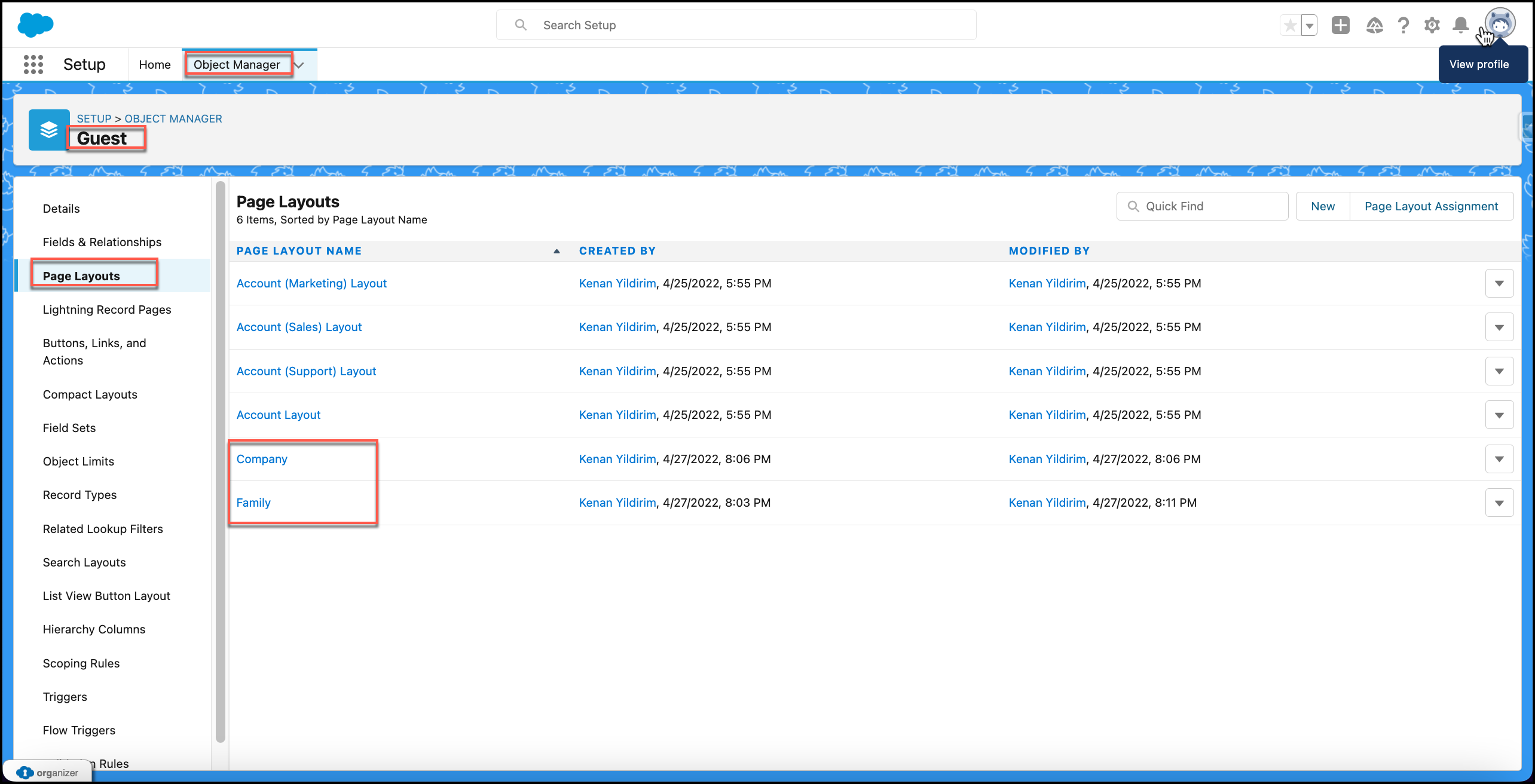
Family and Company Record Types for Guest (Account) Object
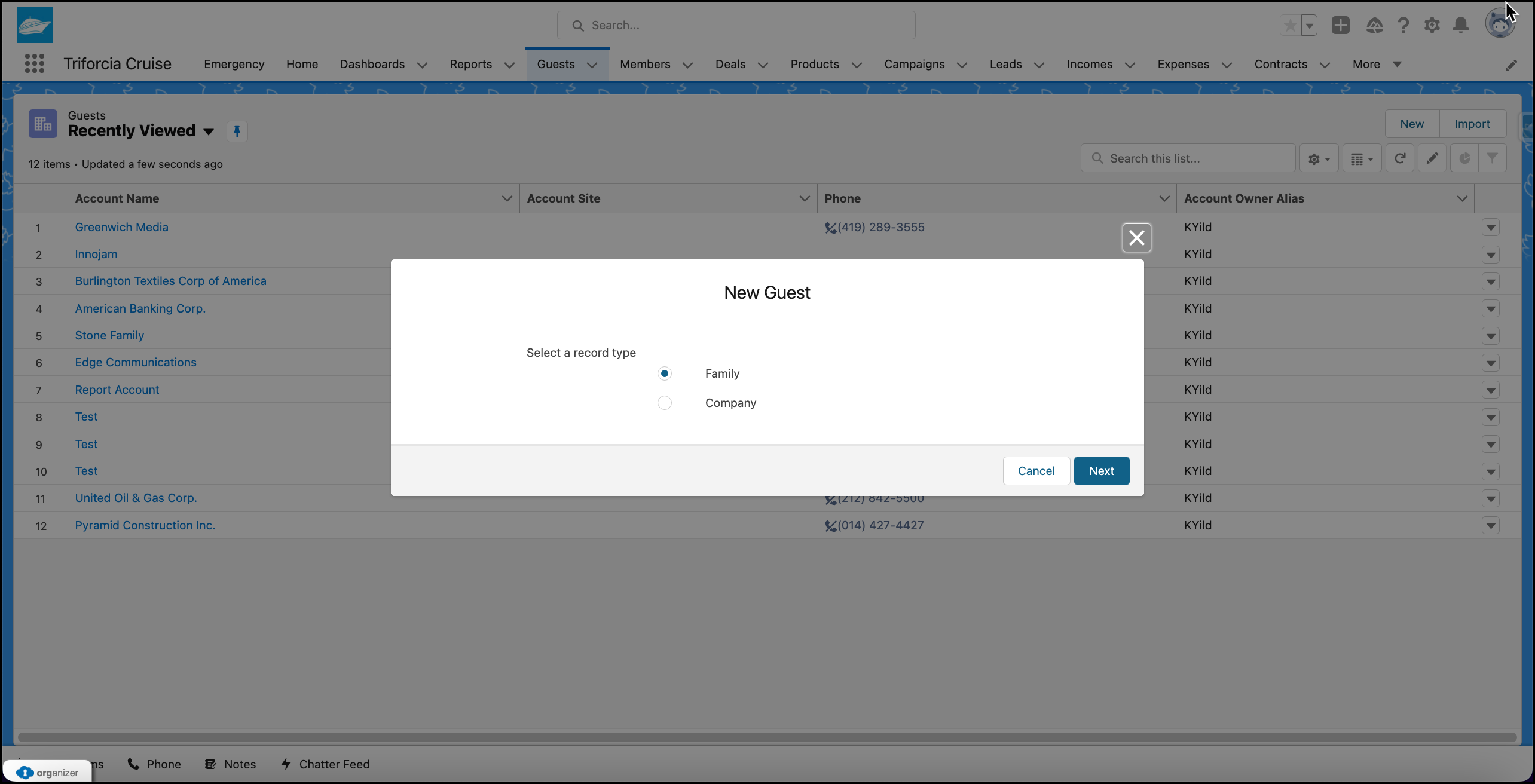
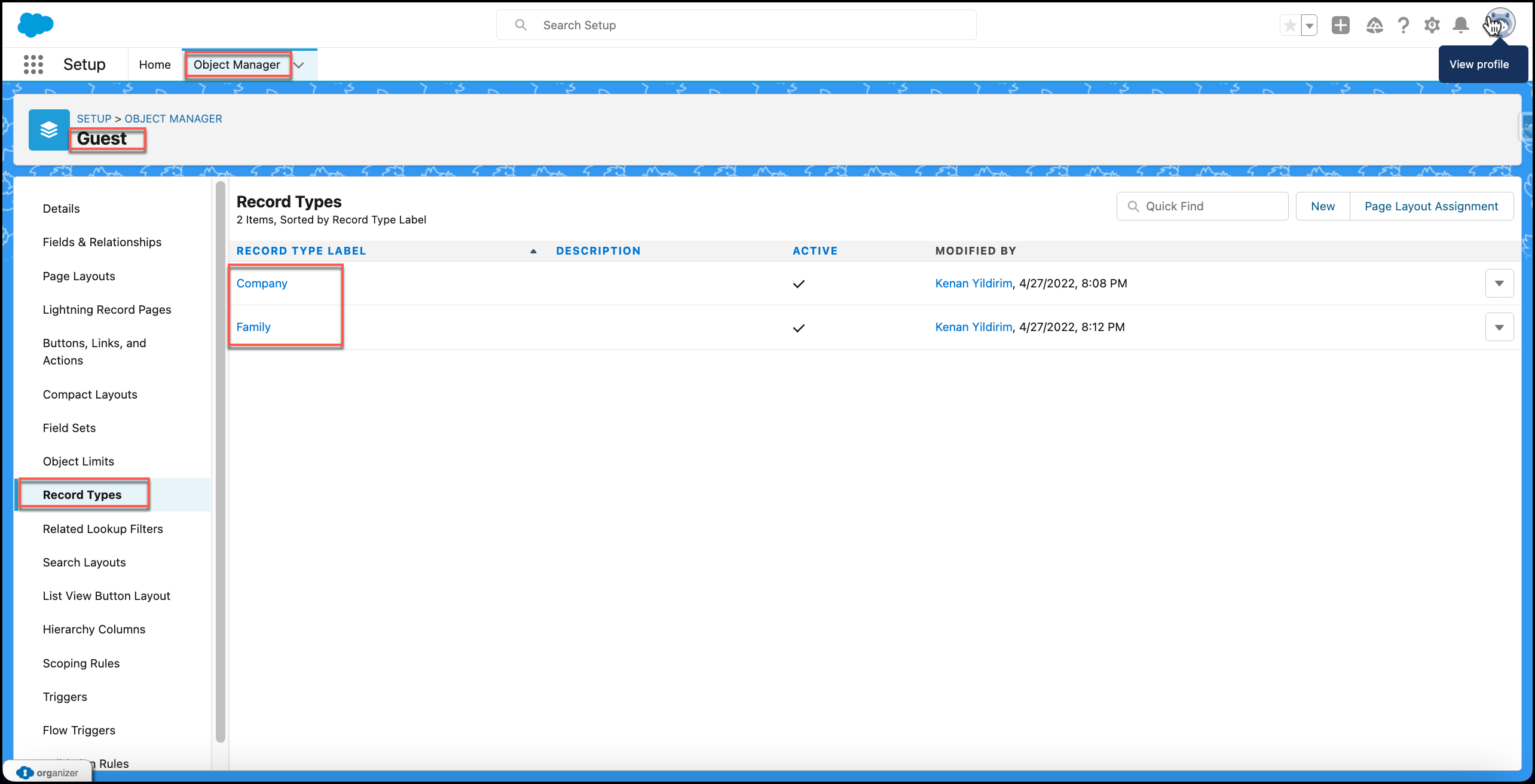
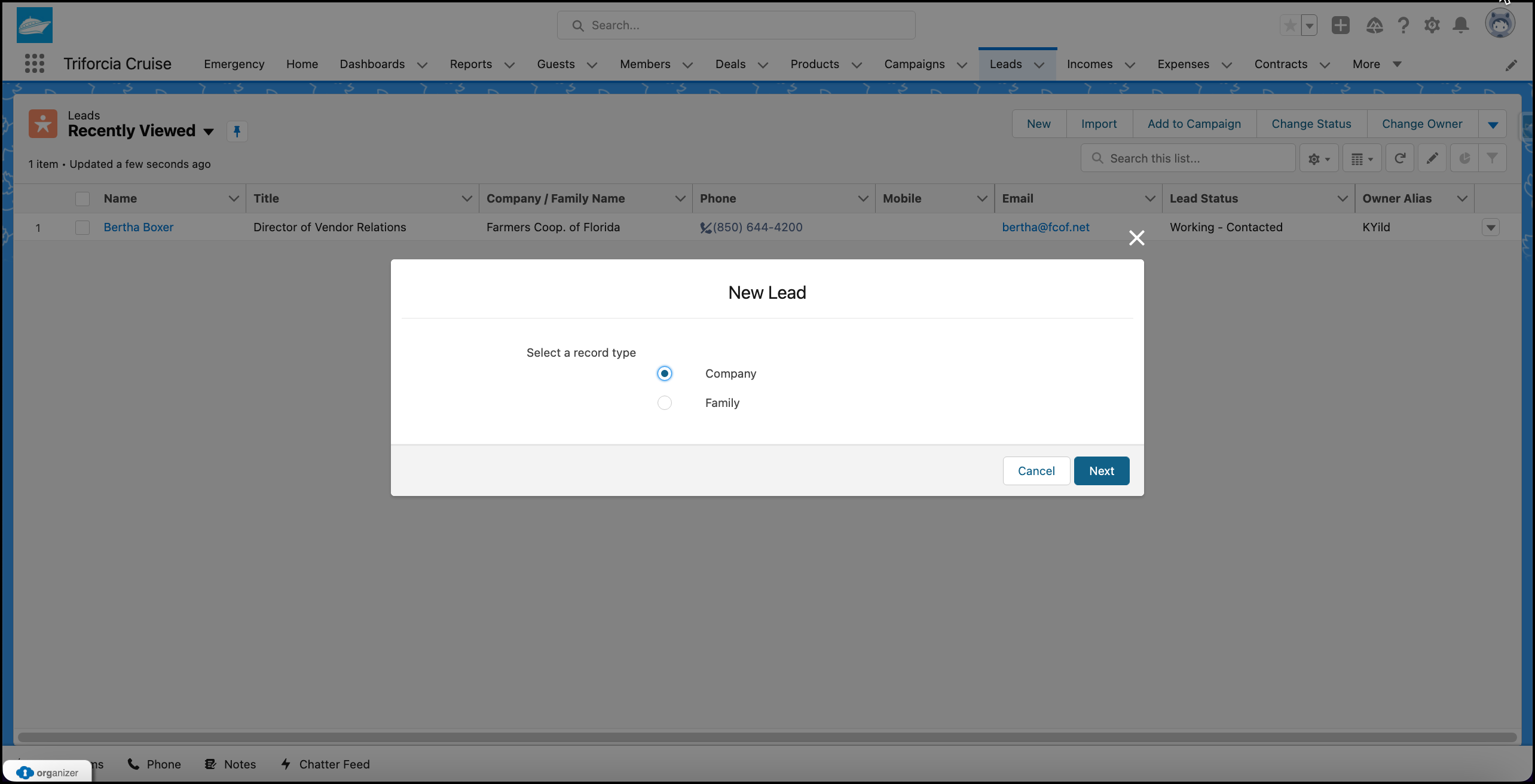
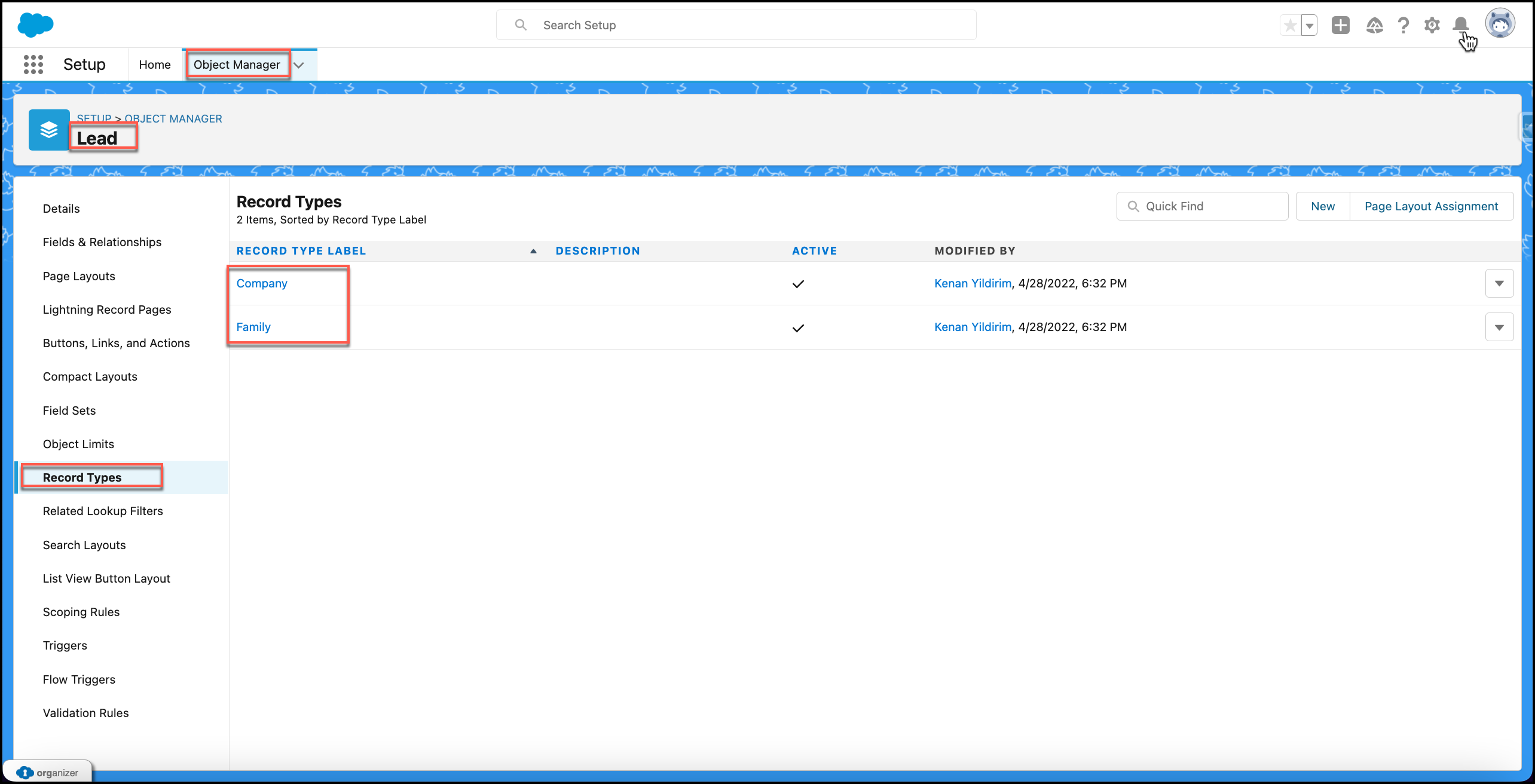
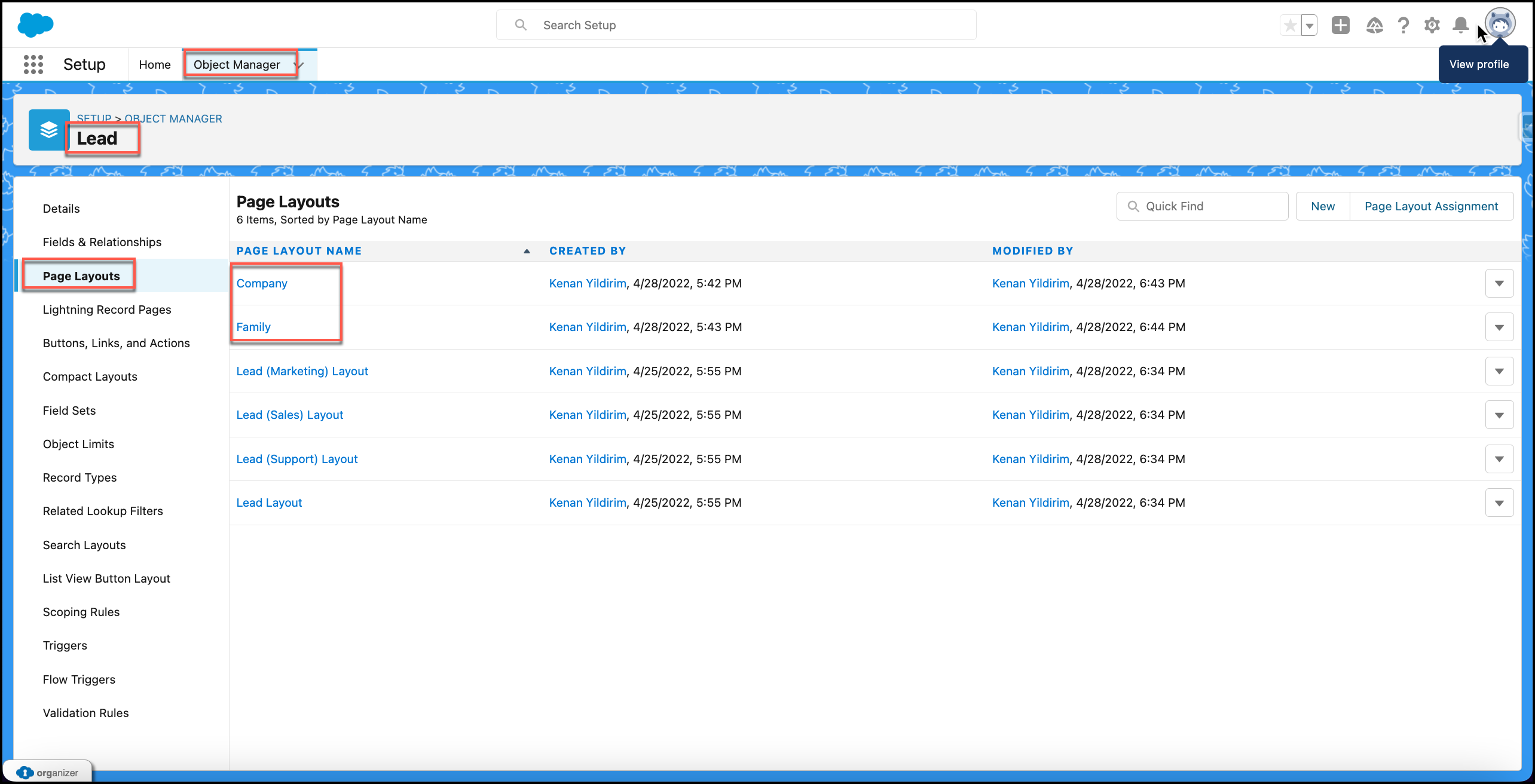
Family and Company Record Types for Lead Object
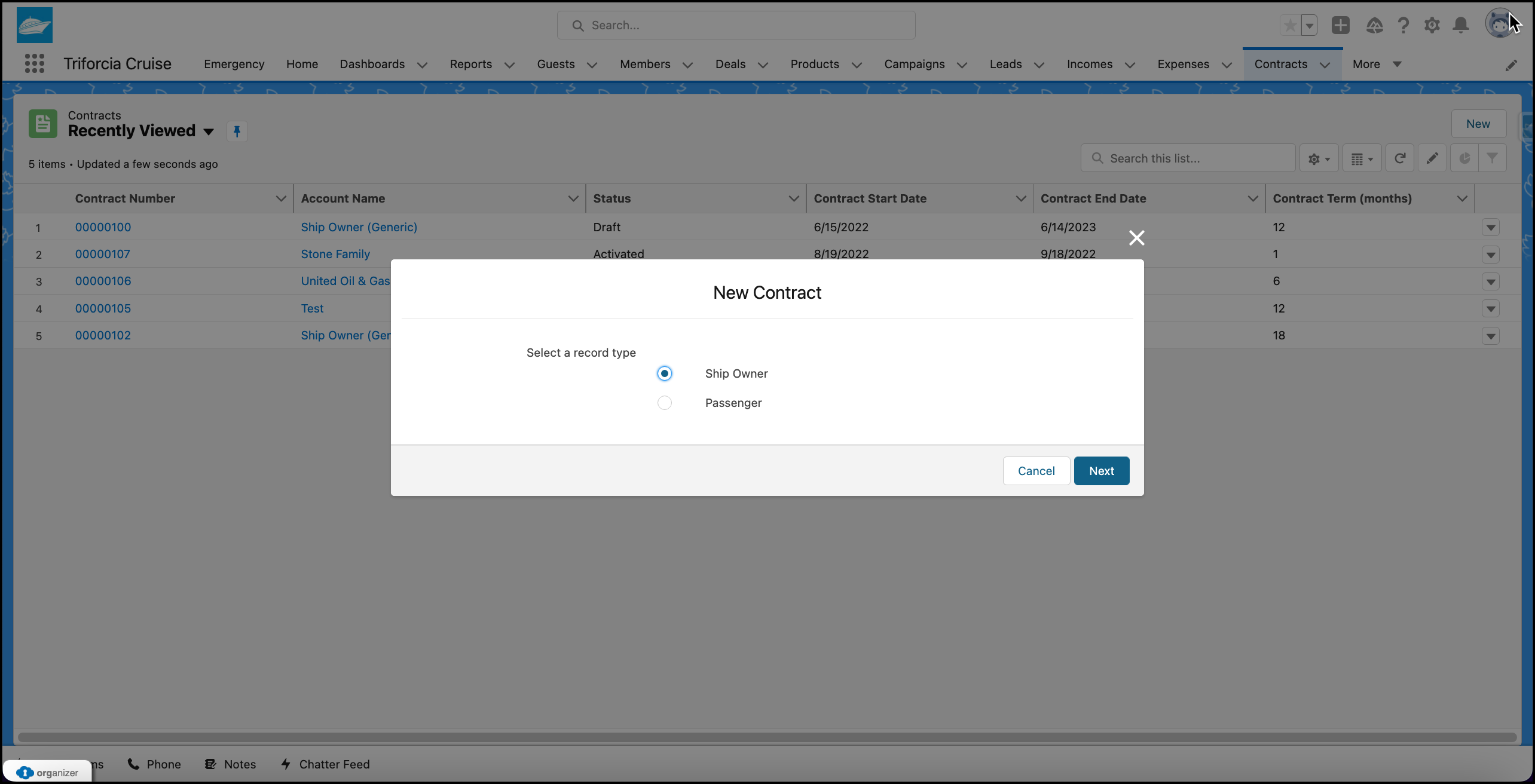
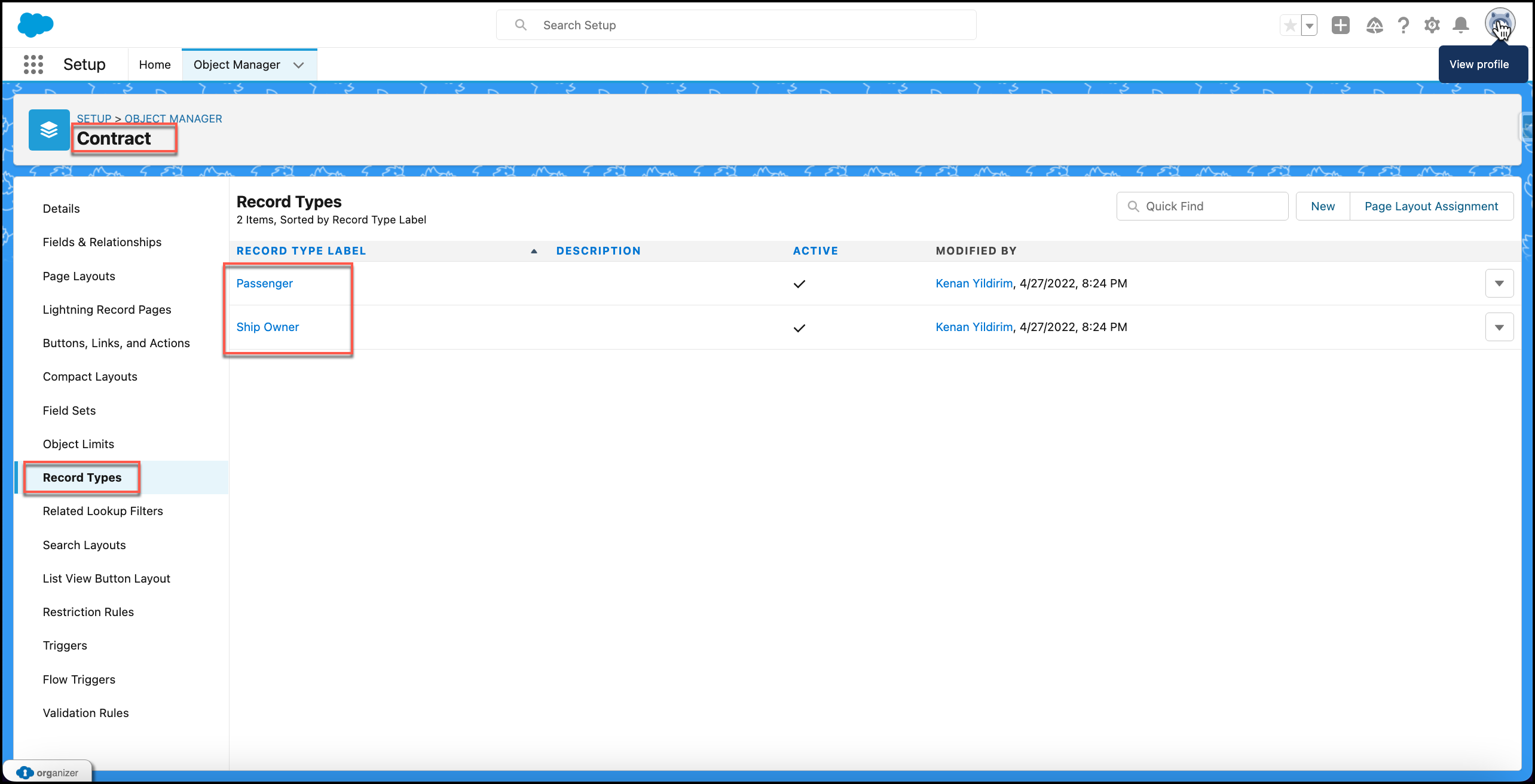
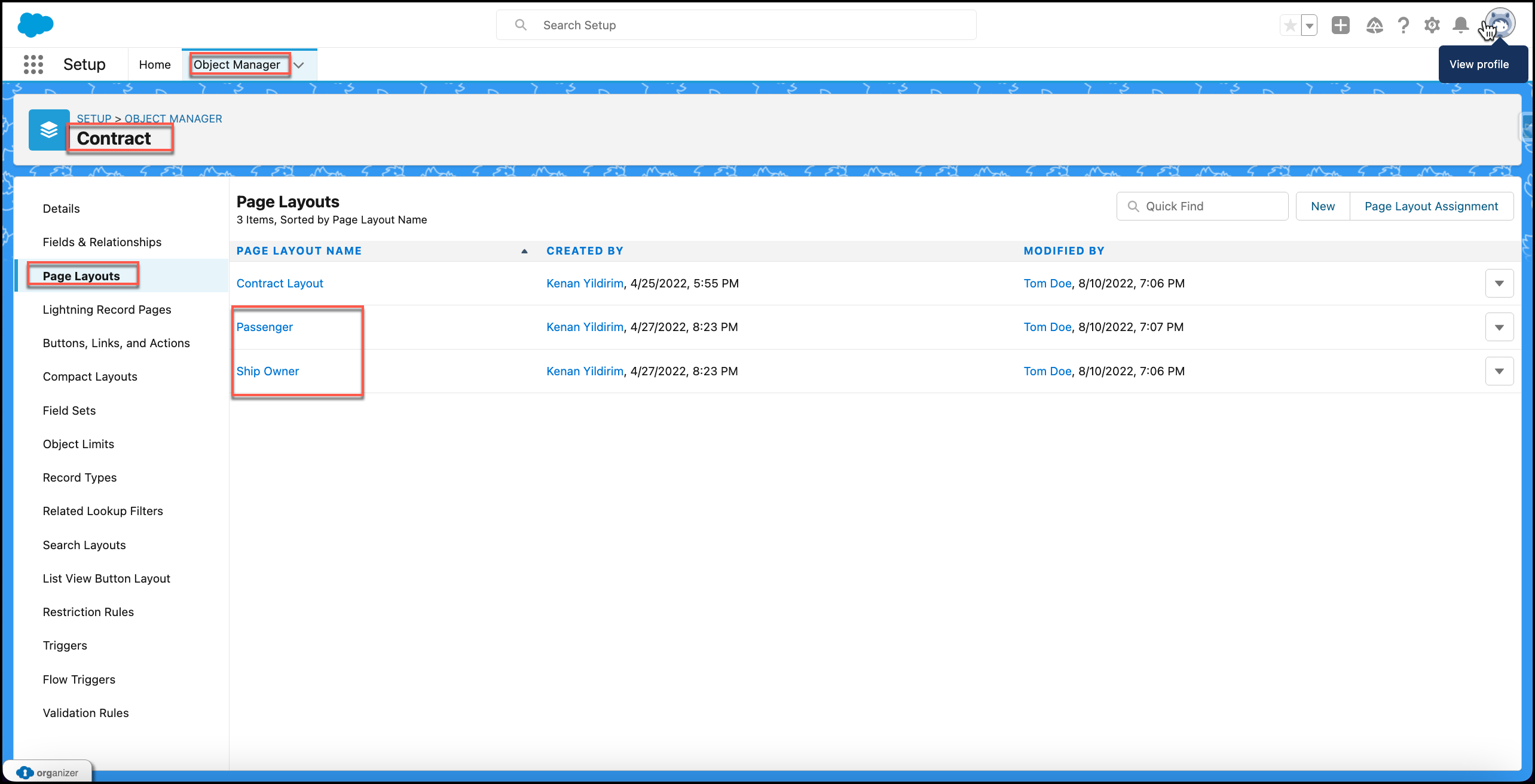
Ship Owner and Passenger Record Types for Contract Object
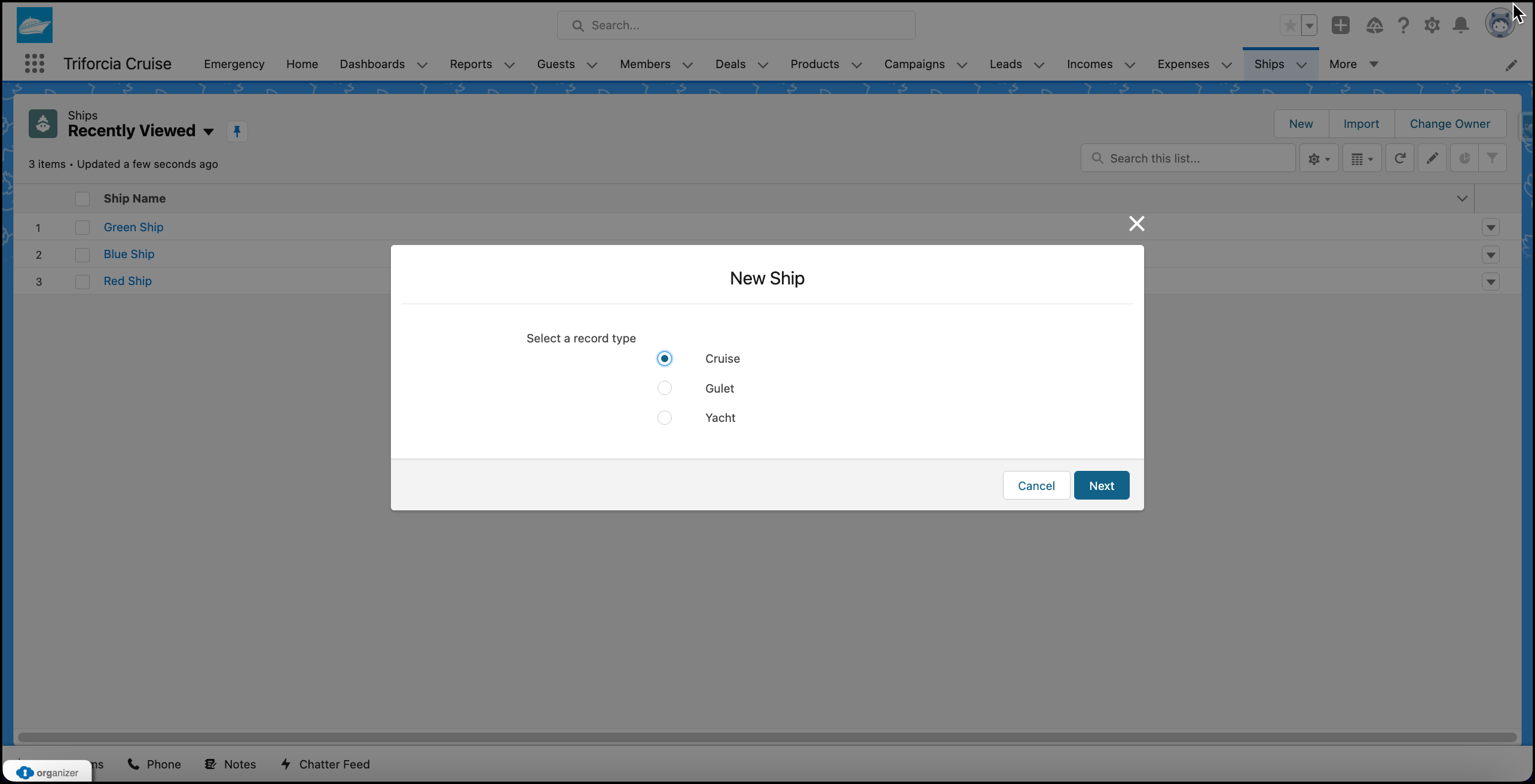
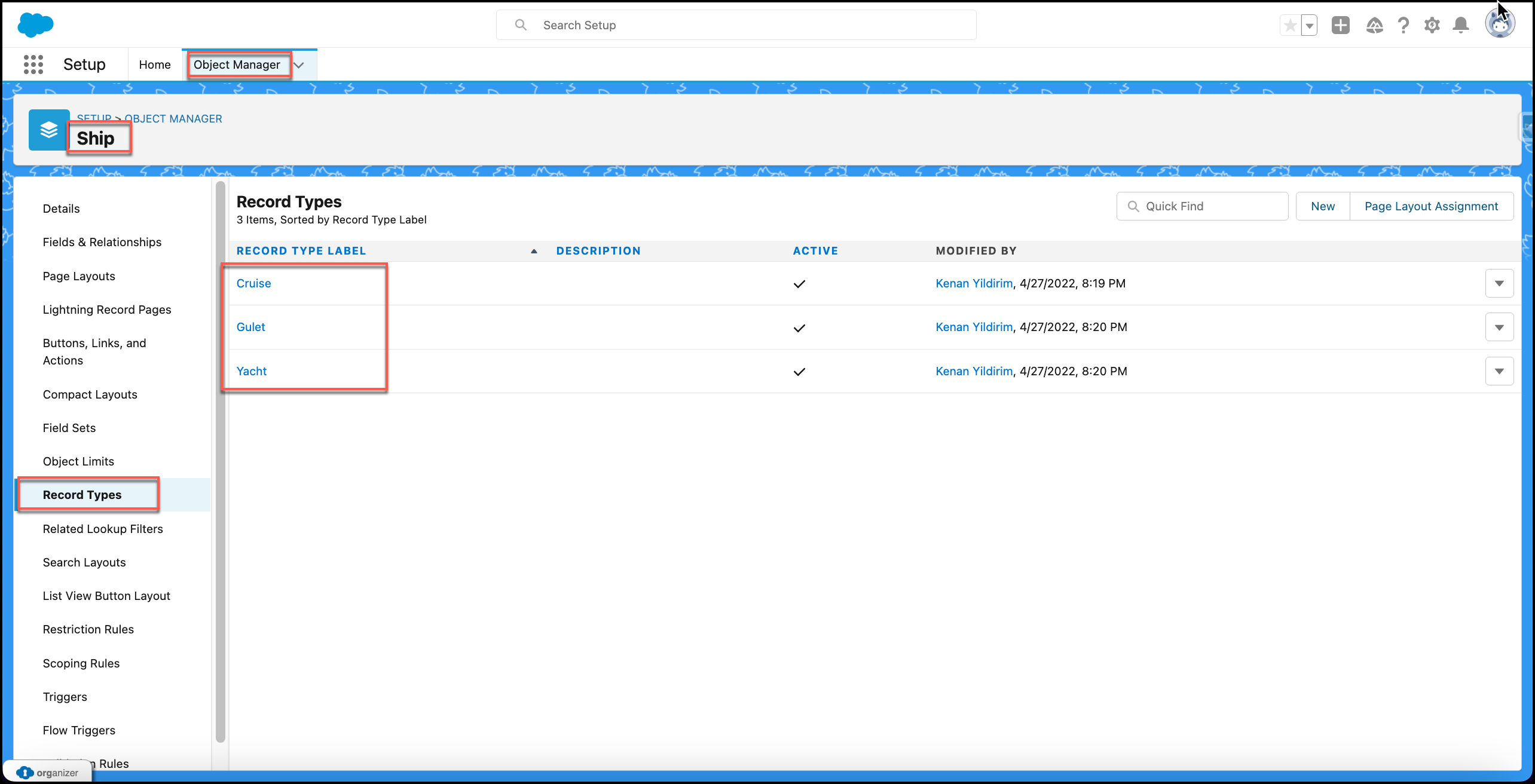
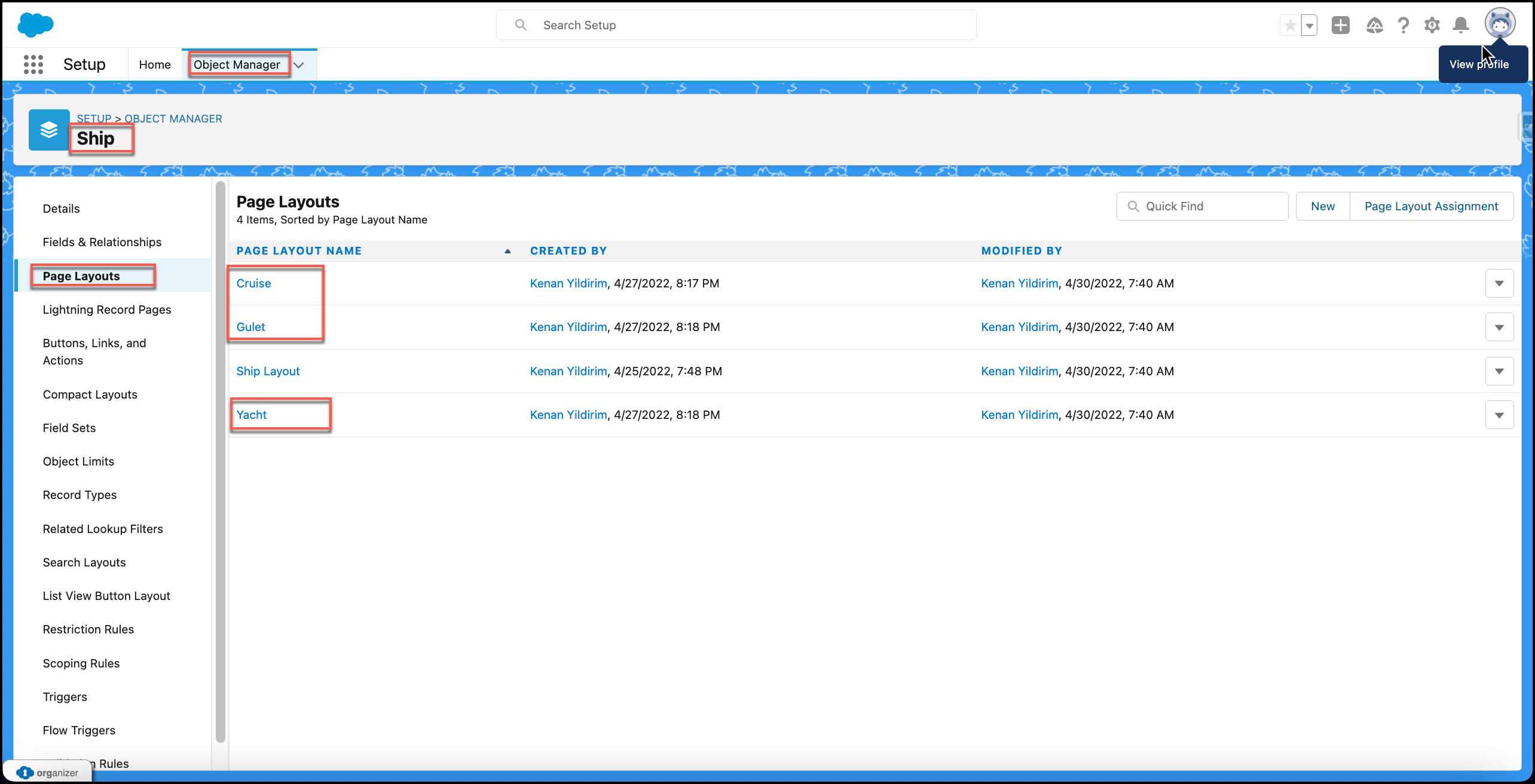
Cruise, Gulet and Yacth Record Types for Ship Object
Attachment 6:
Family and Company Custom Layouts for Guest (Account) Object
Family and Company Custom Layouts for Lead Object
Ship Owner and Passenger Custom Layouts for Contract Object
Cruise, Gulet and Yacth Custom Layouts for Ship Object
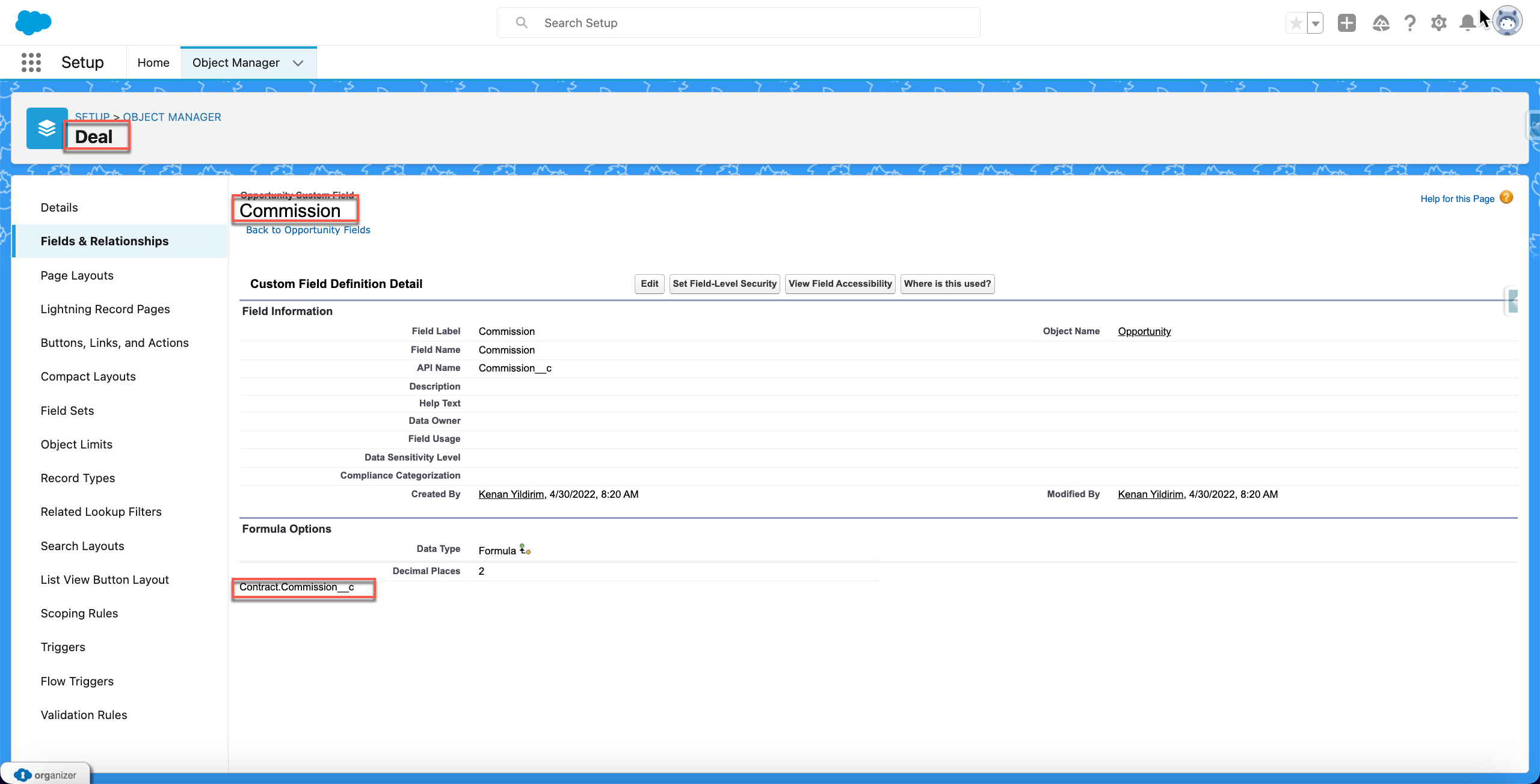
Attachment 7:
Commision Formula Field on Deal Object
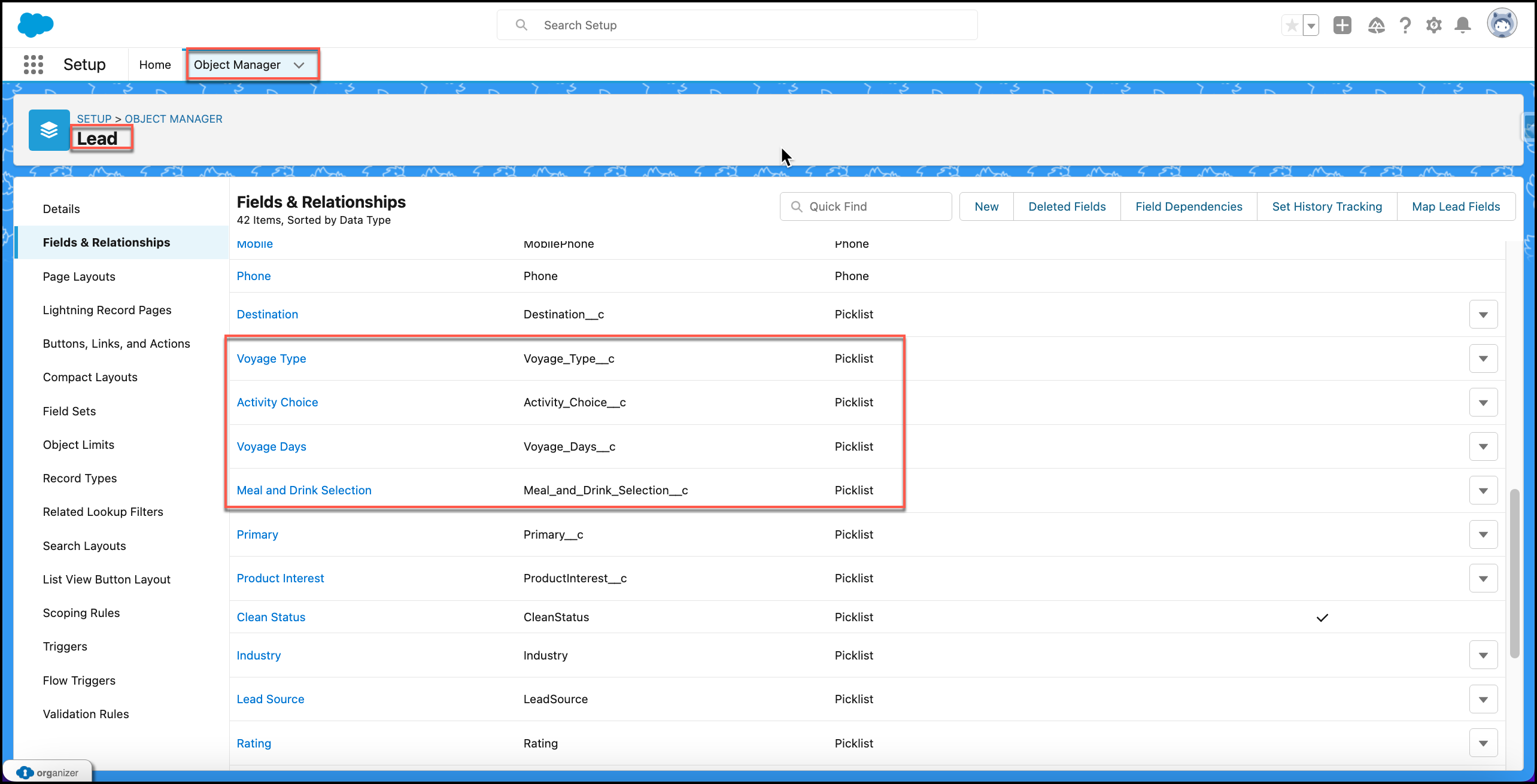
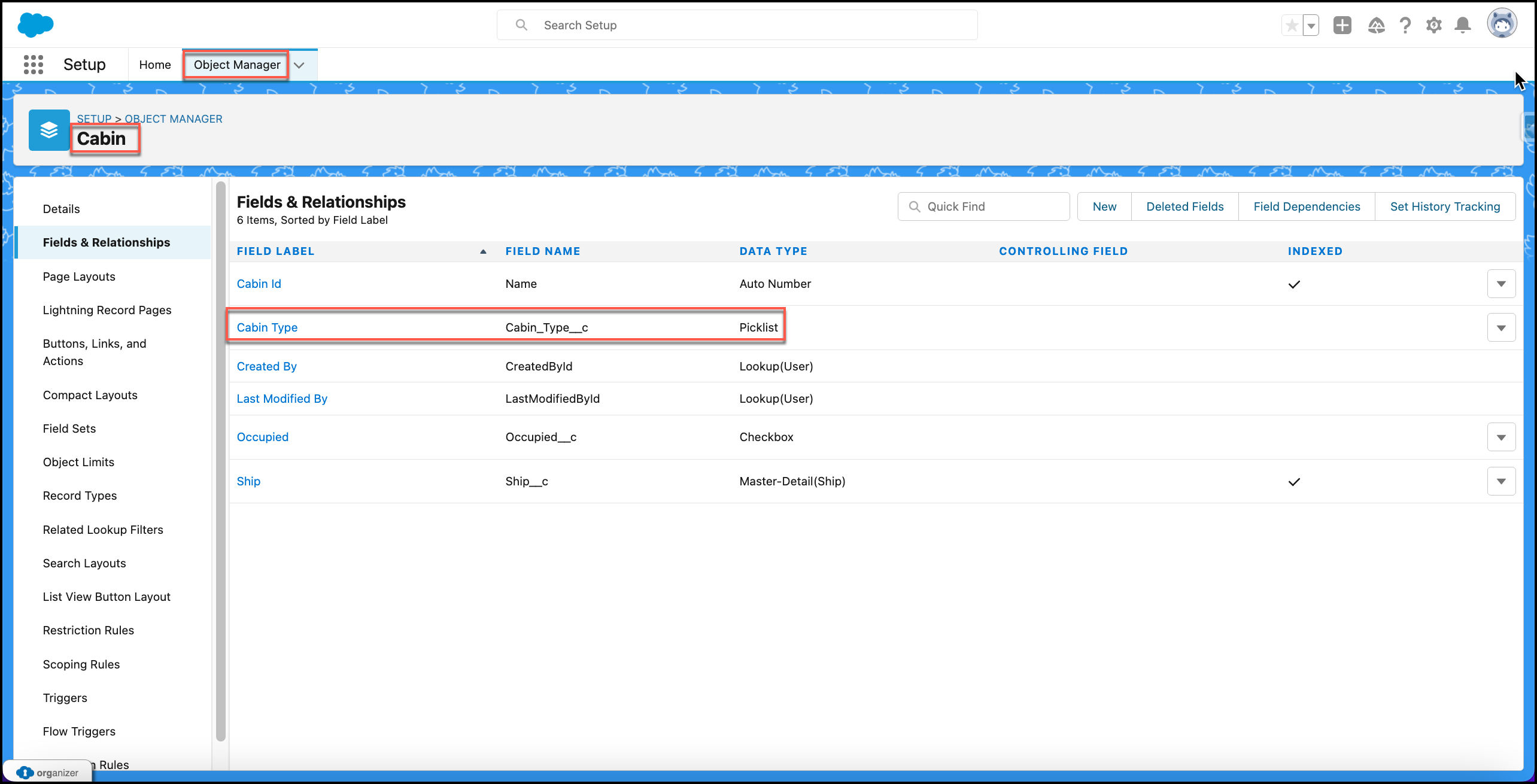
Attachment 8:
Custom Picklists on Lead Object
Custom Picklists on Cabin Object
Attachment 9:
Attachment 10:
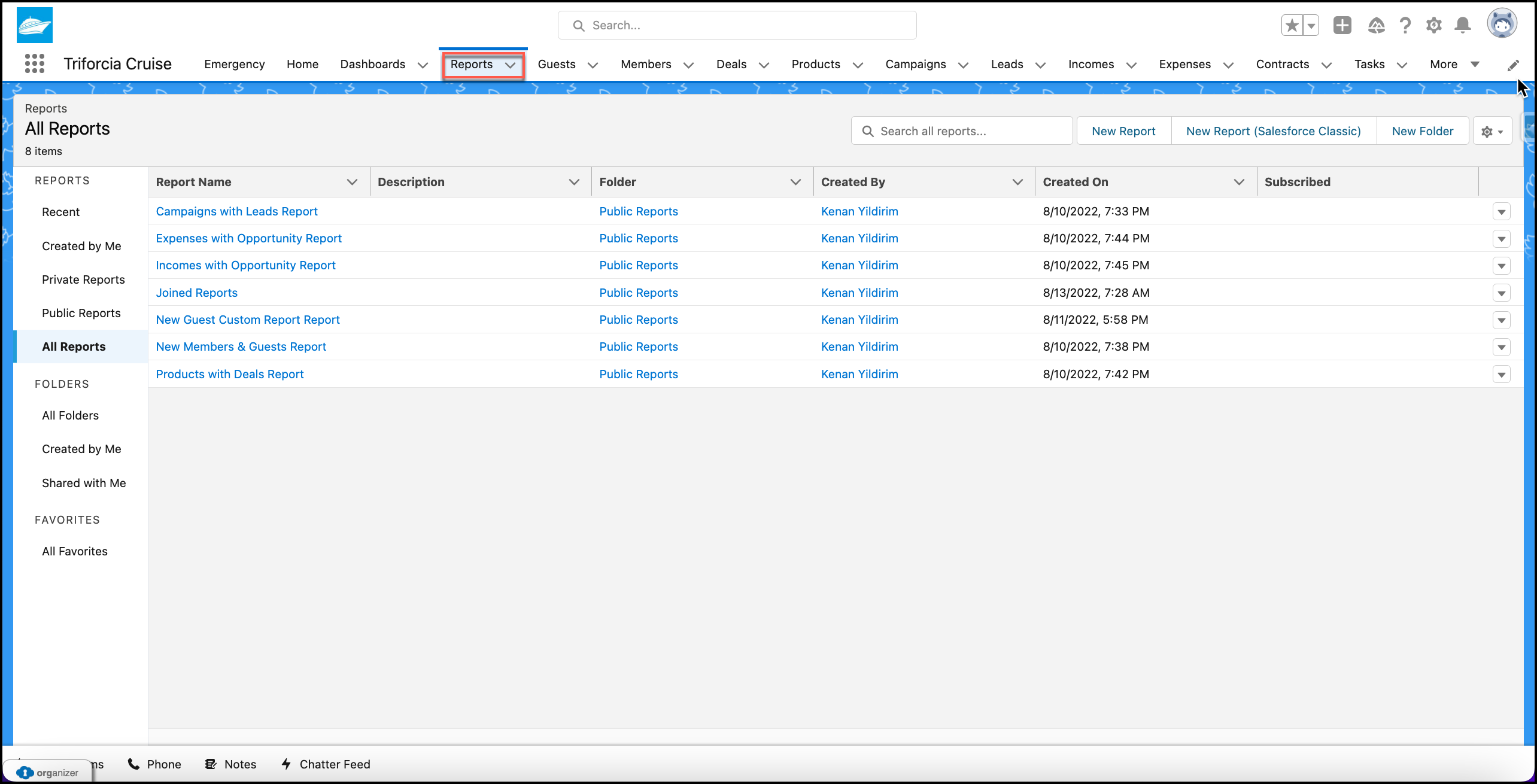
Campaigns with Leads Report
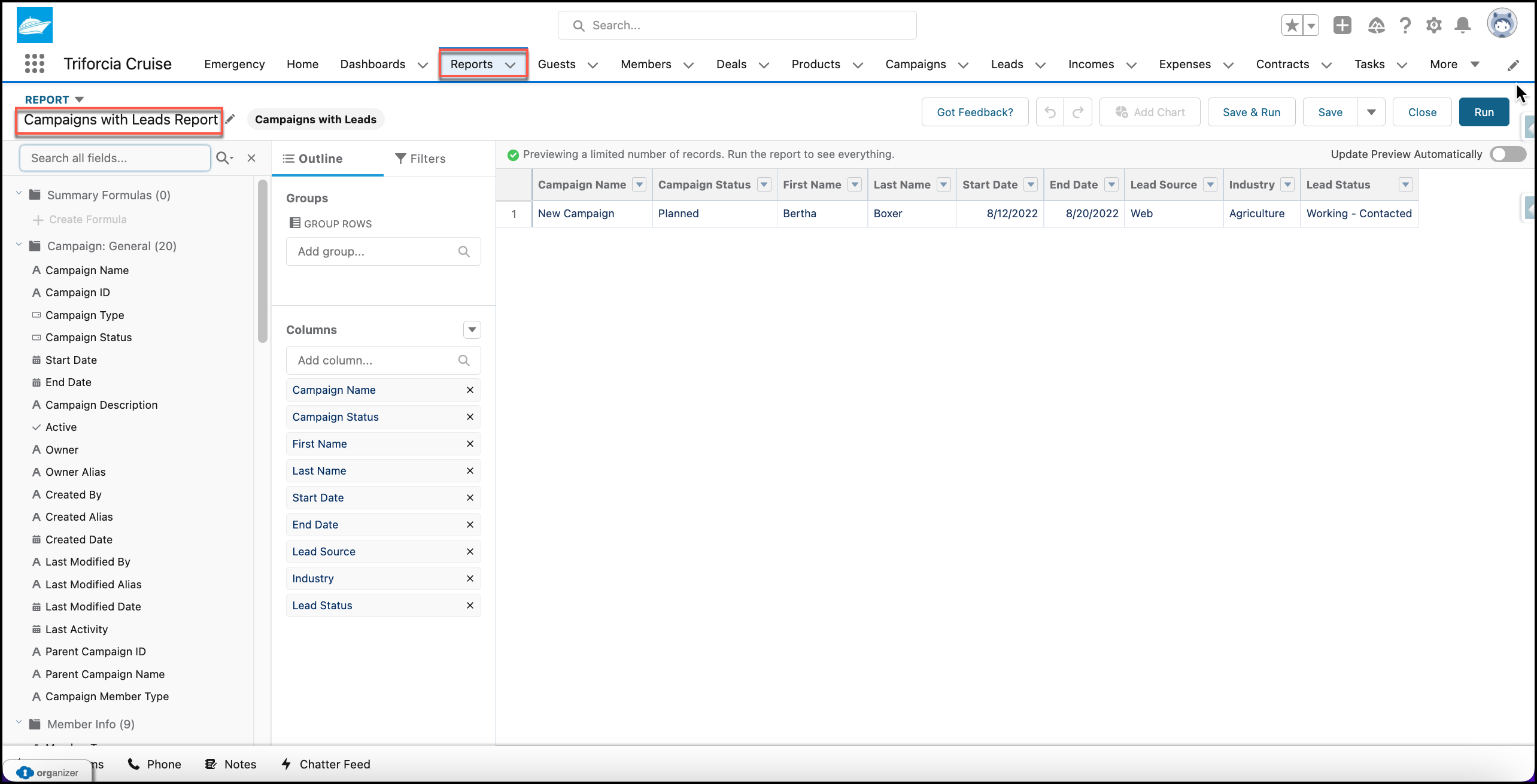
Expenses with Opportunity Report
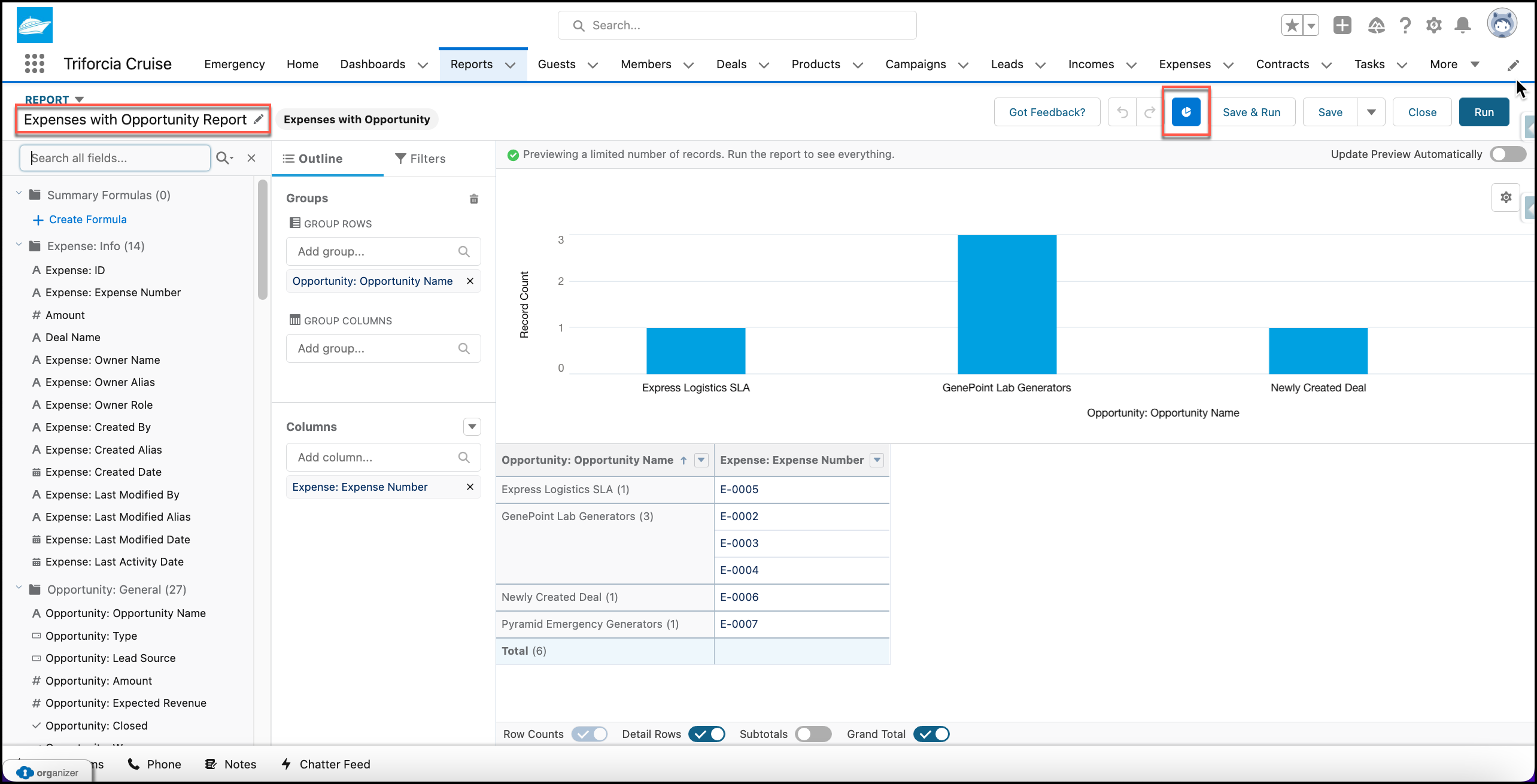
Incomes with Opportunity Report
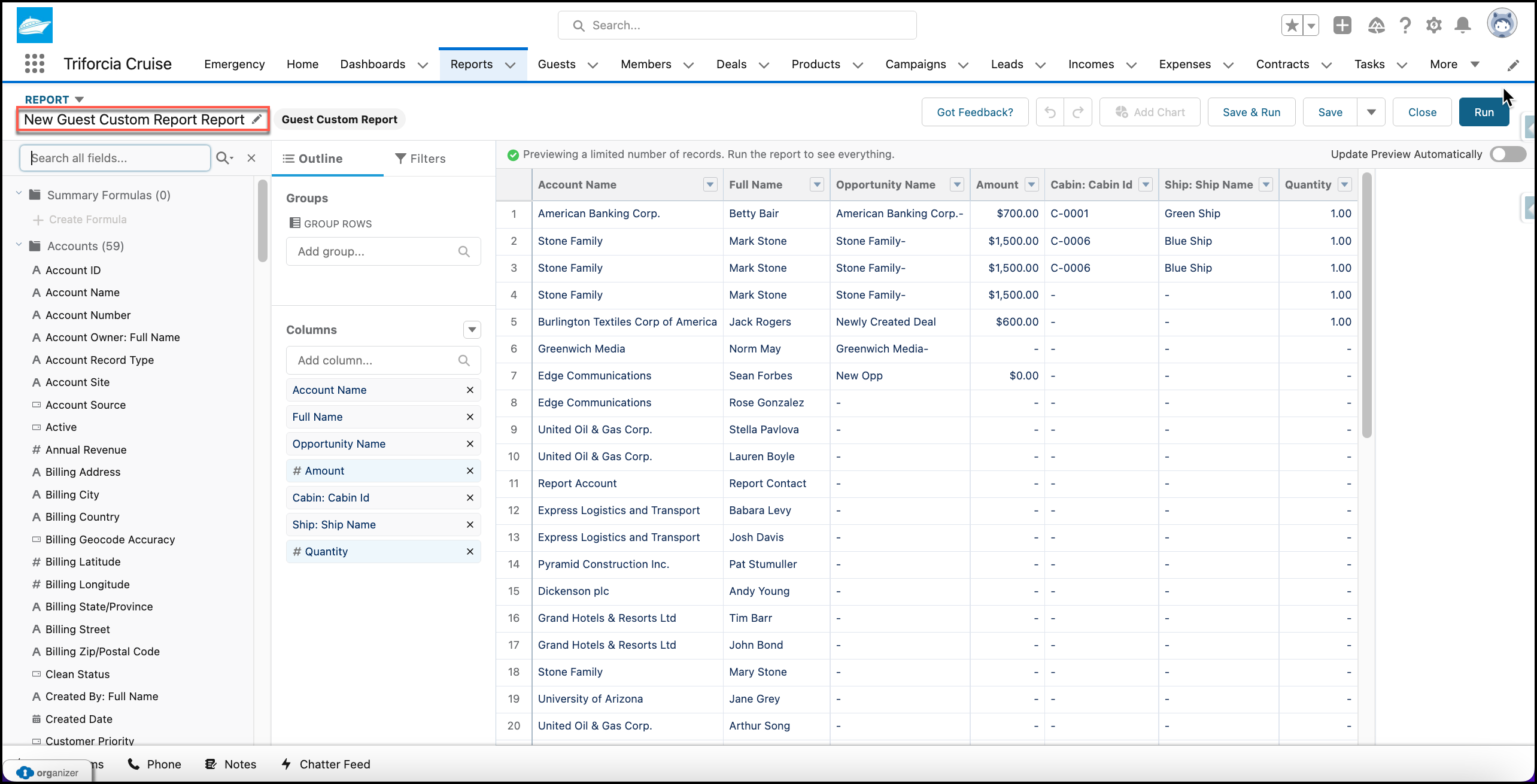
New Guest Custom Report Report
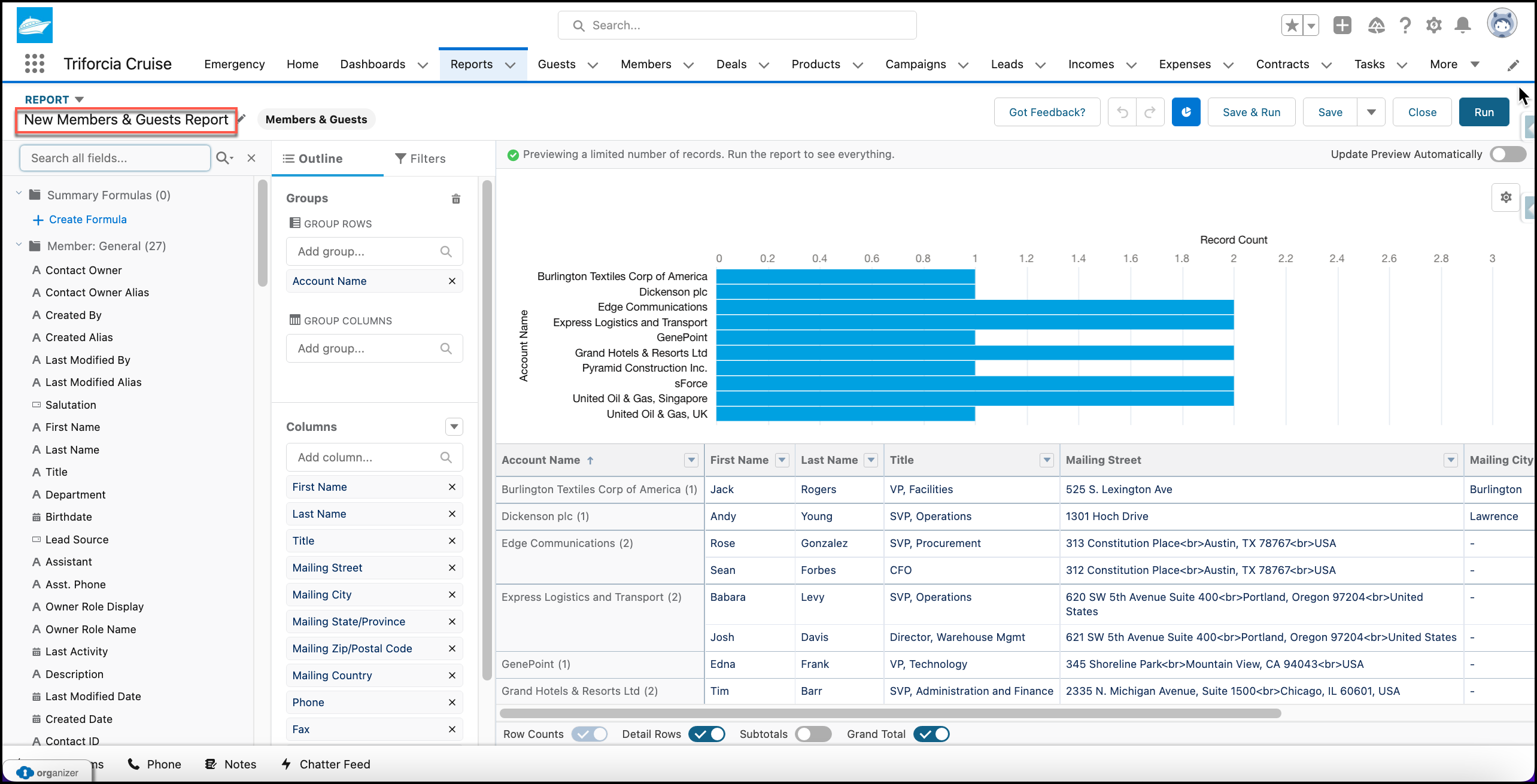
New Members & Guests Report
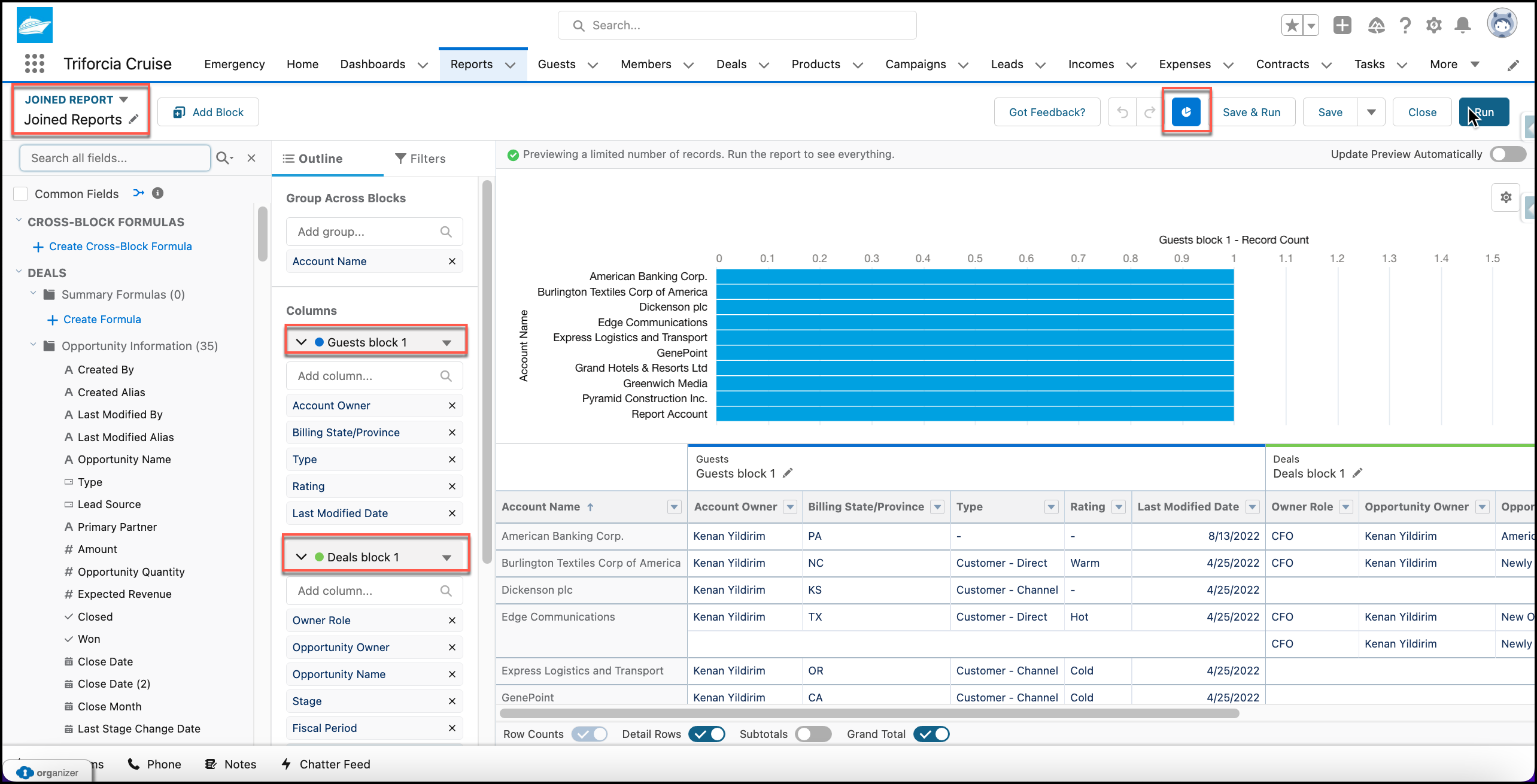
Joined Reports
Attachment 11:
Attachment 12:
Attachment 13:
Attachment 14:
Attachment 15:
Attachment 16:
Attachment 17:
API Connection of Weather LWC Component on Emergency Page
global class WebServiceLWC {
    @AuraEnabled(cacheable=true)
    global static WeatherData performCallout(String location) {

        Http http = new Http();

        HttpRequest req = new HttpRequest();
        req.setEndpoint('callout:WeatherAPI?city=' + location + '&key=96ef390b59d74ccca1145468858df082');
        req.setMethod('GET');


        HttpResponse res = new HttpResponse();
        res = http.send(req);
        JSONParser parser = JSON.createParser(res.getBody());


        WeatherData weather = new WeatherData();

        while (parser.nextToken() != null) {
            parser.nextValue();
            if (parser.getCurrentName() == 'temp') {
                weather.cityTemp = Decimal.valueOf(parser.getText());
            }else if(parser.getCurrentName() == 'city_name'){
                weather.cityName = parser.getText();
            }else if(parser.getCurrentName() == 'state_code'){
                weather.state = parser.getText();
            }else if(parser.getCurrentName() == 'timezone'){
                weather.cityTimeZone = parser.getText();
            }else if(parser.getCurrentName() == 'wind_spd'){
                weather.cityWindSpeed = Decimal.valueOf(parser.getText());
            }else if(parser.getCurrentName() == 'lat'){
                weather.cityLat = parser.getText();
            }else if(parser.getCurrentName() == 'lon'){
                weather.cityLong = parser.getText();
            }else if(parser.getCurrentName() == 'precip'){
                weather.cityPrecip = Decimal.valueOf(parser.getText());
            }
        }
        return weather;
    }
    global class WeatherData {
        @AuraEnabled public String cityName;
        @AuraEnabled public String cityTimeZone;
        @AuraEnabled public Decimal cityTemp;
        @AuraEnabled public String state;
        @AuraEnabled public Decimal cityWindSpeed;
        @AuraEnabled public String cityLat;
        @AuraEnabled public String cityLong;
        @AuraEnabled public Decimal cityPrecip;
    }
}
Attachment 18:
trigger taskTrigger on Task (before insert){
      for(Task t : Trigger.New){
          if(t.Subject == 'Emergency'){
             t.Priority = 'High';

             Set<String> recipinetsIds = new Set<String>();
             recipinetsIds.add('005IY000000LSUVYA4');

             CustomNotificationFromApex.notifyUsers(recipinetsIds, '000000000000000AAA');

          }

    }

}
Attachment 19:
Emergency Task Manager Notification Trigger Apex Helper Class
public class CustomNotificationFromApex {
    public static void notifyUsers(Set<String> recipientsIds, String targetId){

        CustomNotificationType notificationType = [SELECT Id, DeveloperName FROM CustomNotificationType WHERE DeveloperName = 'Emergency_Notification'];


        Messaging.CustomNotification notification = new Messaging.CustomNotification();
        notification.setTitle('Emergency Notification');
        notification.setBody('An Emergency Task has been raised!');
        notification.setNotificationTypeId(notificationType.Id);
        notification.setTargetId(targetId);

        notification.send(recipientsIds);

    }
}
Attachment 20:
trigger cabinUpdateTrigger on OpportunityLineItem (after insert, after update) {

    List<cabin__c> newCabinList = new List<cabin__c>();

    for(OpportunityLineItem oppLine : Trigger.New){
        if(oppLine.Cabin__c != null){

            Cabin__c cabin = [SELECT Id, Occupied__c FROM Cabin__c WHERE Id =: oppLine.Cabin__c];
            cabin.Occupied__c = true;
            newCabinList.add(cabin);
        }
    }
    update newCabinList;
}
Attachment 21:
Attachment 22:
Attachment 23: